

Best 2 Tools for Clipboard History Access in 2026
Last Updated: October 5, 2025
Copying something new usually overwrites whatever was on the clipboard before, even if it was still needed. Clipboard History Access tools keep a record of previously copied items so they can be reused later.
Professionals use clipboard history to avoid re-copying information they have already copied once.
 Paste
Paste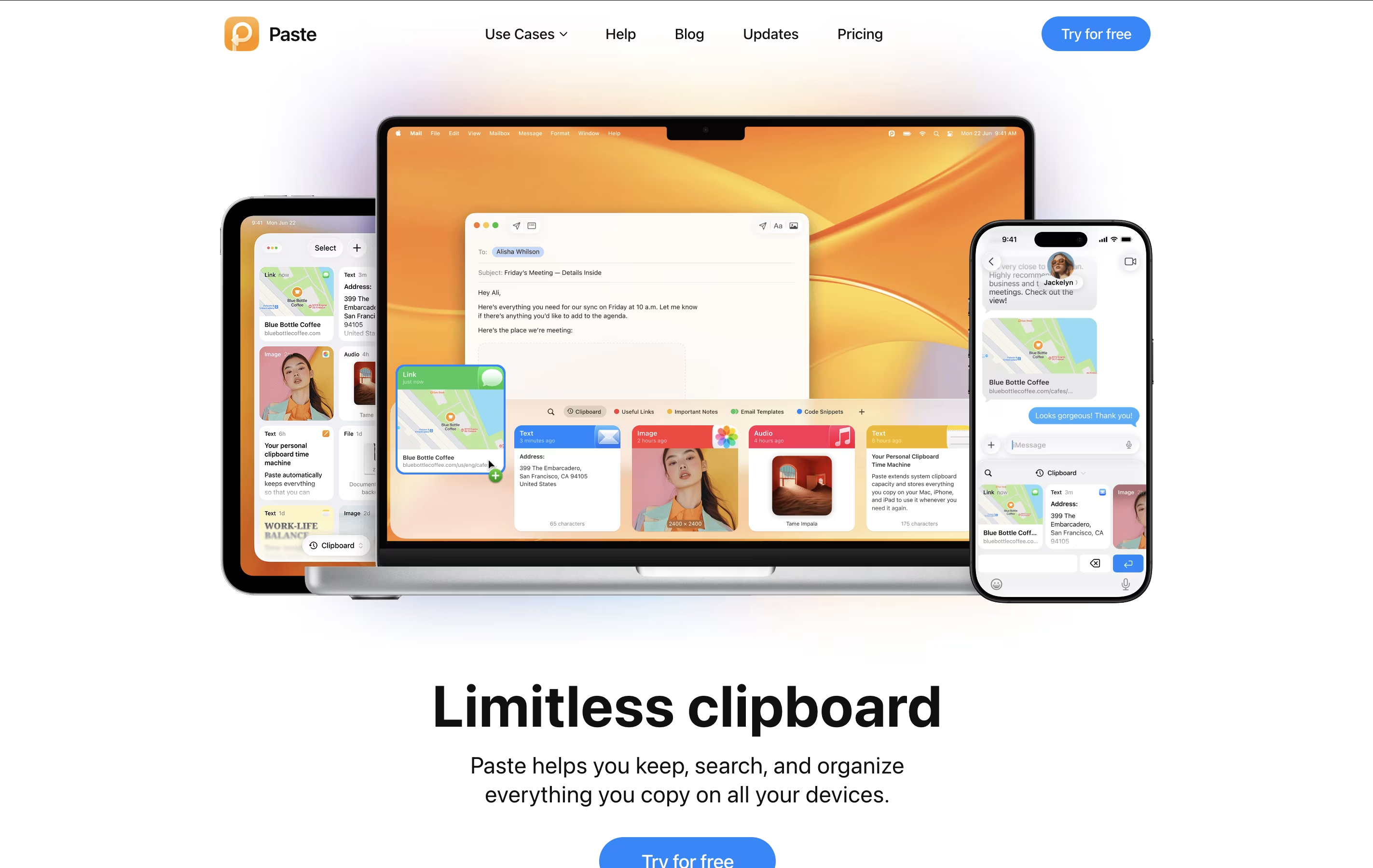 PasteClipboard Manager for Mac, iPhone & iPad and
  Raycast
 RaycastMac Productivity Launcher with AI and 1000+ Extensions are the best for Clipboard History Access. So, let’s take a closer look at both tools.
Paste is a clipboard manager that remembers everything you copy on your Apple devices. Think of it as a powerful upgrade to the standard clipboard that comes with your Mac, iPhone, or iPad.
The regular clipboard only holds one item at a time. When you copy something new, the old item disappears. Paste changes this by keeping a visual history of everything you've copied – text, links, images, files, and even colors. You can scroll through your history, search for specific items, and paste them whenever you need them.
Paste also lets you create Pinboards, which are custom collections where you can store frequently used items like email templates, code snippets, or design assets. The app uses iCloud to sync everything across your devices, so your clipboard history follows you everywhere.
Raycast is a comprehensive productivity platform built specifically for Mac users that serves as both an app launcher and a complete workflow automation system. Think of it as a much more powerful version of Spotlight search, but with AI capabilities built right in.
At its core, Raycast lets you quickly launch applications, search files, perform calculations, and control your Mac entirely through keyboard shortcuts. What sets it apart is its extensive ecosystem of over 1000 free extensions that integrate with popular tools like GitHub, Slack, Notion, and Google Calendar. You can manage your entire digital workflow without ever leaving the Raycast interface.
The app also includes advanced AI features powered by leading models like GPT-4, Claude, and DeepSeek R1, allowing you to chat with AI, generate content, and automate repetitive tasks. Whether you need quick answers, help with coding, or assistance writing emails, Raycast's AI integration makes it feel like having a smart assistant built into your operating system.





