PearAI
PearAI is an open source AI code editor that combines the best AI tools for faster development and smart coding.



What is PearAI
PearAI is an AI-powered code editor designed to make programming easier and faster. It is based on Visual Studio Code, so if you have used that editor before, PearAI will feel familiar. The main difference is that PearAI includes AI tools that understand your code and help you write better programs.
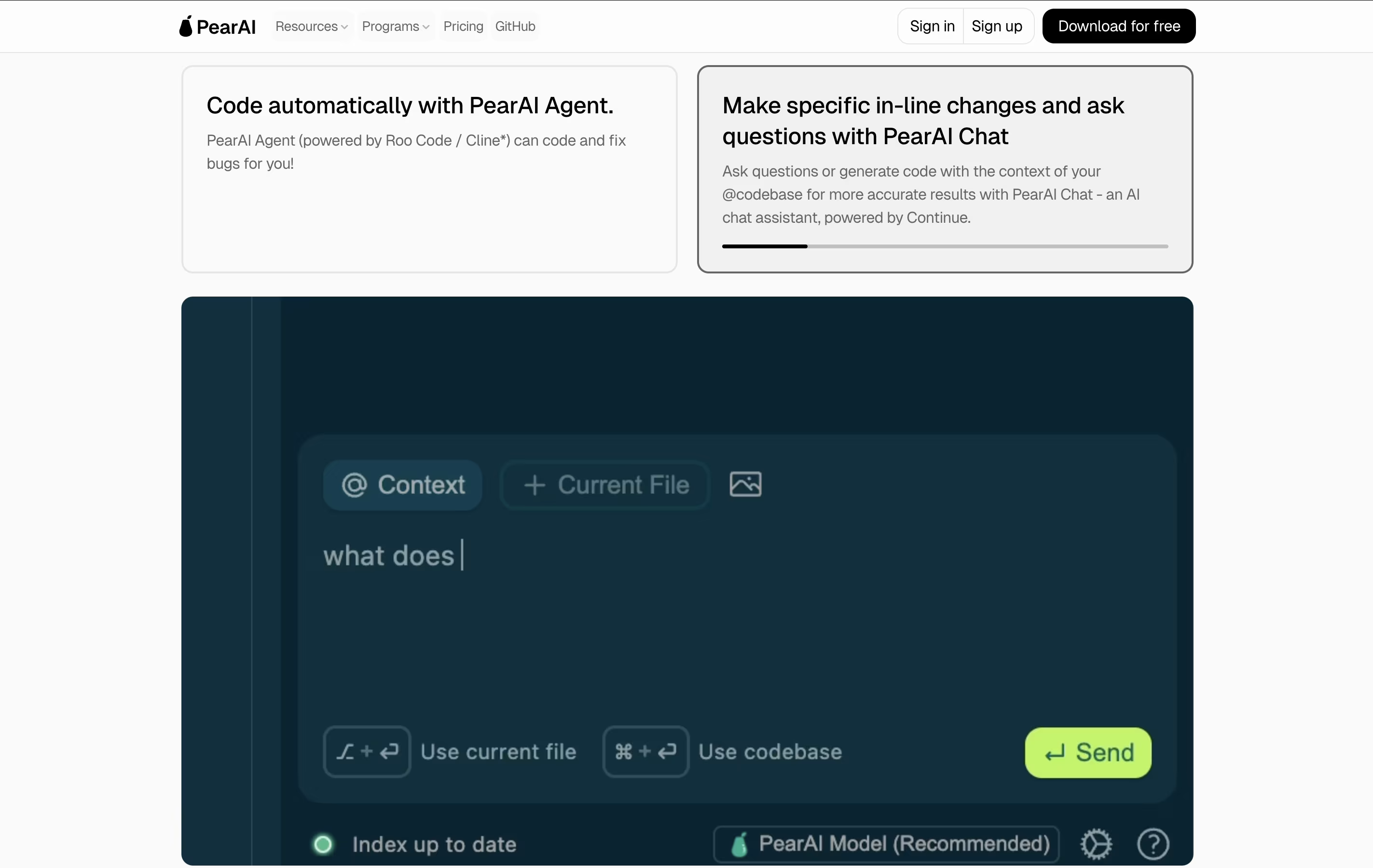
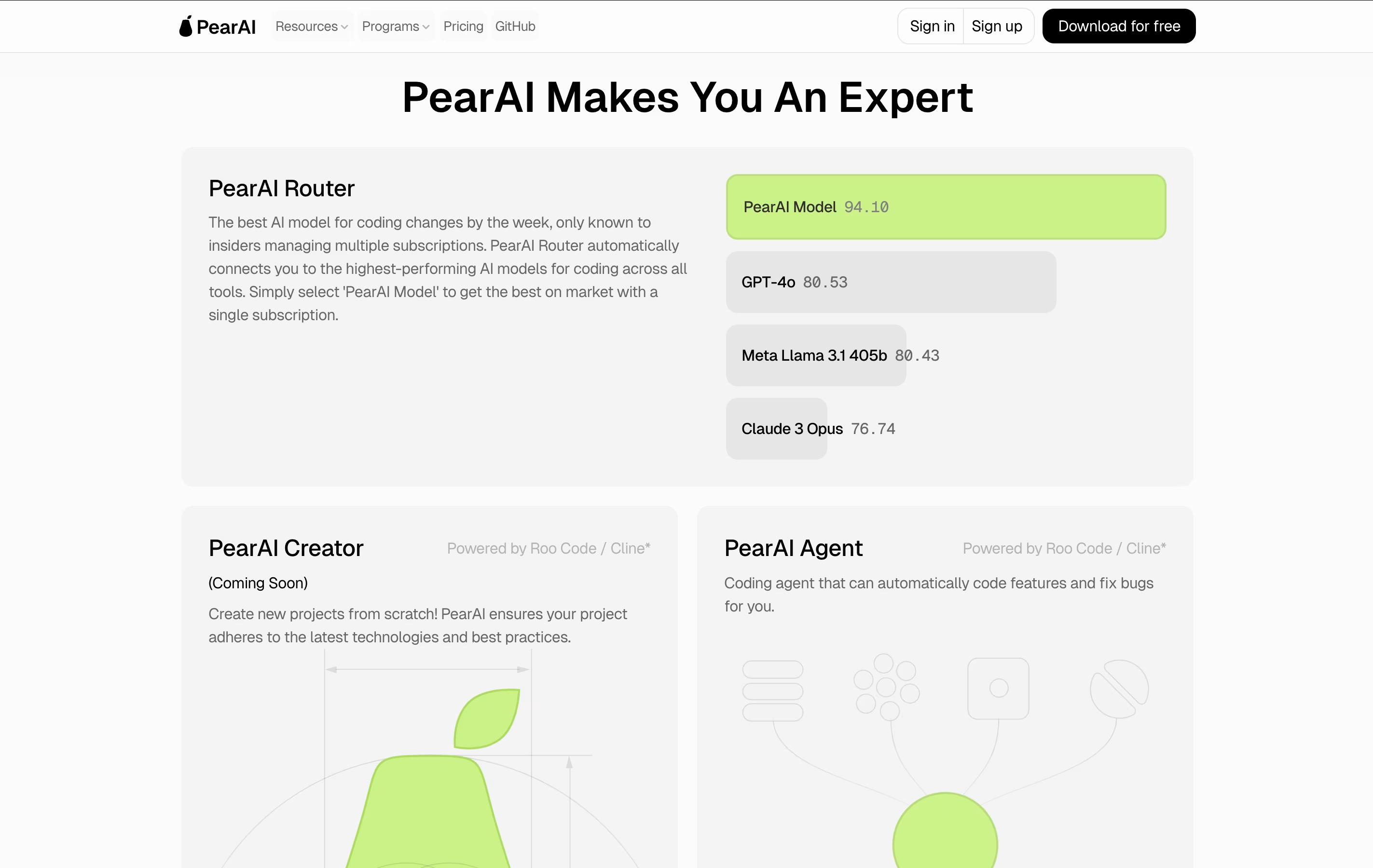
The editor connects to different AI models including GPT-4, Claude, and others. You can ask questions about your code, request changes, or get help fixing errors without leaving your editor. PearAI also remembers the context of your project, so the AI suggestions are relevant to what you are actually building.
It is open source and free to use, with a paid plan that gives access to premium AI models and more features.
How to Use PearAI
Getting started with PearAI is straightforward. Here is how to begin:
Download the editor from the PearAI website and install it on your computer. It works on Mac, Windows, and Linux.
When you first open PearAI, create an account or sign in. You can start with the free trial to test the features.
Open your project folder in PearAI just like you would in any code editor. The AI will start understanding your codebase.
Use keyboard shortcuts to interact with AI. Press CMD+L to start a new chat with AI, or CMD+I to edit code inline with AI assistance.
Type questions or commands in plain language. You can ask the AI to explain code, generate new functions, add comments, or fix bugs.
Reference specific files or folders by typing @ followed by the file name. This helps the AI understand which parts of your project you are working on.
Features of PearAI
AI chat integrated into the editor
Inline code editing with AI assistance
Multiple AI model support including GPT-4 and Claude
Automatic codebase indexing and context awareness
Custom slash commands for quick actions
Built on Visual Studio Code for familiar interface
File and folder reference system with @ mentions
Terminal integration for debugging
Free and open source with premium options
Cross-platform support for Mac, Windows, and Linux
PearAI Pricing
Intern
Free
- Use your own API keys
- Access to local AI models
- Community Discord support
- Full code editor functionality
- Open source codebase access
- Free trial of all features
Maker
$15 /mo
- Full access to PearAI Router
- $15 monthly credits for premium AI models
- Access to GPT-4, Claude, and other models
- Zero data retention policy with Anthropic
- Direct support from founders and contributors
- Pay-as-you-go for additional credits
- Priority model access
Enterprise
Custom
- Bulk purchase discounts
- Increased monthly PearAI Credits
- Full privacy with zero data retention
- Centralized billing and dashboard
- Direct support from founders
- Team management features
- Custom credit packages
PearAI Use Cases
Who Can Benefit from PearAI
PearAI Repository
View on Github| Stars | 751 |
| Forks | 103 |
| Repository Age | 1 year |
| Last Commit | 2 days ago |
FAQ's About PearAI
Share your experience with PearAI
See what users are saying about PearAI
0 Reviews
No reviews yet
Be the first to review PearAI
Embed PearAI badges
Show your community that PearAI is featured on Tool Questor. Add these beautiful badges to your website, documentation, or social profiles to boost credibility and drive more traffic.