JetBrains AI
JetBrains AI is an intelligent coding assistant that provides code completion, AI chat, and an agent named Junie directly in JetBrains IDEs.


What is JetBrains AI
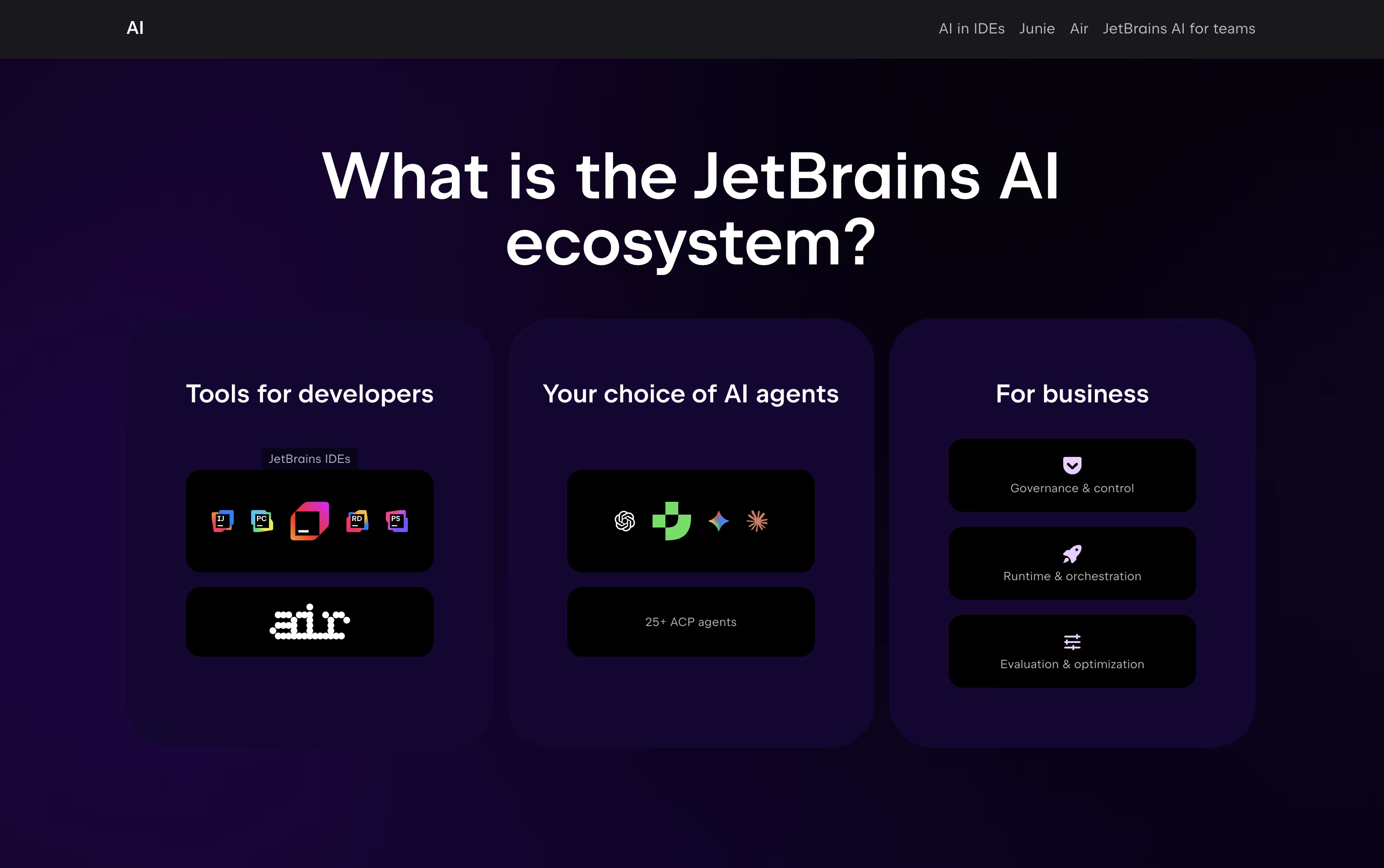
JetBrains AI is a set of AI-powered tools built directly into JetBrains development environments. It includes two main parts: AI Assistant and Junie.
AI Assistant helps with everyday coding tasks. It suggests code as you type, explains what code does, generates tests, finds bugs, and answers questions about your project. It works continuously in the background while you code.
Junie is an AI coding agent that takes on complete tasks. You can ask Junie to implement features, fix bugs, or refactor code, and it will work through the steps on its own. Junie can understand your project structure, make changes across multiple files, run tests, and verify that everything works.
Both tools support local models for privacy and cloud models for advanced features.
How to Use JetBrains AI
Using JetBrains AI is simple and natural. Here are the main ways to work with it:
Install JetBrains AI from your IDE settings or plugins menu. It works with IntelliJ IDEA, PyCharm, WebStorm, GoLand, PhpStorm, and other JetBrains IDEs.
For code completion, just start typing and AI suggestions will appear automatically. Press Tab to accept the suggestion.
Open the AI chat panel to ask questions about your code, request explanations, or get help with problems. You can attach files or images to provide context.
Use Junie for bigger tasks. Describe what you want to accomplish, like "add user authentication" or "write tests for this class," and Junie will create a plan and execute it.
Choose between local models for privacy or cloud models for more powerful features. You can connect local models through Ollama or LM Studio.
Review all changes before applying them to maintain full control over your code.
Features of JetBrains AI
Unlimited local code completion
AI-powered chat assistance
Junie autonomous coding agent
Support for GPT-4, Claude, Gemini models
Multi-file editing capabilities
Local and cloud model options
Code explanation and documentation
Test generation and debugging help
Screenshot and image analysis
Next edit suggestions
Model Context Protocol support
Enterprise security features
JetBrains AI Pricing
AI Free
Free
- Unlimited code completion
- Local AI model support
- 3 AI Credits per 30 days
- Basic cloud features access
- Code suggestions and explanations
- Free with any JetBrains IDE
AI Pro
$10 /mo
- 10 AI Credits per 30 days
- AI-assisted coding
- Extensive AI chat usage
- Access to try Junie coding agent
- Anytime credit top-ups available
- Advanced AI model access
AI Pro (Yearly)
$100 /yr
- 10 AI Credits per 30 days
- AI-assisted coding
- Extensive AI chat usage
- Access to try Junie coding agent
- Anytime credit top-ups available
- Advanced AI model access
AI Ultimate
$30 /mo
- 35 AI Credits per 30 days
- Larger cloud credit quota
- Recommended for Junie users
- Frequent coding agent usage
- Anytime credit top-ups available
- All AI Pro features included
AI Ultimate (Yearly)
$300 /yr
- 35 AI Credits per 30 days
- Larger cloud credit quota
- Recommended for Junie users
- Frequent coding agent usage
- Anytime credit top-ups available
- All AI Pro features included
AI Enterprise
$60 /mo
- Maximum AI credits
- Enterprise security features
- Custom AI integrations
- Advanced admin controls
- Priority support
- Organization-wide deployment
AI Enterprise (Yearly)
$720 /yr
- Maximum AI credits
- Enterprise security features
- Custom AI integrations
- Advanced admin controls
- Priority support
- Organization-wide deployment
All Products Pack
$29.9 /mo
- 11 JetBrains IDEs included
- AI Pro features included
- 10 AI Credits per 30 days
- Anytime credit top-ups
- All IDE tools and features
- Best value for multiple tools
dotUltimate
$21.9 /mo
- Rider, ReSharper and 4 .NET tools
- AI Pro features included
- 10 AI Credits per 30 days
- Anytime credit top-ups
- .NET and game development toolkit
- Best value for .NET developers
JetBrains AI Use Cases
Who Can Benefit from JetBrains AI
FAQ's About JetBrains AI
Share your experience with JetBrains AI
See what users are saying about JetBrains AI
0 Reviews
No reviews yet
Be the first to review JetBrains AI
Embed JetBrains AI badges
Show your community that JetBrains AI is featured on Tool Questor. Add these beautiful badges to your website, documentation, or social profiles to boost credibility and drive more traffic.