ToolQuestor Logo
Devin Desktop

Devin Desktop

No reviews yet
0 Saved
Added:7/27/2026
Type:Saas
Monthly Traffic:-
Pricing:
FREEMIUMSUBSCRIPTIONCUSTOM
Vidnoz AI

Vidnoz AI

FEATURED
Bubble

Bubble

FEATURED
Granola

Granola

FEATURED
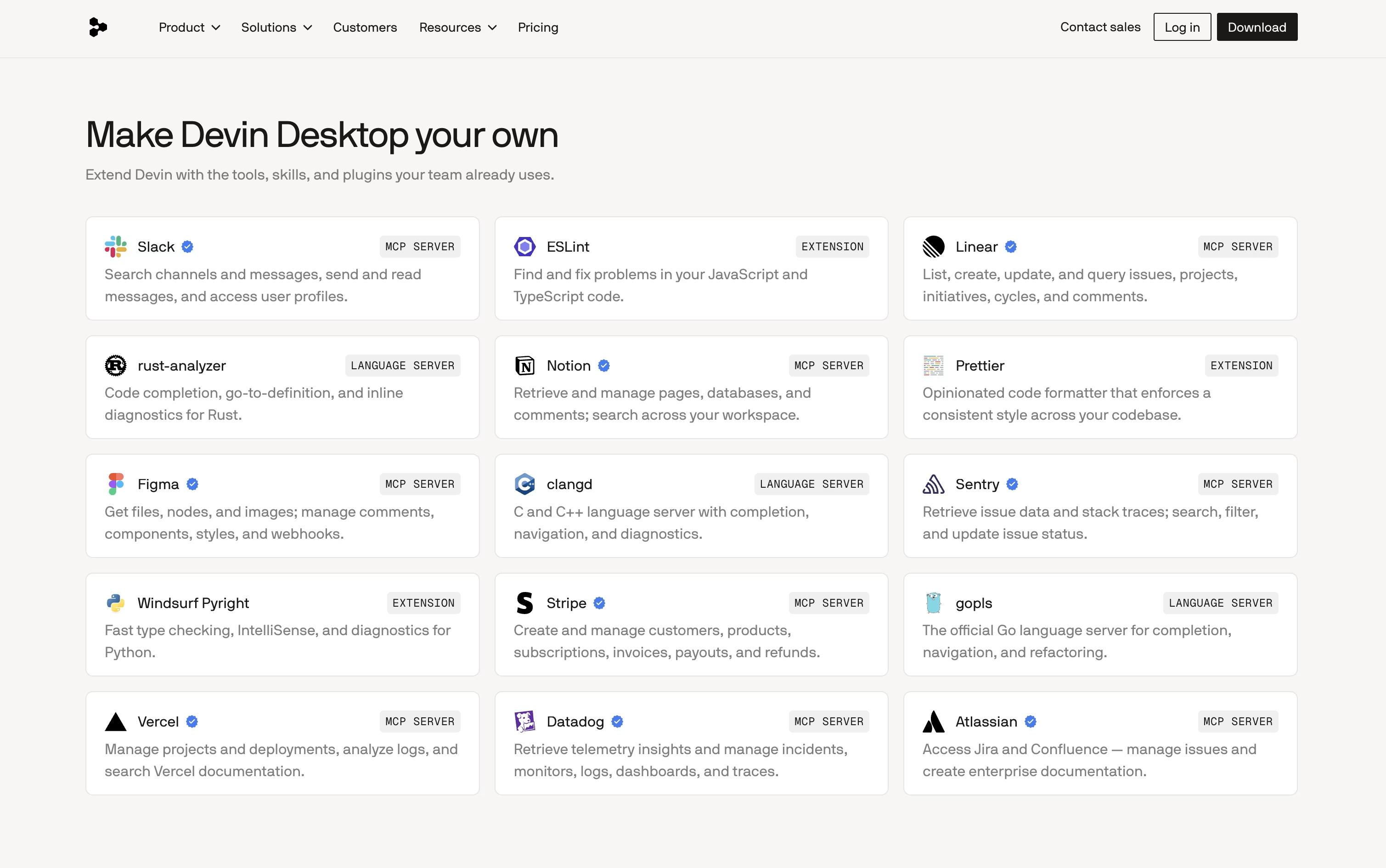
Devin Desktop screenshot 2
Devin Desktop screenshot 3
Devin Desktop screenshot 4
Devin Desktop screenshot 5

What is Devin Desktop

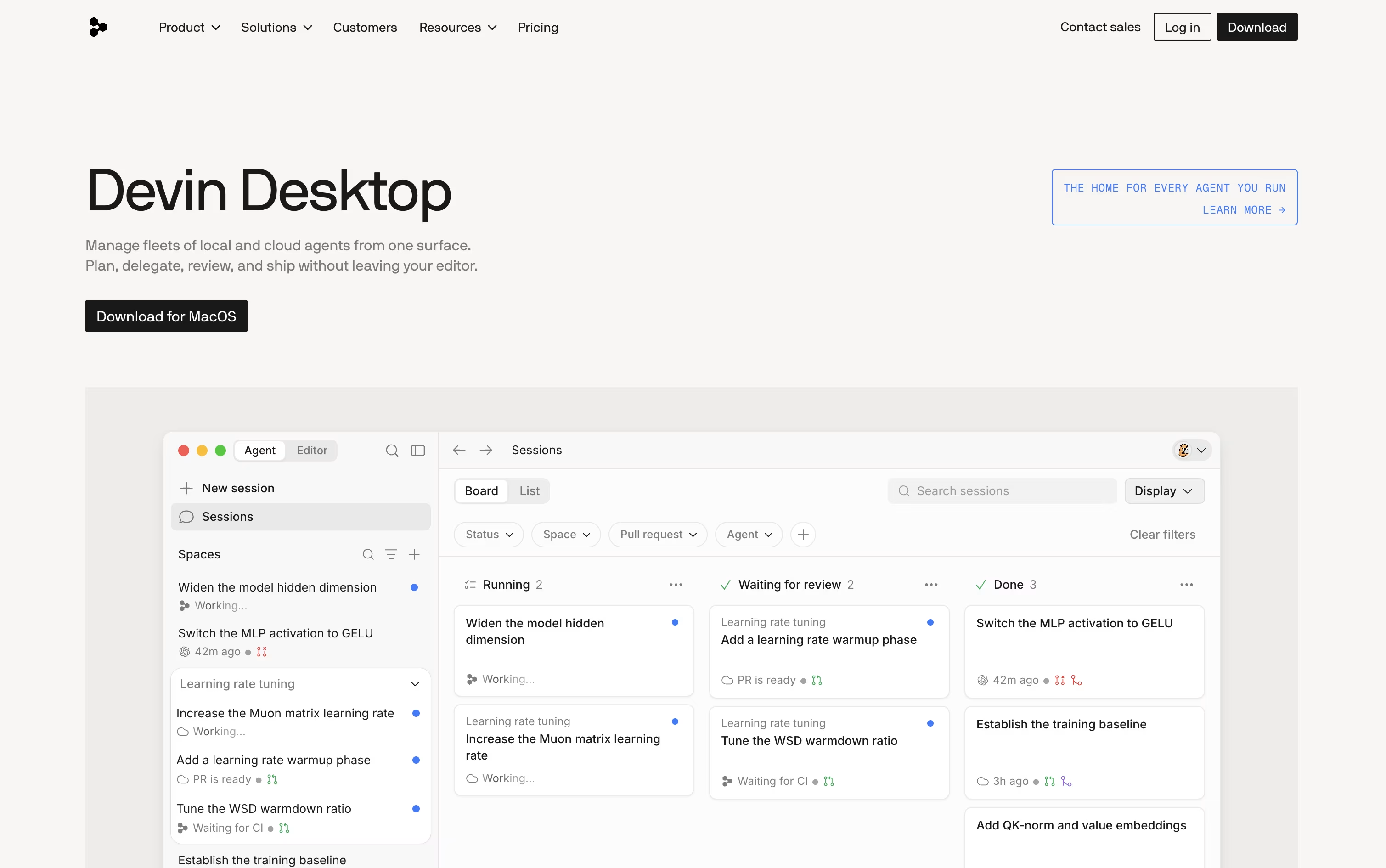
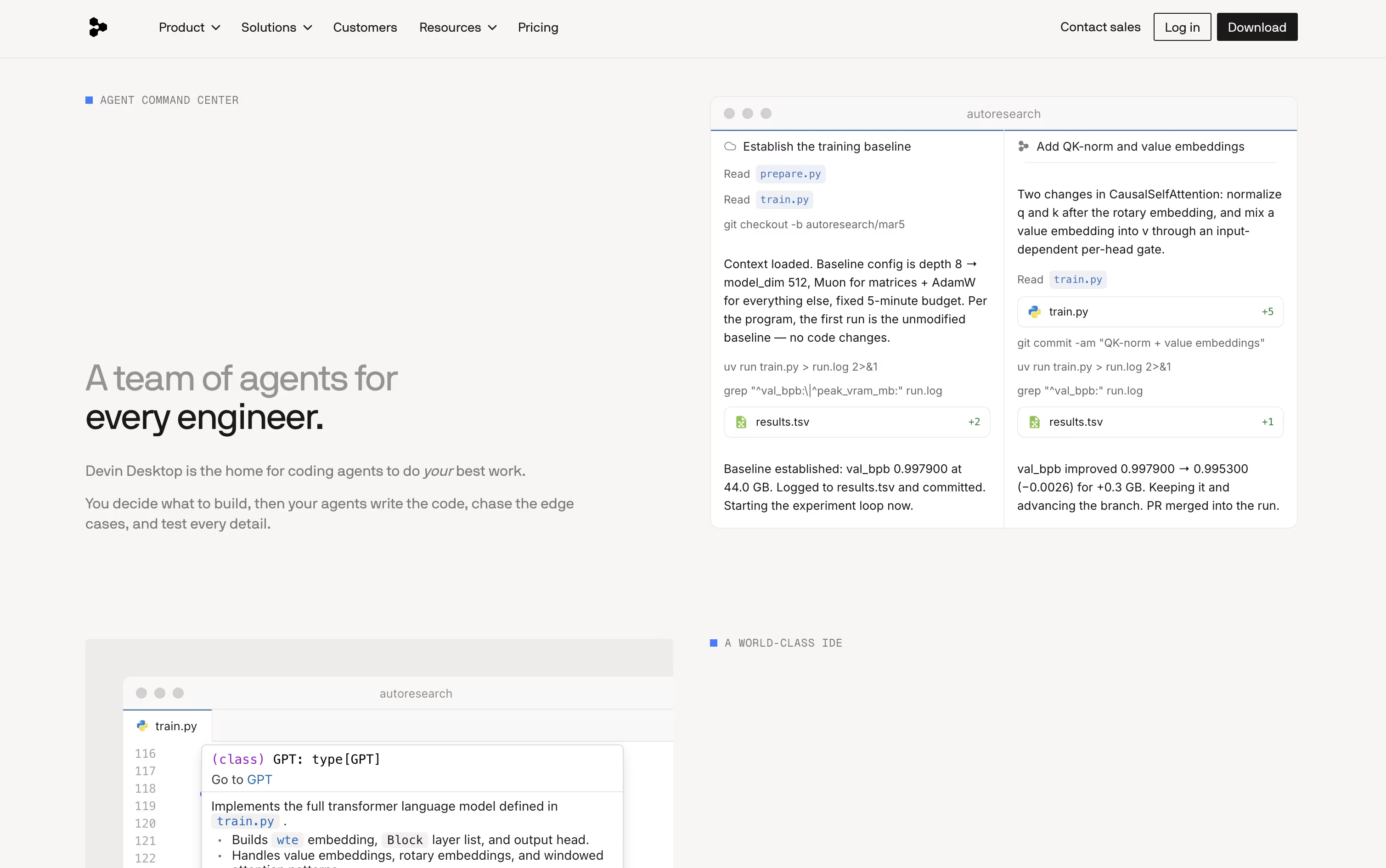
Devin Desktop is a full desktop code editor that also acts as a control center for AI coding agents. You can assign a task in plain language, watch the agent work in a Kanban style board, and review the changes before they are merged.

Work is grouped into Spaces, so related tasks, files, and pull requests share the same project context, and a new task does not need you to explain the project again.

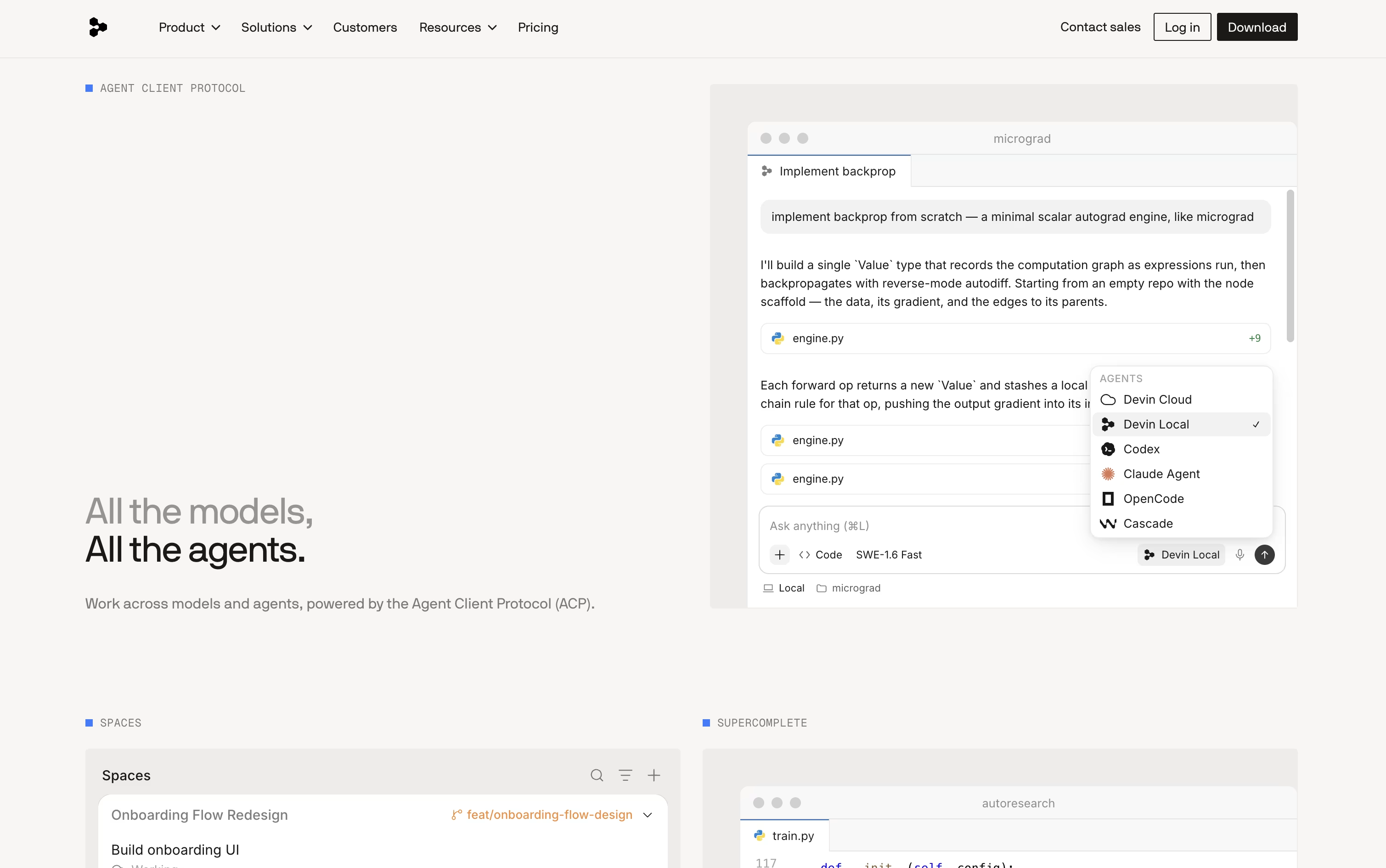
It also supports agents built by other companies through an open protocol, so you are not limited to only one kind of agent. The full editor still has file editing, debugging, and git tools built in for manual work.

How to Use Devin Desktop

Getting started with Devin Desktop is simple. Here are the steps to follow:

  • Download the app from the Devin website or receive it as an update if you already use Windsurf.

  • Sign in with a Devin account, then import your settings, keybindings, and extensions if you are coming from another editor.

  • Open a local folder, a remote server, or a container to start a project.

  • Use the Agent Command Center to create a task and assign it to a local or cloud agent in plain language.

  • Watch the agent's progress on the board, then review the code changes and accept or reject them.

  • Switch to the full editor for manual coding, debugging, or git tasks whenever you need to work by hand.

Features of Devin Desktop

  • Agent Command Center board for tracking task status

  • Spaces that keep project context across tasks

  • Local agent with fine grained permission controls

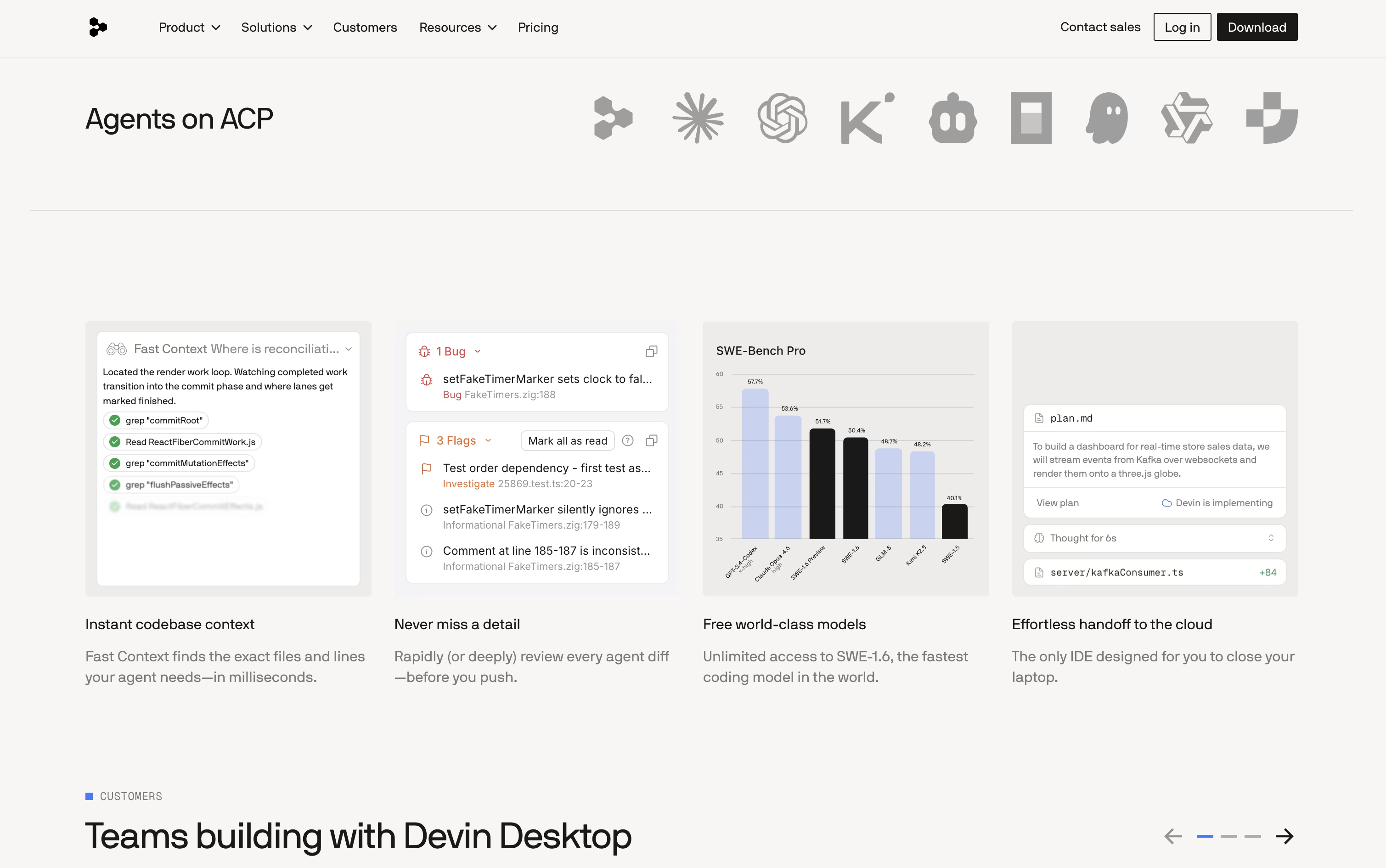
  • One click handoff to cloud coding agents

  • Open protocol supports agents from other companies

  • Full code editor with debugging and git tools

  • Fast context search across the whole codebase

  • Slack, Linear, Jira, and GitHub integrations

  • Available on macOS, Windows, and Linux

Devin Desktop Pricing

Free

Free

What's included:
  • Light quota to code with agents
  • Limited model availability
  • Unlimited inline edits
  • Unlimited tab completions
Most Popular
Pro

$20 /mo

What's included:
  • Increased quotas with access to OpenAI, Claude, and Gemini models
  • Full model availability
  • Free use of SWE 1.7 and leading open source models
  • Access to cloud agents
  • Ability to purchase extra usage at API pricing
Max

$200 /mo

What's included:
  • Everything in Pro
  • Significantly higher usage quotas
Teams

$80 /mo

What's included:
  • Everything in Pro, plus $40 per month per full developer seat
  • Unlimited team members
  • Share and collaborate
  • Centralized billing
  • Admin dashboard with analytics
  • Priority support
Enterprise

Custom

What's included:
  • Everything in Teams
  • Highest priority support
  • Dedicated account management
  • SAML/OIDC SSO
  • Centralized enterprise admin controls
  • Dedicated deployment option

FAQ's About Devin Desktop

Is Devin Desktop free to use?
Yes, Devin Desktop has a Free plan with a light usage quota, limited model access, and unlimited tab completions. Paid plans start at $20 a month for full model access and cloud agents.
What is the Agent Command Center?
It is the main board inside Devin Desktop where you can see the status of every AI coding agent, whether it is running, waiting for review, or finished, and manage tasks across local and cloud agents.
Can I use agents from other companies inside Devin Desktop?
Yes, Devin Desktop supports an open agent protocol, which means agents built by other companies can run inside the editor, appear on the board, and be reviewed the same way as Devin's own agents.
What is the difference between local and cloud agents?
Local agents run on your own computer with permissions you control, while cloud agents run on separate machines and keep working on a task even after you close Devin Desktop.
Does Devin Desktop support teams?
Yes, the Teams plan costs $80 a month plus $40 per full seat and adds shared workspaces, an admin dashboard, and priority support. Enterprise plans add custom pricing with extra security controls.

Share your experience with Devin Desktop

Loading...

See what users are saying about Devin Desktop

0.0

0 Reviews

5
0
4
0
3
0
2
0
1
0

No reviews yet

Be the first to review Devin Desktop

Embed Devin Desktop badges

Show your community that Devin Desktop is featured on Tool Questor. Add these beautiful badges to your website, documentation, or social profiles to boost credibility and drive more traffic.

Light Badge Preview