ToolQuestor Logo
StatusList

StatusList

No reviews yet
0 Saved
Added:4/19/2026
Type:Saas
Monthly Traffic:-
Pricing:
FREEFREEMIUMSUBSCRIPTIONONE_TIME
Cloud-BasedWeb-BasedReal-TimeAnalyticsPerformance MonitoringSecurity
OpenArt AI

OpenArt AI

FEATURED
Vidnoz AI

Vidnoz AI

FEATURED
Bubble

Bubble

FEATURED
StatusList screenshot 2
StatusList screenshot 3
StatusList screenshot 4

What is StatusList

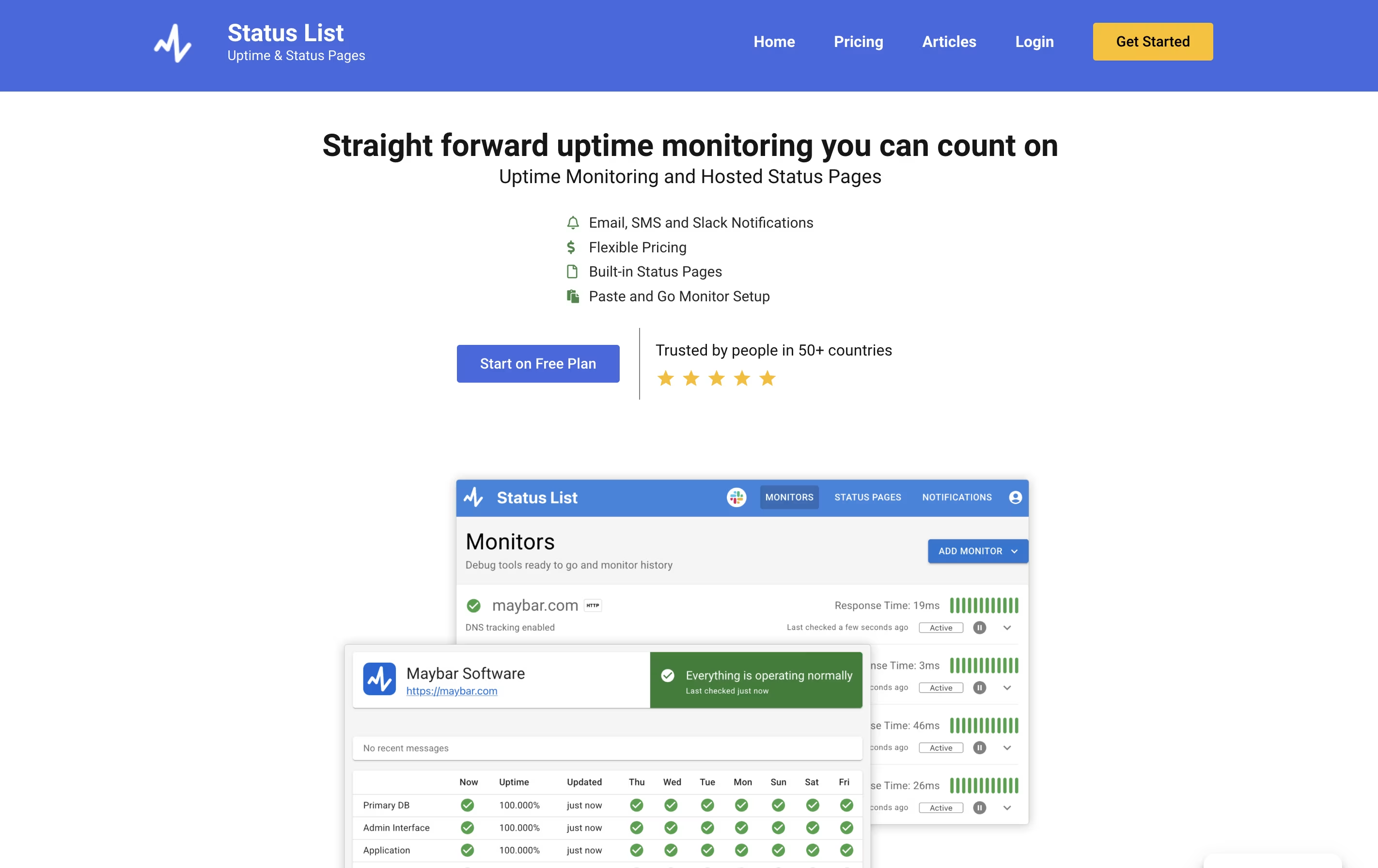
StatusList is a monitoring service that watches your websites and web applications to ensure they stay online and perform well. It pings your servers at regular intervals, checking if they respond correctly. When an issue is detected, it sends you notifications through email, SMS, or Slack.

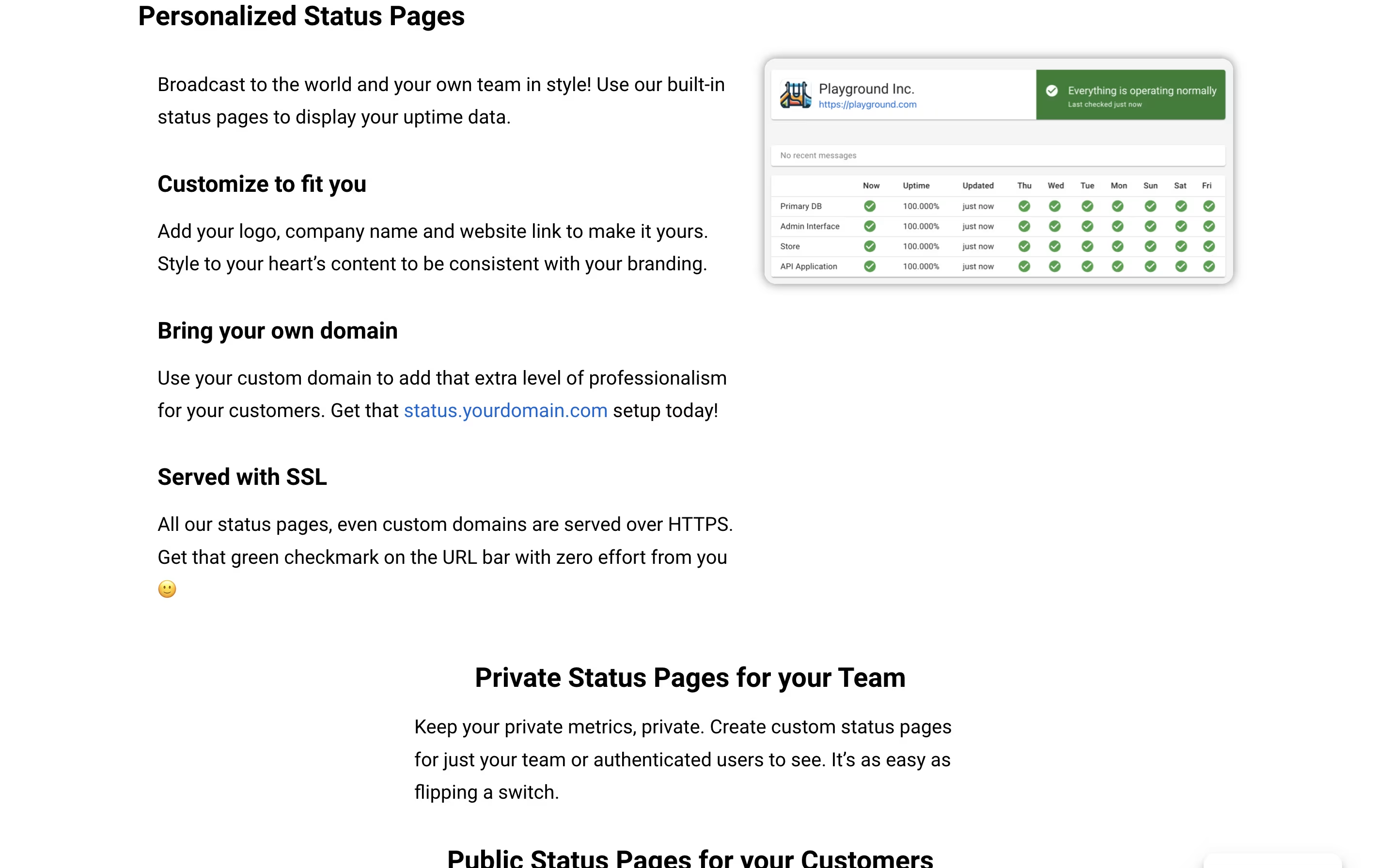
The service also provides hosted status pages where you can display uptime information to your team or customers. These pages show current status, past incidents, and planned maintenance. You can customize them with your logo and domain name to match your brand.

StatusList tracks multiple types of checks including HTTP endpoints, DNS health, and performance metrics. It stores 30 days of history and provides detailed information about each incident, including response times and error details.

How to Use StatusList

Getting started with StatusList is straightforward. Here are the main steps to begin monitoring:

  • Sign up for a free account at statuslist.app and confirm your email address to access the dashboard.

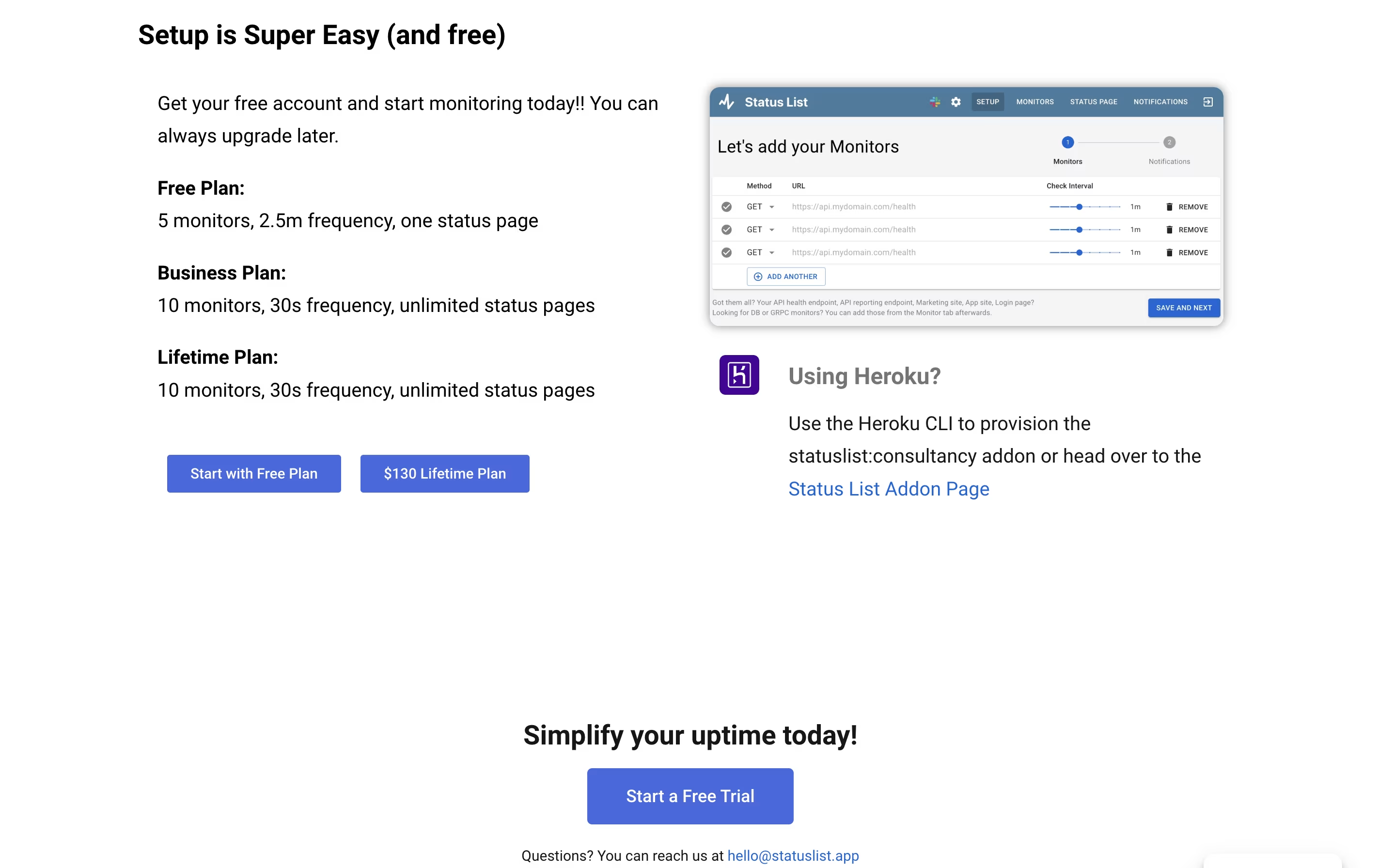
  • Click the Add Monitor button and enter the URL you want to track, along with the check frequency you prefer.

  • Set up your notification preferences by adding email addresses, phone numbers for SMS, or connecting your Slack workspace.

  • Configure alert settings to choose between immediate notifications or alerts after two consecutive failures, depending on your service reliability.

  • Create your status page by adding your company name, logo, and selecting which monitors to display publicly or privately.

  • For custom domains, add your domain settings and StatusList will automatically provide HTTPS security for your status page.

  • Review incident logs regularly to track patterns and use the performance graphs to spot potential issues before they become major problems.

Features of StatusList

  • Website uptime monitoring with customizable check intervals

  • Multi-region monitoring for global coverage

  • Hosted status pages with custom domains and HTTPS

  • Email, SMS, and Slack notifications

  • Incident tracking with detailed HTTP logs

  • DNS health monitoring

  • Public and private status page options

  • Performance graphs and 30-day history

  • Response time tracking

  • Simple dashboard interface

StatusList Pricing

Hobby

Free

What's included:
  • Single dashboard
  • 5 monitors
  • 2.5 min check frequency
  • Uptime & performance monitoring
  • One hosted status page
  • *.statuslist.app domain
  • Public pages only
  • Incident tracking
  • DNS tracking
  • 1 user
Most Popular
Business

$8.99 /mo

What's included:
  • Single dashboard
  • 10 monitors
  • 30 sec check frequency
  • Uptime & performance monitoring
  • Multi-hosted status pages
  • Custom domain with HTTPS
  • Private & public pages
  • Incident tracking
  • DNS tracking
  • 2 users
Lifetime

$130 once

What's included:
  • Single dashboard
  • 10 monitors
  • 30 sec check frequency
  • Uptime & performance monitoring
  • Multi-hosted status pages
  • Custom domain with HTTPS
  • Private & public pages
  • Incident tracking
  • DNS tracking
  • 2 users

FAQ's About StatusList

Is StatusList free to use?
Yes, StatusList offers a free Hobby Plan that includes 5 monitors with 2.5-minute check intervals, one hosted status page, and basic notifications via email, SMS, and Slack. You can upgrade to the Business Plan ($8.99/month) or Lifetime Plan ($130 one-time) for more monitors and features.
How quickly does StatusList detect when my website goes down?
Detection speed depends on your plan. The free Hobby Plan checks every 2.5 minutes, while paid plans (Business and Lifetime) check every 30 seconds. You can also choose to receive alerts immediately or only after two consecutive failures to avoid false alarms.
Can I use my own domain for the status page?
Yes, with the Business or Lifetime plans, you can use custom domains for your status pages. StatusList automatically provides HTTPS security for your custom domain at no extra cost. The free Hobby Plan includes a subdomain on statuslist.app.
What types of notifications does StatusList send?
StatusList sends notifications through email, SMS, and Slack when it detects issues with your monitored services. All notifications include detailed HTTP information, response times, and timing data for things like DNS lookups and TLS setup to help with debugging.
Can I create private status pages for my team only?
Yes, the Business and Lifetime plans allow you to create both public and private status pages. Private pages are perfect for internal team use, while public pages can be shared with customers. The free Hobby Plan only supports public status pages.

Share your experience with StatusList

Loading...

See what users are saying about StatusList

0.0

0 Reviews

5
0
4
0
3
0
2
0
1
0

No reviews yet

Be the first to review StatusList

Embed StatusList badges

Show your community that StatusList is featured on Tool Questor. Add these beautiful badges to your website, documentation, or social profiles to boost credibility and drive more traffic.

Light Badge Preview