ToolQuestor Logo
Incident.io

Incident.io

No reviews yet
0 Saved
Added:4/19/2026
Type:Saas
Monthly Traffic:-
Pricing:
FREEFREEMIUMSUBSCRIPTION
AI-PoweredMachine LearningCollaborationAutomationAnalyticsProject Management
Vidnoz AI

Vidnoz AI

FEATURED
OpenArt AI

OpenArt AI

FEATURED
Wispr Flow

Wispr Flow

FEATURED
Incident.io screenshot 2
Incident.io screenshot 3
Incident.io screenshot 4
Incident.io screenshot 5

What is Incident.io

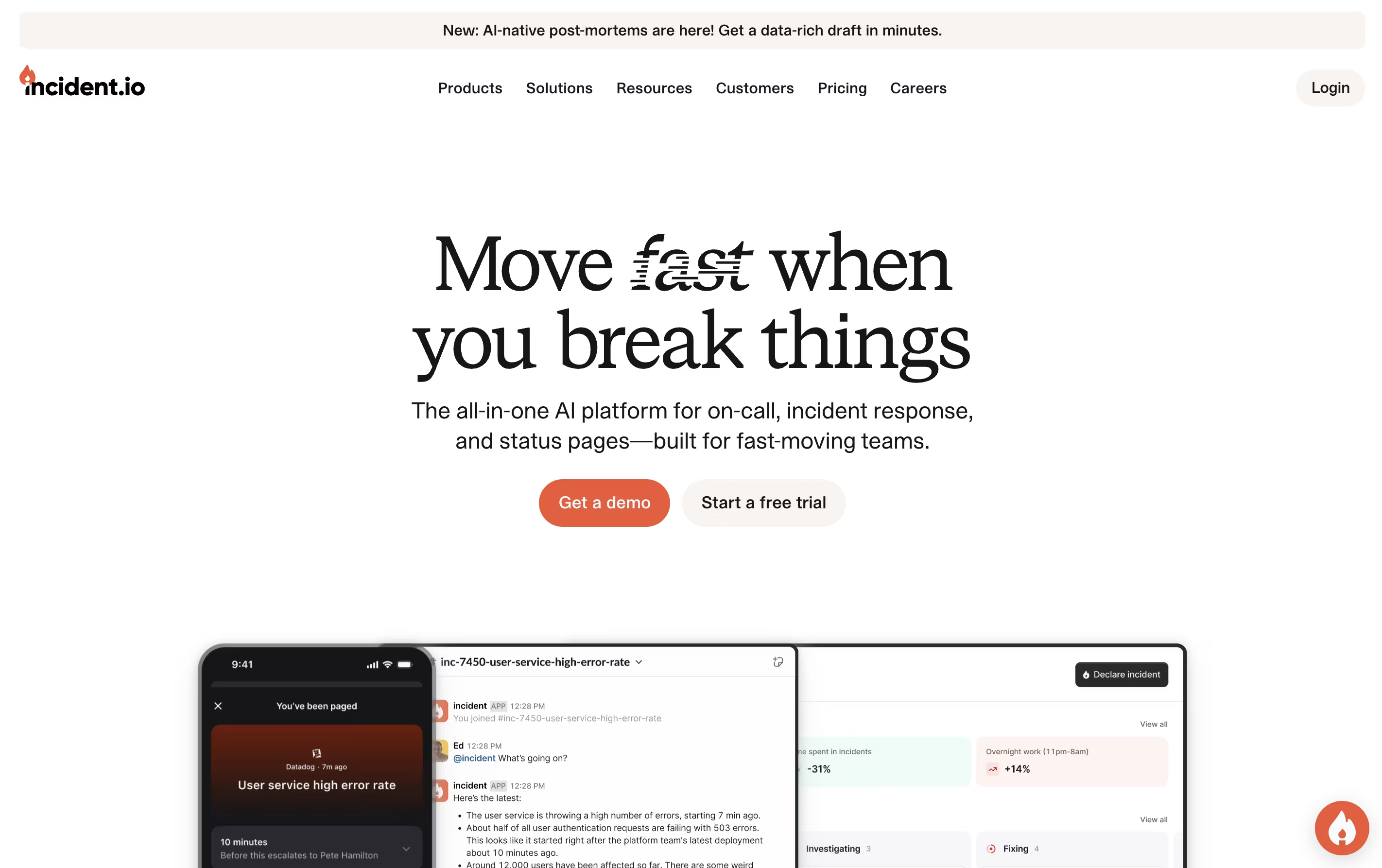
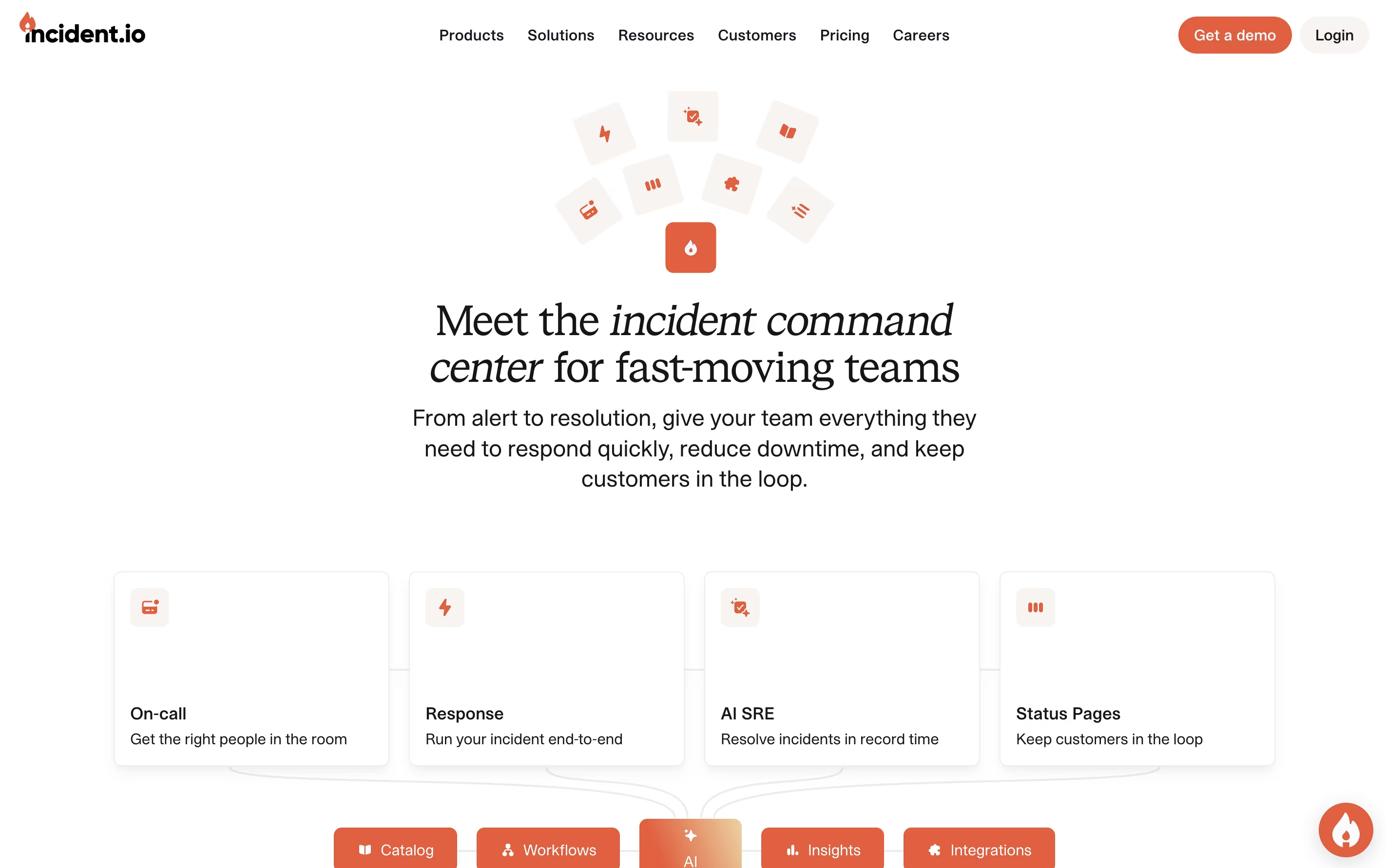
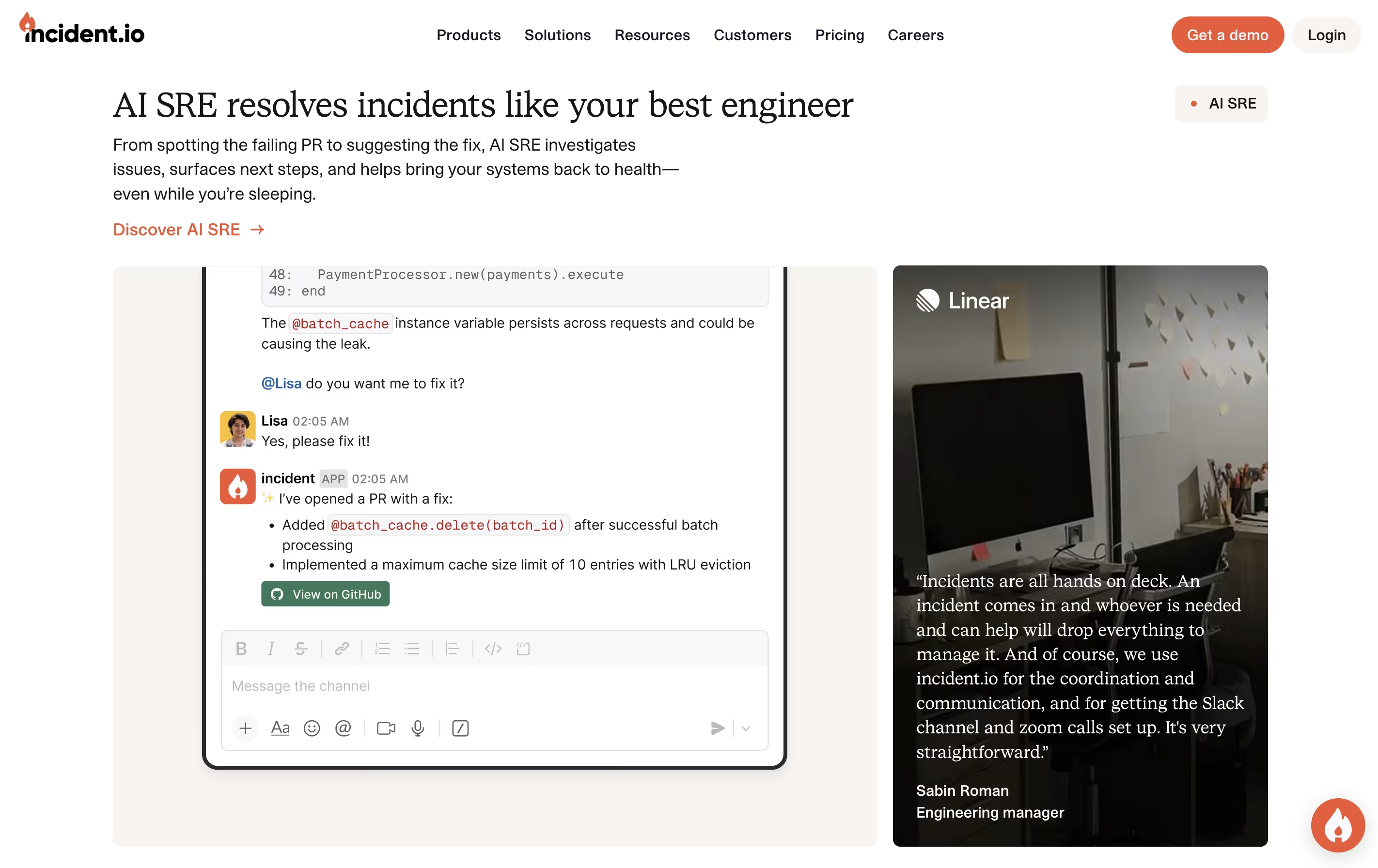
Incident.io is a platform that brings together all the tools needed to manage technical incidents in one place. When something breaks, it automatically creates dedicated channels in Slack or Teams, brings in the right people based on schedules, and helps coordinate the response effort.

The platform uses AI to reduce alert noise, suggest fixes, and even investigate problems automatically. It tracks everything that happens during an incident to create detailed timelines without extra work. After incidents are resolved, teams can review what happened and learn from it.

There are multiple pricing levels, from a free Basic plan with core features to Enterprise plans for large organizations. The Pro version includes advanced analytics and private incident handling.

How to Use Incident.io

Getting started with Incident.io is straightforward:

  • Connect your Slack or Microsoft Teams workspace to Incident.io and set up user accounts for your team members.

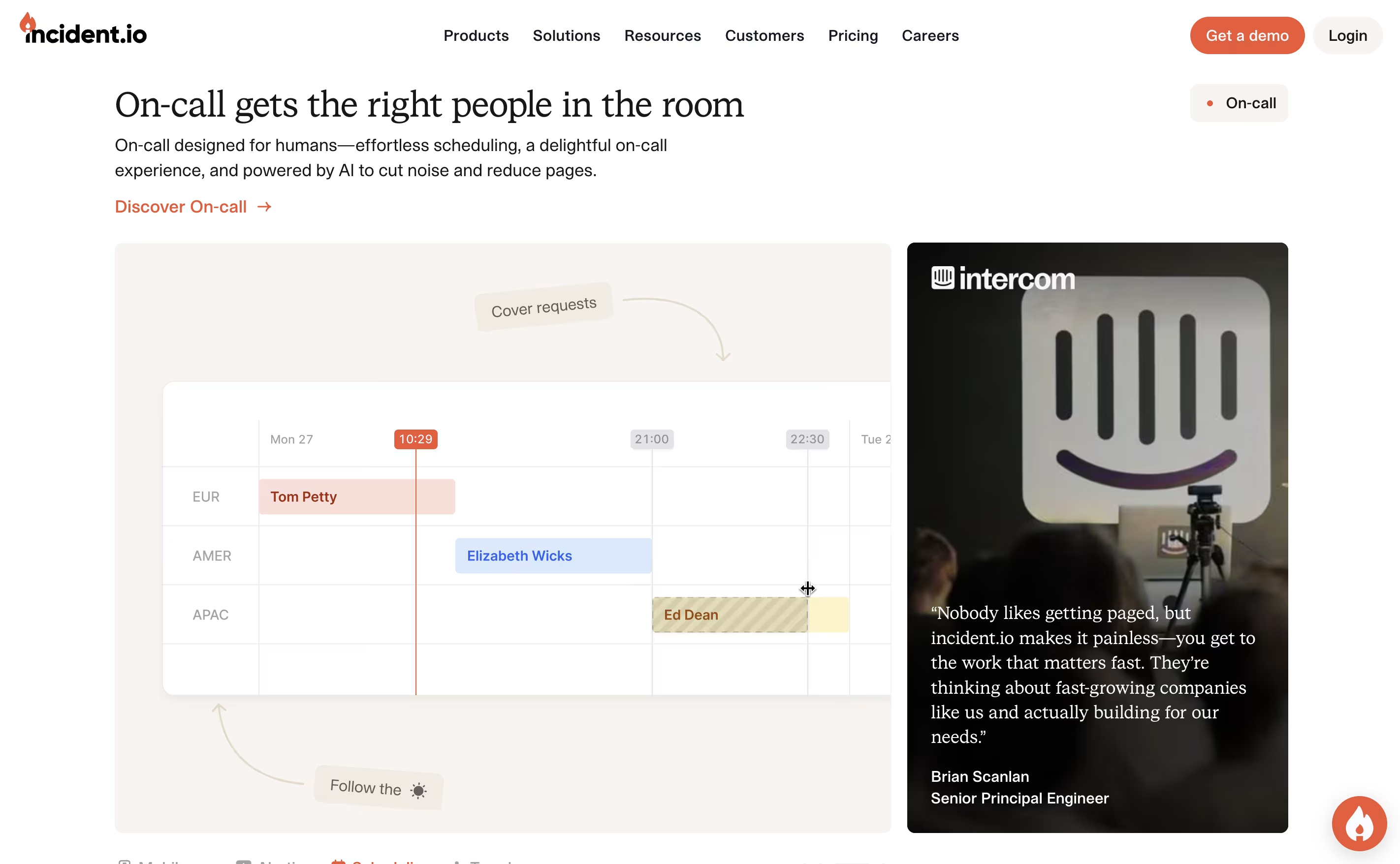
  • Create on-call schedules by adding team members, setting rotation times, and choosing how alerts should reach people during different hours.

  • Set up alert sources by connecting your monitoring tools so they can automatically trigger incidents when problems are detected.

  • Create workflow automations that define what happens when an incident starts, such as opening Slack channels, assigning roles, and notifying stakeholders.

  • Configure your status page to match your brand and decide which incidents should automatically update customers.

  • When an incident happens, join the dedicated channel where AI helps investigate, team members coordinate the fix, and everything gets documented automatically.

  • After resolution, review the timeline and insights to understand what happened and prevent similar issues.

Features of Incident.io

  • AI-powered incident investigation and resolution

  • Multi-team on-call scheduling with rotation support

  • Automated Slack and Microsoft Teams workflows

  • Customizable branded status pages

  • Real-time incident timeline tracking

  • Post-incident review and learning tools

  • Integration with monitoring and ticketing systems

  • Advanced analytics and reporting

  • Role-based access control and permissions

  • Mobile app for on-the-go incident management

Incident.io Pricing

Basic

Free

What's included:
  • Slack native incident response
  • Single team on-call
  • Beautiful status page
  • Core incident management features
  • Automated incident channels
  • Basic workflow automation
Most Popular
Team - Incident Response

$19

What's included:
  • Slack native incident response
  • Multi-team on-call and alerting
  • Beautiful status page
  • AI-powered automation
  • Advanced workflow capabilities
  • Incident timeline tracking
Team - On-call Add-on

$12

What's included:
  • Multi-team scheduling
  • Calendar synchronization
  • Alert routing and escalation
  • Intelligent noise reduction
  • Rotation management
  • Override scheduling
Pro - Incident Response

$25

What's included:
  • Everything from Team plan
  • Advanced insights and analytics
  • Customizable post-incident processes
  • Private incidents and policies
  • Microsoft Teams support
  • Enhanced reporting capabilities
Pro - On-call Add-on

$20

What's included:
  • All Team on-call features
  • Advanced escalation policies
  • Priority alerting
  • Enhanced scheduling options
  • Detailed on-call analytics
  • Custom alert routing
Enterprise

Custom

What's included:
  • Everything from Pro plan
  • Designated customer success manager
  • Advanced access control
  • Multiple environments
  • Enterprise grade security
  • Live phone support
  • Support SLAs
  • Custom integrations
  • Advanced compliance features

FAQ's About Incident.io

Is Incident.io free to use?
Yes, Incident.io offers a free Basic plan that includes essential incident management features, single team on-call scheduling, and a status page. For more advanced features like multi-team on-call ($12-20/user/month) and Pro capabilities ($25/user/month), paid plans are available.
How is Incident.io different from traditional incident management tools?
Unlike traditional tools, Incident.io works directly inside Slack and Microsoft Teams where your team already communicates. It uses AI to investigate issues, automate workflows, and reduce manual documentation. Everything from alerting to customer updates happens automatically in one integrated platform.
What is AI SRE and how does it help?
AI SRE is an AI assistant that acts like a site reliability engineer. It investigates incidents by analyzing logs, forming theories about root causes, testing them, and even suggesting code fixes. This speeds up resolution and helps teams resolve issues even outside business hours.
Can Incident.io integrate with my existing tools?
Yes, Incident.io integrates with popular monitoring tools, ticketing systems like Jira, documentation platforms like Confluence, and communication tools. It connects with your existing setup so you don't need to change how your team works.
How does on-call scheduling work?
Incident.io lets you create flexible rotation schedules with multiple layers for different teams. You can sync with personal calendars, set handoff times, create overrides using simple language, and configure how alerts reach people based on time and urgency.

Share your experience with Incident.io

Loading...

See what users are saying about Incident.io

0.0

0 Reviews

5
0
4
0
3
0
2
0
1
0

No reviews yet

Be the first to review Incident.io

Embed Incident.io badges

Show your community that Incident.io is featured on Tool Questor. Add these beautiful badges to your website, documentation, or social profiles to boost credibility and drive more traffic.

Light Badge Preview