ToolQuestor Logo
FireHydrant

FireHydrant

No reviews yet
0 Saved
Added:4/19/2026
Type:Saas
Monthly Traffic:-
Pricing:
FREEMIUMSUBSCRIPTIONCUSTOM
AI-PoweredMachine LearningCollaborationAutomationAnalyticsSecurity
Granola

Granola

FEATURED
Wispr Flow

Wispr Flow

FEATURED
Vidnoz AI

Vidnoz AI

FEATURED
FireHydrant screenshot 2
FireHydrant screenshot 3
FireHydrant screenshot 4
FireHydrant screenshot 5

What is FireHydrant

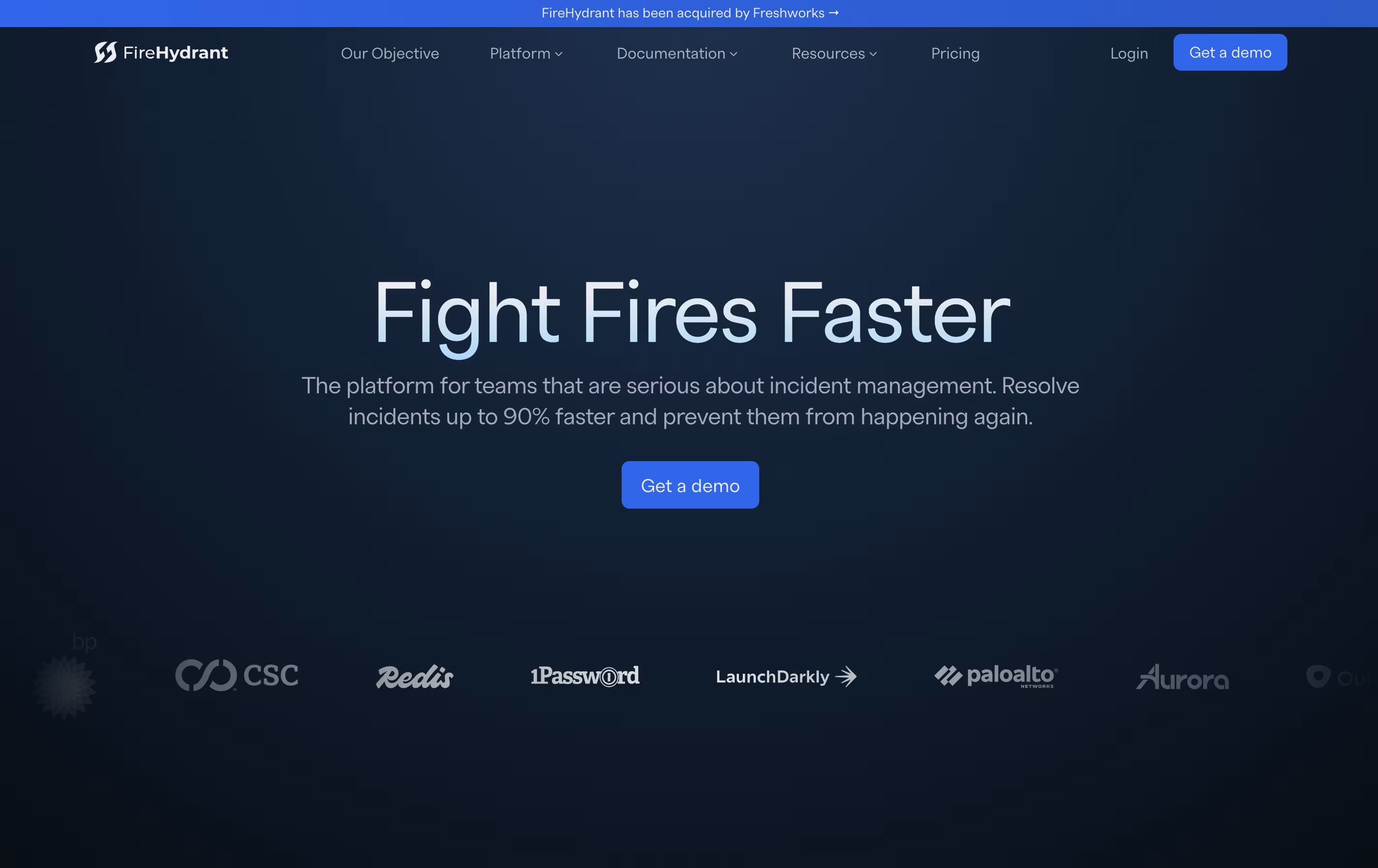
FireHydrant is a tool that manages the complete incident response process for software teams. When something breaks in your application, FireHydrant helps you respond quickly and consistently. It starts with alerting and on-call management, then guides you through response with automated workflows called Runbooks.

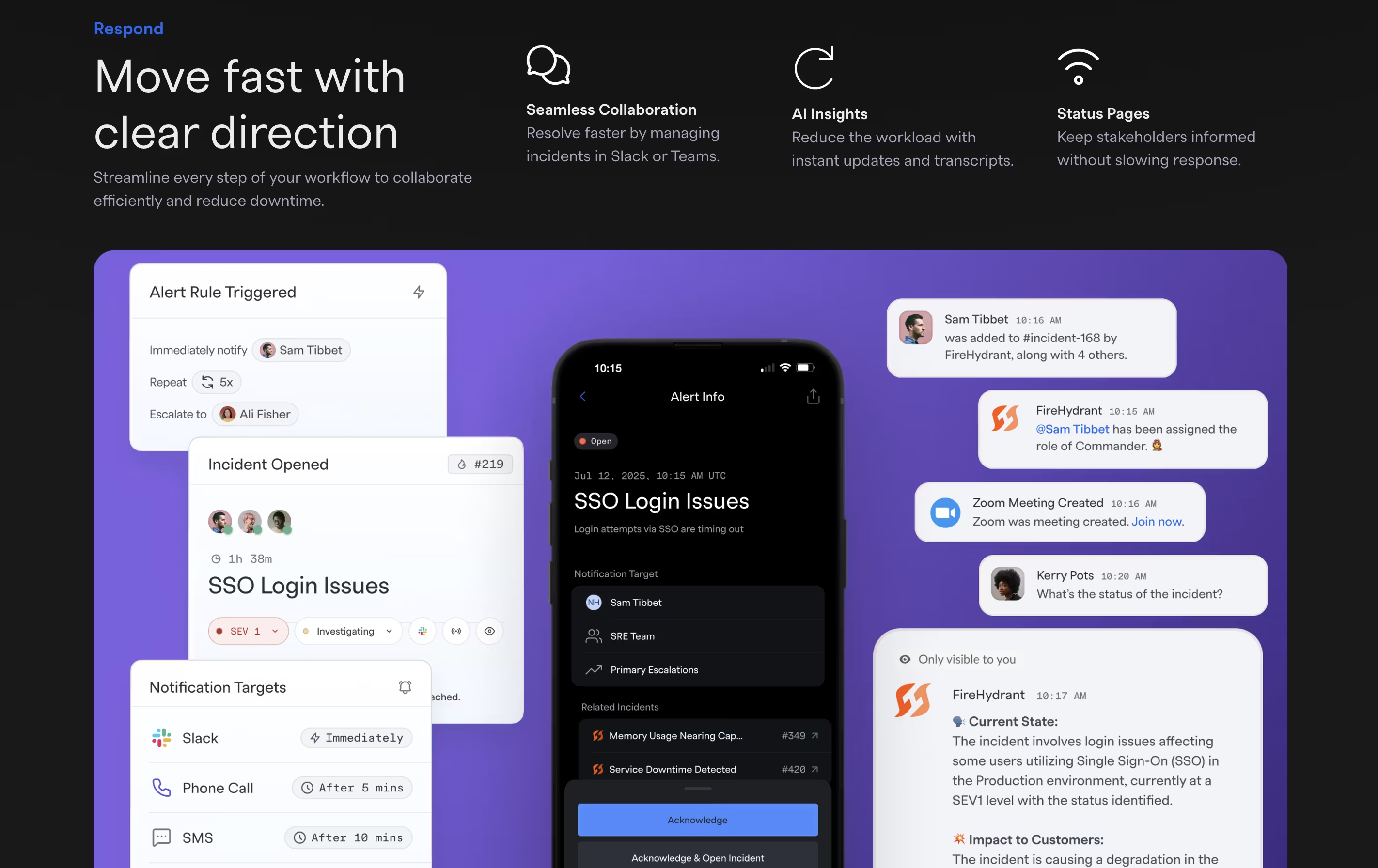
The platform works directly in Slack or Teams, so your team stays in one place during incidents. It automatically creates incident channels, pulls in the right people, sets up video calls, and keeps stakeholders updated. During an incident, FireHydrant tracks everything that happens, creating a timeline that makes post-incident reviews easier.

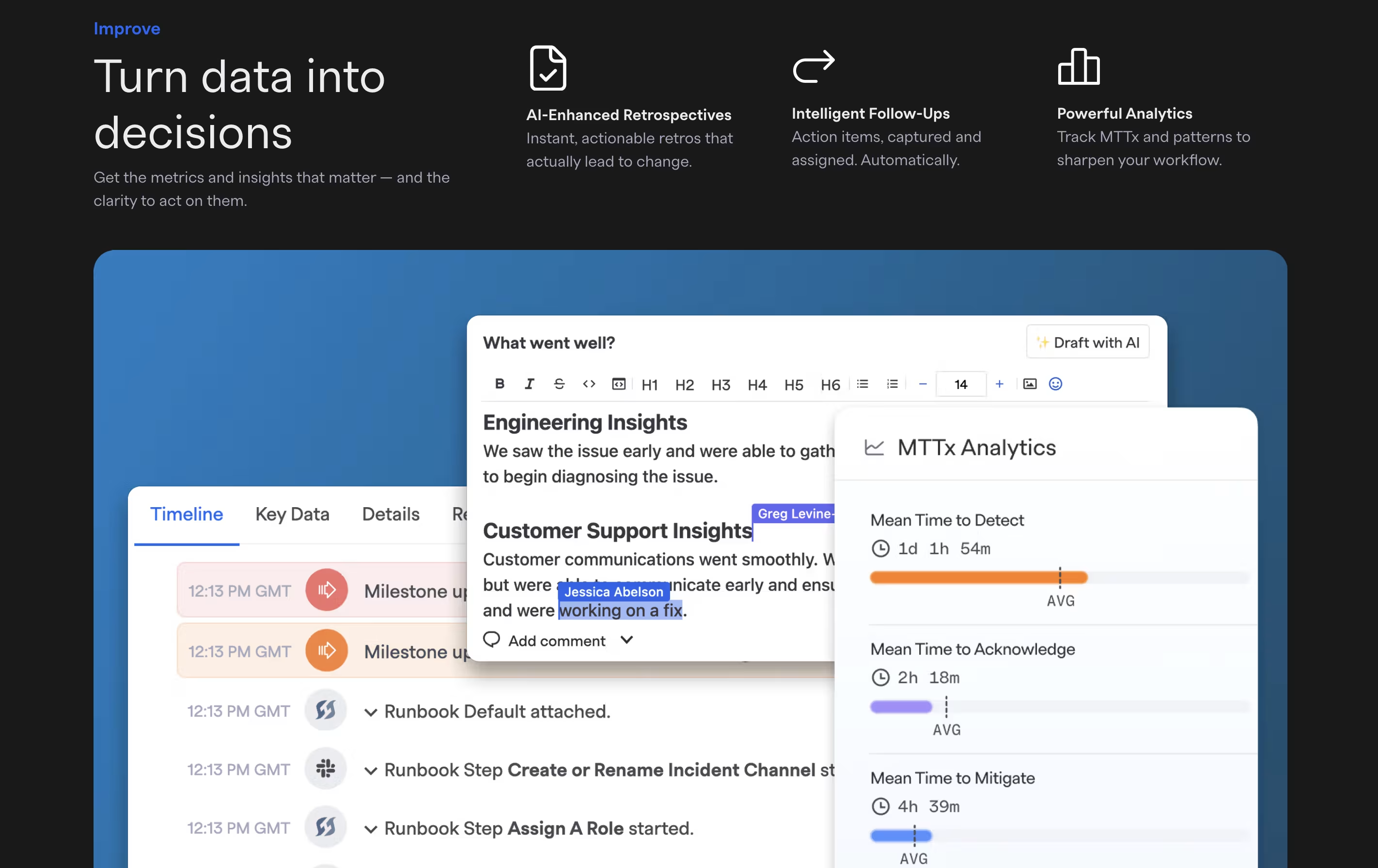
After incidents are resolved, the platform helps teams learn through guided retrospectives and shows metrics like response time and incident frequency.

How to Use FireHydrant

Using FireHydrant starts with connecting your existing tools and setting up your team structure. Here's how teams typically use the platform:

  • Connect your monitoring tools like Datadog or PagerDuty so alerts automatically flow into FireHydrant.

  • Set up on-call schedules and escalation policies to determine who gets notified when issues occur.

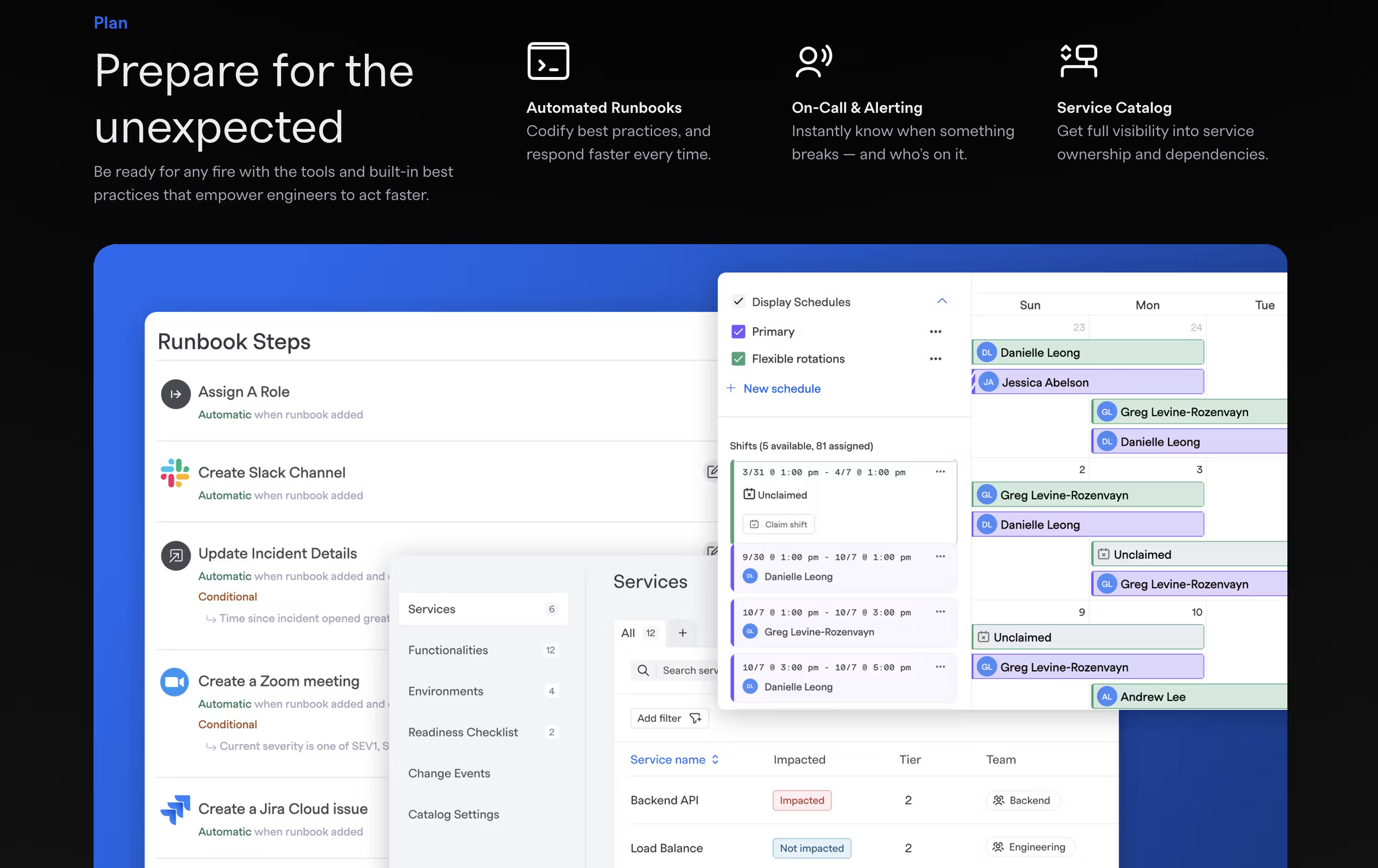
  • Create Runbooks that automate your response process. These can open Slack channels, create Zoom links, post to status pages, and create tickets automatically.

  • When an incident occurs, declare it from Slack using a simple command or let alerts trigger it automatically. FireHydrant will run your Runbook steps.

  • During the incident, use the Command Center to track progress, assign tasks, and update stakeholders without leaving Slack.

  • After resolution, use the guided retrospective feature to document what happened, identify improvements, and track follow-up actions.

Features of FireHydrant

  • Automated incident response with Runbooks

  • On-call scheduling and alert routing

  • AI-generated summaries and retrospectives

  • Slack and Teams integration for incident management

  • Service catalog with dependency tracking

  • Public and private status pages

  • Real-time incident timeline and documentation

  • Post-incident retrospectives and analytics

  • Integration with monitoring and ticketing tools

  • API-first platform with Terraform support

FireHydrant Pricing

Trial Account

Free

What's included:
  • Up to 10 responders
  • 2 runbooks
  • Slack & Teams chatbot
  • 1 public status page
  • 3 integrations
  • 14-day trial period
Most Popular
Platform Pro

$9600 /yr

What's included:
  • Up to 20 responders
  • 5 runbooks
  • Slack & Teams chatbot
  • 1 retrospective template
  • Unlimited public status pages
  • Service catalog
  • 10 custom fields
  • 5 integrations
  • On-call scheduling
  • Unlimited escalation policies
Enterprise

Custom

What's included:
  • Everything in Pro plan
  • Viewer licenses
  • Unlimited runbooks
  • Private incidents
  • FireHydrant AI (summaries, transcripts, triage, retros)
  • Unlimited retrospective templates
  • Private status pages
  • Incident analytics
  • Unlimited custom fields
  • Unlimited integrations

FAQ's About FireHydrant

How is FireHydrant different from PagerDuty or Opsgenie?
FireHydrant focuses on the complete incident response process, not just alerting. While PagerDuty and Opsgenie excel at on-call management, FireHydrant adds automated workflows, incident collaboration in Slack, retrospectives, and analytics. You can integrate PagerDuty with FireHydrant to combine alerting with comprehensive incident management.
Can FireHydrant work with my existing tools?
Yes, FireHydrant integrates with over 25 tools including Slack, Microsoft Teams, PagerDuty, Opsgenie, Datadog, Jira, Asana, Zoom, Google Meet, and many others. The platform is API-first with 350+ endpoints and Terraform support for custom integrations.
What are Runbooks in FireHydrant?
Runbooks are automated workflows that execute when incidents start. They can create Slack channels, invite team members, set up video calls, post to status pages, create tickets, and notify stakeholders. You can add conditional logic so different steps run based on incident severity or type.
Does FireHydrant include on-call management or do I need a separate tool?
FireHydrant includes Signals, their built-in on-call and alerting solution starting with the Pro plan. It offers scheduling, escalation policies, alert routing, and notifications via SMS, phone, email, and chat. You can use Signals alone or integrate with existing tools like PagerDuty.
What AI features does FireHydrant offer?
FireHydrant AI (available in Enterprise plans) provides real-time incident summaries, automatic meeting transcripts from Zoom calls, AI-drafted retrospectives, status page updates, and intelligent follow-up suggestions. The AI helps reduce documentation time and identifies related incidents automatically.

Share your experience with FireHydrant

Loading...

See what users are saying about FireHydrant

0.0

0 Reviews

5
0
4
0
3
0
2
0
1
0

No reviews yet

Be the first to review FireHydrant

Embed FireHydrant badges

Show your community that FireHydrant is featured on Tool Questor. Add these beautiful badges to your website, documentation, or social profiles to boost credibility and drive more traffic.

Light Badge Preview