

ChatGPT Makes Browsing Easier With New Highlight-to-Ask Feature
ChatGPT can now understand your open tabs, answer questions about YouTube videos, and let you highlight text on any page for instant answers.
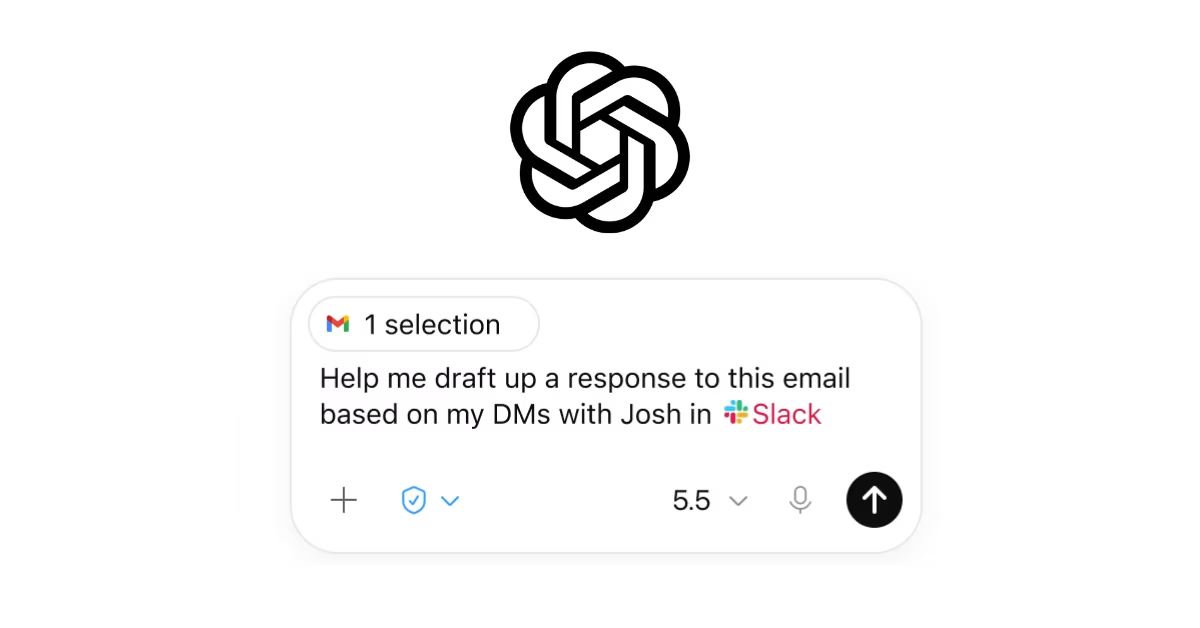
OpenAI has rolled out new features that make ChatGPT smarter about what you are doing in your browser. The update is aimed at people who often have too many tabs open and need quick answers without switching back and forth.
With the update, users of the ChatGPT Chrome extension can now ask questions about a YouTube video they are watching, refer to other open tabs while chatting, or simply highlight text on any webpage and ask ChatGPT about it right away. A new shortcut also makes this easier. Users can highlight any text on a page, right click, and select "Ask ChatGPT." This opens the Side Chat panel automatically, so there is no need to pin or open it manually first.
The update also brings changes to the ChatGPT desktop app. It now shows URL suggestions as you type, and lets users revisit their browser history from inside the app. There are also new settings that give users more control over how this history and access is managed.
The Chrome extension works with sites users are already signed into, such as email, work tools, or other online accounts, without needing to log in again. Chats that start in the extension also show up in the desktop app, making it easier to continue a task across devices.
OpenAI notes that the extension always asks for permission before doing anything sensitive, like visiting new sites or accessing browsing history.
For now, the extension only works on Chrome and does not support other browsers built on the same technology. People who want to try the new features can update the extension from the Chrome Web Store or set it up through the ChatGPT desktop app for full integration. Full setup steps and permission details are available in the official ChatGPT help guide.
Recent News
 ChatGPTChatGPT
OpenAI Gives ChatGPT Users Bank Reset for Every Day Without Astra
 Haneem
 Meta AIMeta AI
Meta Launches Muse Spark 1.3 With Big Coding Upgrades
Haneem
 Claude CodeClaude Code
Claude Code Weekly Limits Set to Shrink Next Month
Haneem
 LovableLovable
Lovable Grabs lovable.com After Years of Jokes
Haneem
 ElevenLabsElevenLabs
ElevenLabs Launches CLI v1 to Bring Voice Agents Into the Terminal
Haneem
 ResendResend
Resend Now Lets Free Users Verify Up to 3 Domains
HaneemComments
Sign in to leave a commentNo comments yet. Be the first!