ToolQuestor Logo
Loops
No reviews yet
0 Saved
Added:11/7/2025
Type:Saas
Monthly Traffic:-
Pricing:
FREEMIUMSUBSCRIPTION
AI-PoweredCloud-BasedSaaSWeb-BasedBrowser ExtensionAPI AvailableCollaborationAutomationAnalytics
BASE44

BASE44

FEATURED
Wispr Flow

Wispr Flow

FEATURED
Vidnoz AI

Vidnoz AI

FEATURED
Loops screenshot 2
Loops screenshot 3
Loops screenshot 4
Loops screenshot 5

What is Loops

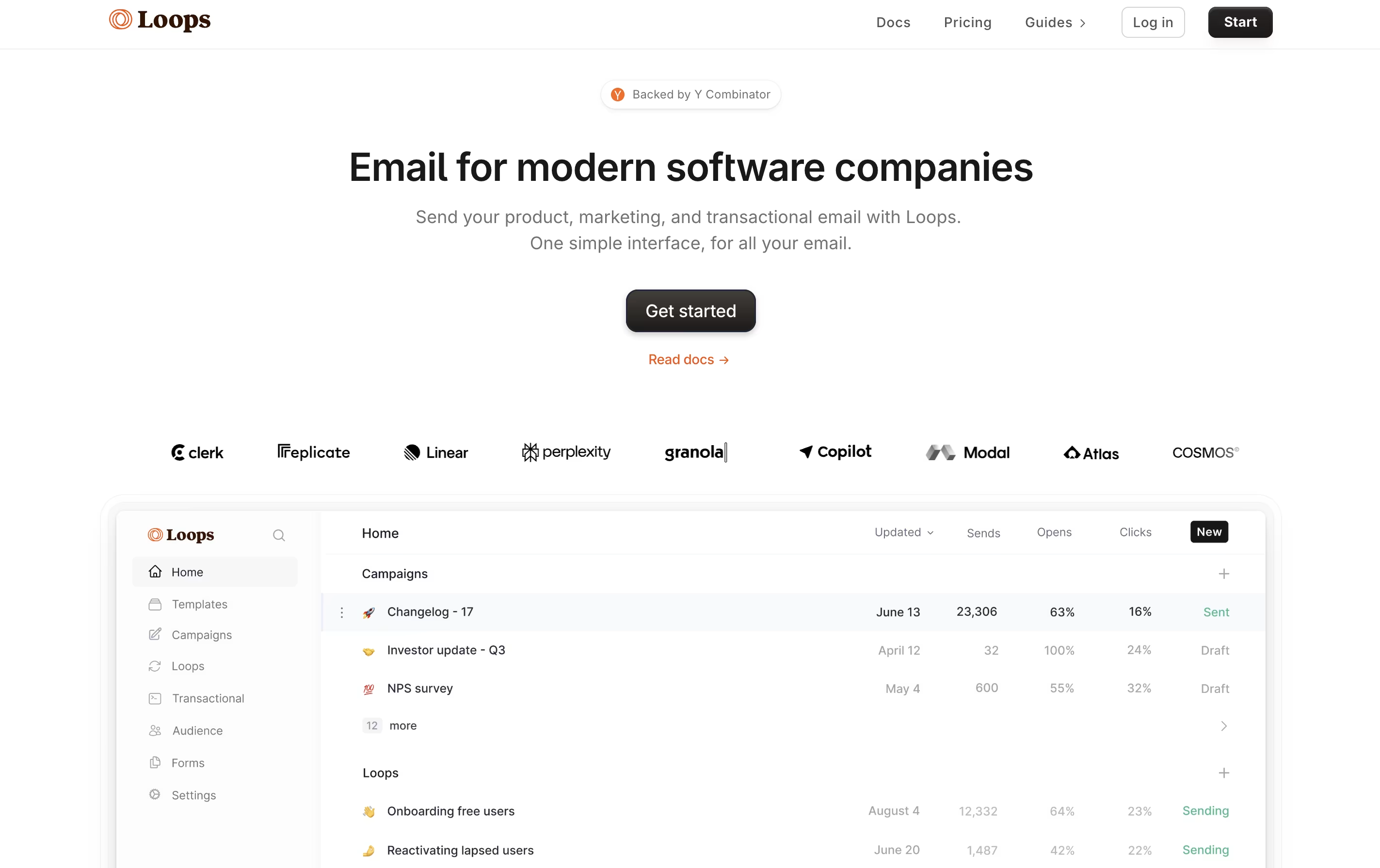
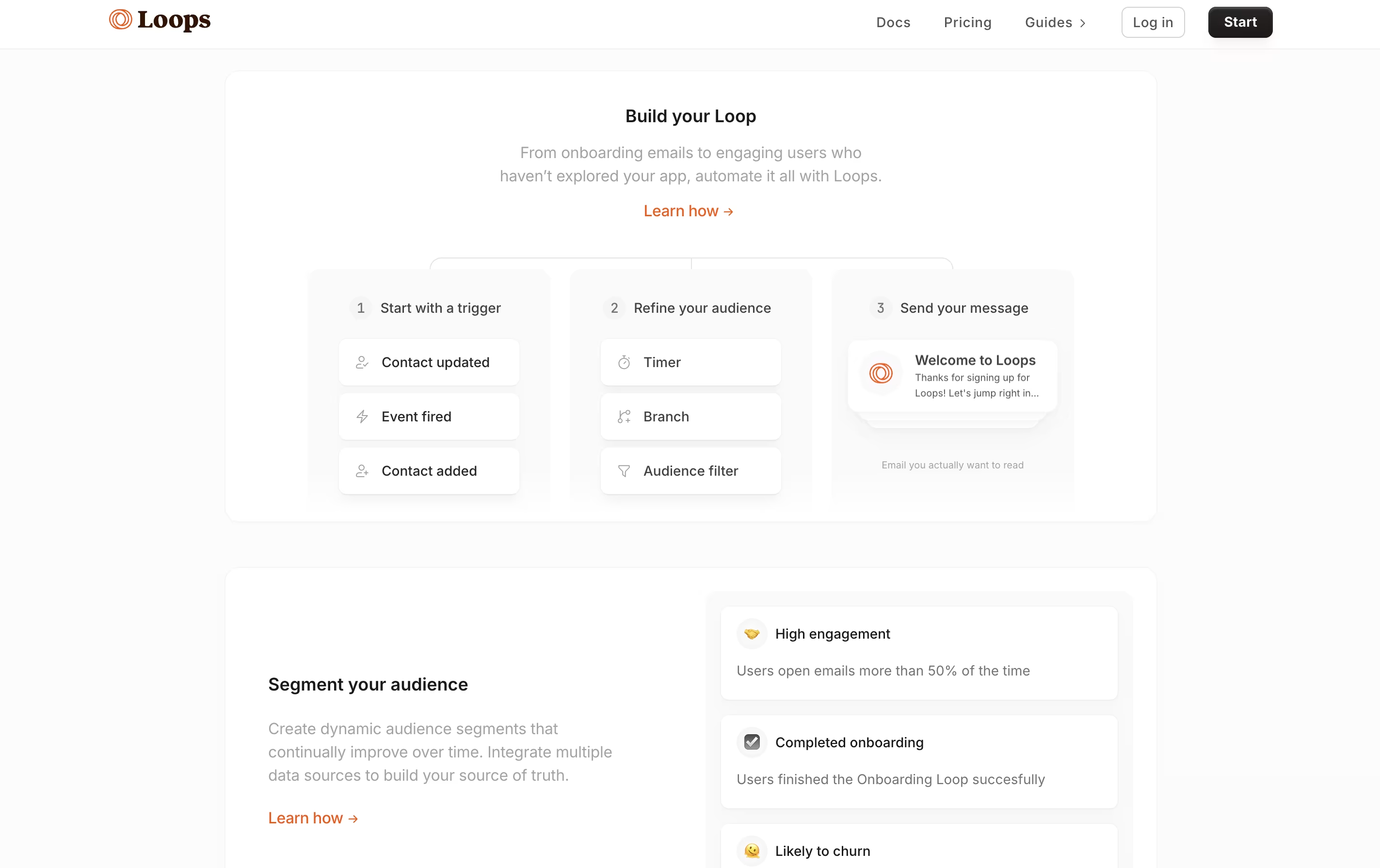
Loops is an email sending platform made for software companies. It lets you create and send three types of emails from one dashboard: campaigns (one-time announcements), loops (automated sequences), and transactional emails (password resets, receipts).

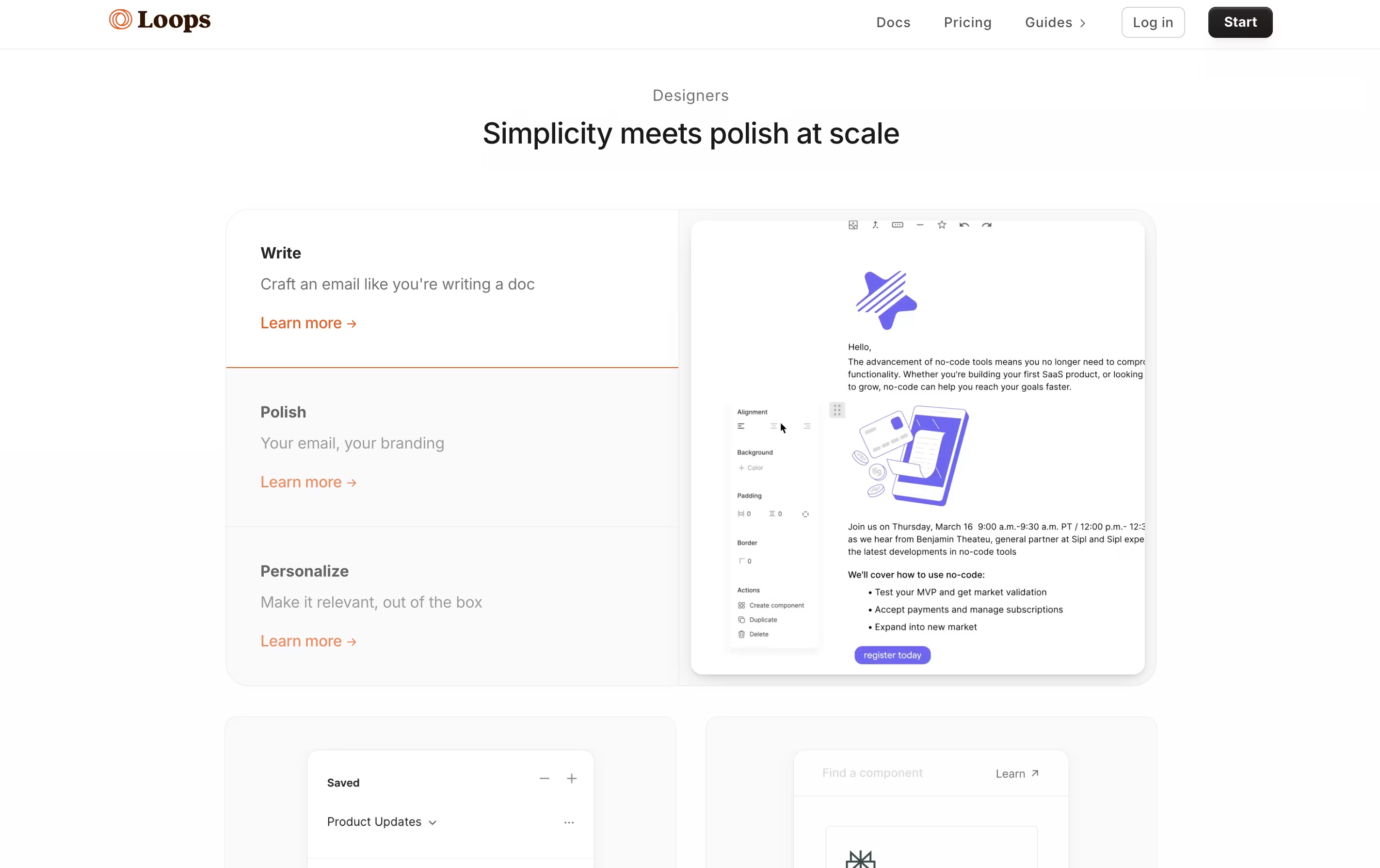
The platform features a Notion-style editor that makes creating emails feel familiar and easy. You can add text, images, buttons, and dynamic content without touching code. Unlike older tools like Mailchimp or ConvertKit, Loops focuses only on what SaaS companies need, without extra features that complicate things.

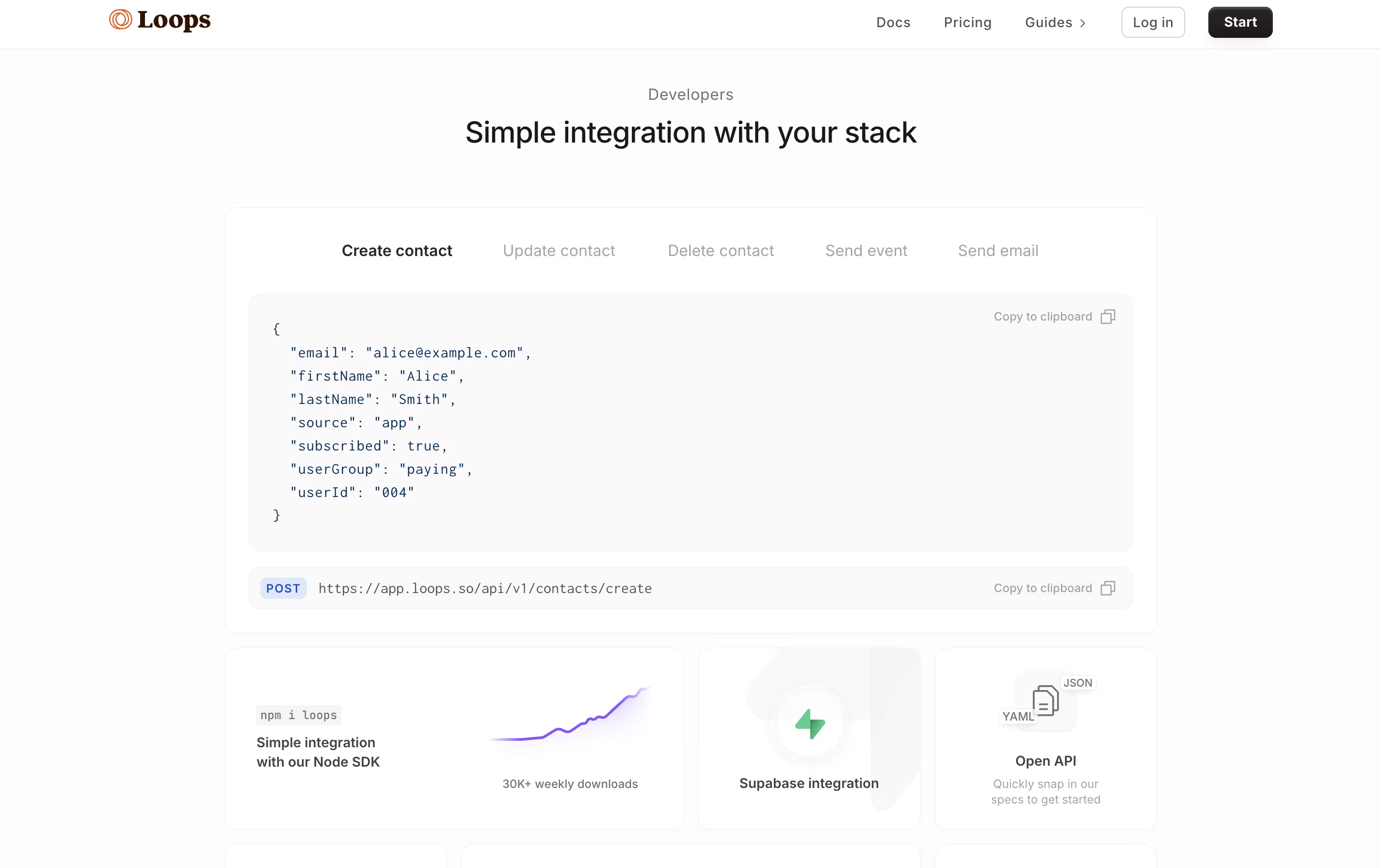
Everything runs on strong email delivery systems, so your messages actually reach inboxes. You can connect Loops with your app through their API, trigger emails based on user actions, and track how people engage with your messages.

How to Use Loops

Getting started with Loops is straightforward. Here's how to use it effectively:

  • Sign up and connect your email domain. Loops guides you through setting up proper authentication so your emails don't land in spam folders.

  • Import your contacts via CSV upload, API, or through integrations with tools like Stripe or Zapier. Add properties to contacts like name, plan type, or signup date.

  • Create your first email using the block editor. Choose from campaigns (newsletters), loops (automated sequences), or transactional emails (one-off messages).

  • Set up audience segments using filters. Send emails to specific groups based on properties, user behavior, or subscription status.

  • Build automated loops that trigger when users perform actions in your app, like signing up or upgrading their plan.

  • Track email performance through the dashboard. See open rates, click rates, and how contacts engage over time.

Features of Loops

  • Notion-style block editor for easy email creation

  • Marketing, product, and transactional emails in one platform

  • Event-based automation triggers

  • Smart audience segmentation

  • Developer-friendly API and webhooks

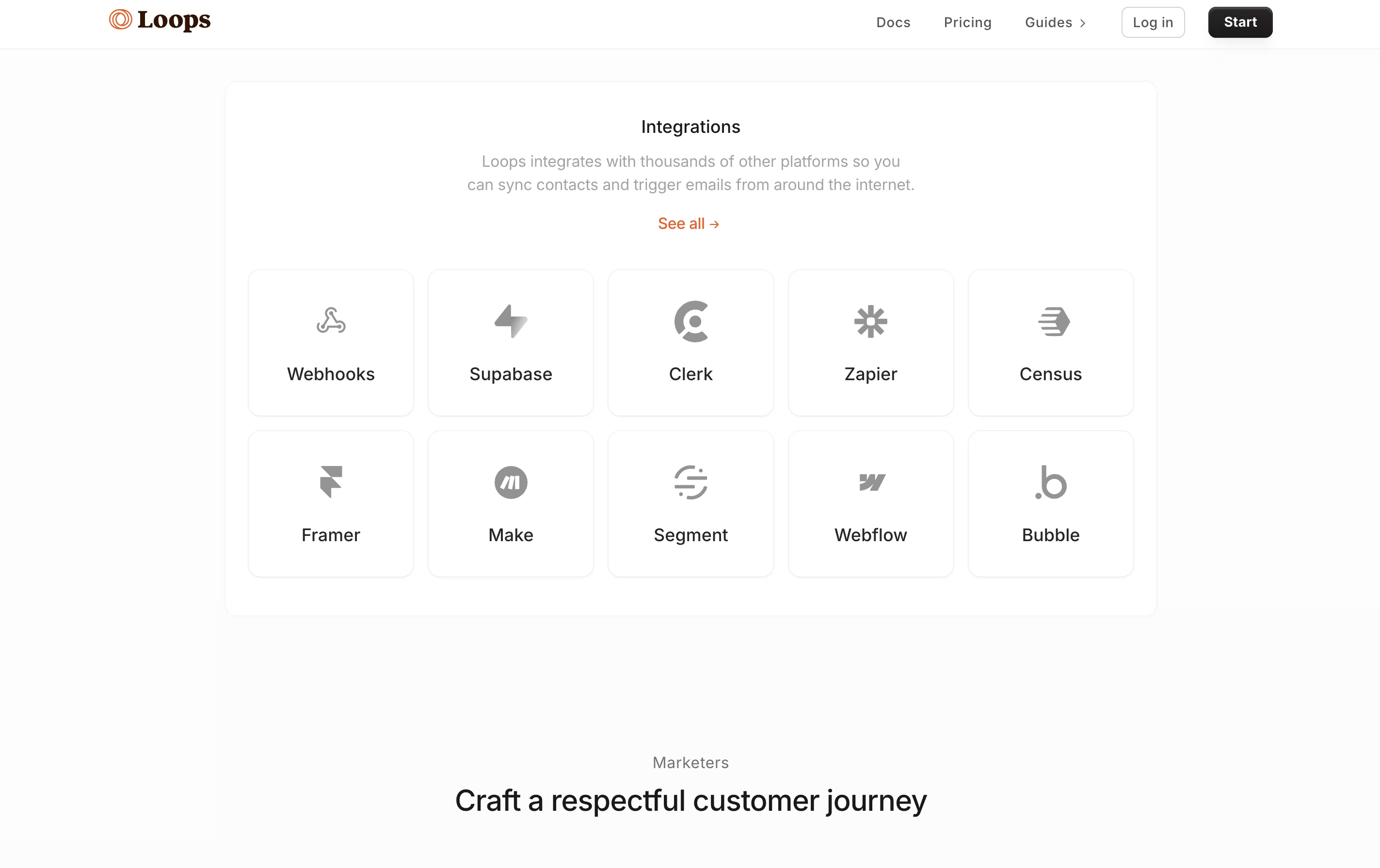
  • Zapier and Stripe integrations

  • Contact management with custom properties

  • Built-in deliverability optimization

  • Real-time analytics and reporting

  • Email templates and components

  • No code required for basic use

Loops Pricing

Free

Free

What's included:
  • Up to 100 subscribers
  • 4,000 email sends per month
  • All email types (campaigns, loops, transactional)
  • Notion-style editor
  • API access
  • Basic analytics
  • "Powered by Loops" footer in emails
Most Popular
Starter

$49 /mo

What's included:
  • Up to 5,000 subscribers
  • Unlimited email sends
  • All email types included
  • No "Powered by Loops" branding
  • Full API access
  • Zapier integration
  • Advanced segmentation
  • Analytics and reporting
  • Email deliverability tools
Growth

$249 /mo

What's included:
  • Up to 50,000 subscribers
  • Unlimited email sends
  • All features included
  • Priority support
  • Advanced analytics
  • Custom integrations
  • Team collaboration
  • Dedicated deliverability support
Custom

Custom

What's included:
  • 50,000+ subscribers
  • Unlimited everything
  • White-glove onboarding
  • Custom integrations
  • Dedicated account manager
  • SLA guarantees
  • Custom contracts
  • Volume discounts available

FAQ's About Loops

Is Loops free to use?
Yes, Loops offers a free plan for up to 100 subscribers and 4,000 monthly sends. All features are included, but emails will have a "Powered by Loops" footer. Paid plans start at $49/month for 5,000 subscribers with unlimited sending and no branding.
How is Loops different from Mailchimp or ConvertKit?
Loops is built specifically for SaaS companies, not general marketing. It combines marketing emails, product notifications, and transactional messages in one platform. The Notion-style editor is simpler than drag-and-drop builders, and pricing is based on subscribers, not email volume, which saves money as you scale.
Can I send transactional emails with Loops?
Yes! Loops handles transactional emails (password resets, receipts, notifications) alongside marketing emails. You don't need separate services like SendGrid or Postmark. Just use the API to trigger transactional emails from your app code.
Does Loops integrate with my existing tools?
Loops connects with popular tools through Zapier, including Stripe, Typeform, Airtable, and thousands more. It also has direct webhook support and a developer API for custom integrations with your SaaS application.
What kind of support does Loops provide?
Loops offers email support, comprehensive documentation, and video tutorials. The founders personally handle support requests, giving you direct access to the team building the product. Response times are typically very quick, and the team helps with setup and migration.

Share your experience with Loops

Loading...

See what users are saying about Loops

0.0

0 Reviews

5
0
4
0
3
0
2
0
1
0

No reviews yet

Be the first to review Loops

Embed Loops badges

Show your community that Loops is featured on Tool Questor. Add these beautiful badges to your website, documentation, or social profiles to boost credibility and drive more traffic.

Light Badge Preview