

Tight Studio vs Camtasia: Features, Pricing and User Reviews 2026
Tight Studio
AI-Powered Product Demo Video Editor
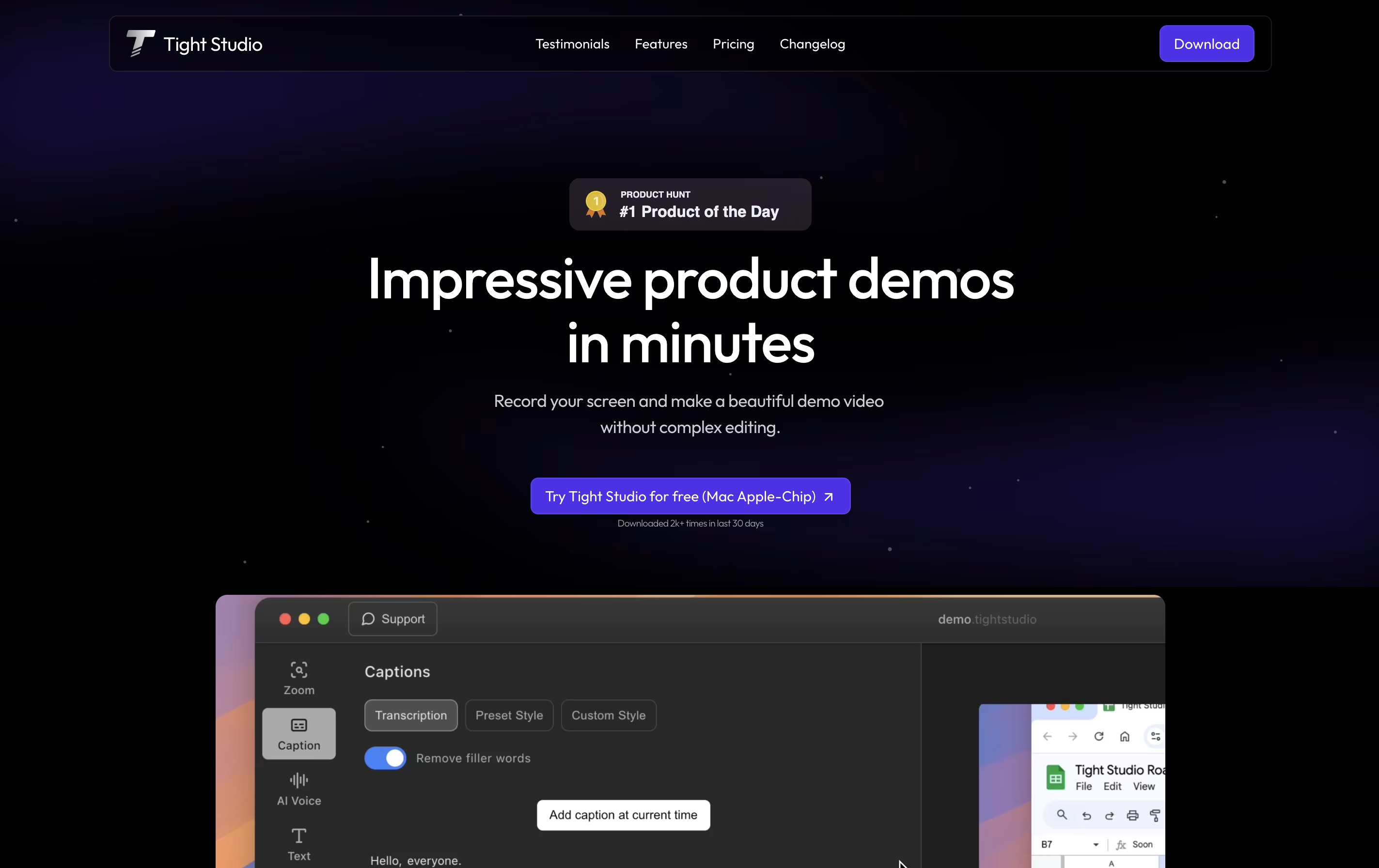

Camtasia
Professional Screen Recording Software
Tight Studio
AI-Powered Product Demo Video Editor
Camtasia
Professional Screen Recording Software
What are Tight Studio and Camtasia?
Tight Studio is a video editor built specifically for creating product demos from screen recordings. You can record your screen and the tool automatically enhances it with professional touches. Unlike traditional video editors that require technical skills, Tight Studio uses AI to handle the complex work for you.
The platform focuses on making demos look polished without manual editing. It automatically zooms into important actions on your screen, adds styled captions for viewers watching without sound, and can replace your voice with clear AI narration. You can also add text overlays, import other media, and choose background music from their library.
There is a free version for basic needs and a Pro version with advanced AI features and no watermark on exports.
Camtasia is a desktop software that records your computer screen and edits the footage into finished videos. You can capture everything happening on your screen, add your webcam feed, record voice narration, and include system audio all at the same time. Each element records on its own track, giving you complete control when editing.
The software comes with AI-powered tools that help create scripts, generate voiceovers, remove background noise, and produce captions automatically. You also get access to millions of royalty-free images, videos, and music tracks. Camtasia works on both Windows and Mac computers, and now includes a free web version for quick recordings. The editing interface uses simple drag-and-drop actions, making it accessible for beginners while still offering advanced features for experienced creators.
Features of Tight Studio and Camtasia
Automatic smart zoom on key actions
Professional caption styles and editing
Natural AI voiceover generation
Dynamic text overlays with animation
Import media or generate with AI
Curated background music library
Video clipping and trimming tools
Multiple export options
No editing skills required
Fast demo creation in minutes
Record screen, camera, and audio in 4K quality
AI script generation and voiceover creation
Automatic caption and transcript generation
Text-based video editing capabilities
Background noise and filler word removal
100+ million royalty-free stock assets
Interactive quizzes and SCORM export
Customizable templates and themes
Multi-language support and translation
Direct sharing to YouTube, Vimeo, and LMS platforms
Use Cases of Tight Studio and Camtasia
Pricing of Tight Studio and Camtasia
Tight Studio offers three pricing tiers to match different needs. The free plan provides basic features with a Tight Studio watermark on exports, making it suitable for testing and internal demos. You get automatic professional captions, zoom tools, video clipping, and background music.
The Pro plan costs $20 per month and unlocks all features. You receive 1000 AI credits monthly for voiceover and media generation, plus the ability to export videos without watermarks. This plan is ideal for professionals creating demos for external audiences.
For teams with custom requirements, the Custom plan offers personalized service where the Tight Studio team prepares your videos from raw recordings. This includes all Pro features plus customized solutions for your specific needs, with a 100% happiness guarantee. Pricing for the Custom plan is tailored to your requirements.
Camtasia offers flexible pricing plans for individuals, teams, and educational institutions:
For Individuals:
Essentials Plan ($179.88/year): Includes AI features like background removal, noise reduction, transcription, and unlimited caption generation with the Camtasia Editor.
Create Plan ($249/year): Everything in Essentials plus text-based editing, automatic filler word removal, AI script generation, and 200+ voiceover options with Camtasia Audiate included.
Pro Plan ($599/year): All Create features plus avatar generation, transcript translation, audio dubbing, image generation, and access to 100+ million premium stock assets with unlimited video sharing.
For Teams and Business:
Business ($198/user/year): Flexible licensing for teams up to 99 users with transferable licenses and volume discounts for 10+ users.
Enterprise (Custom pricing): Flat annual fee covering unlimited users, dedicated success manager, and locked pricing for 3 years.
For Education:
Educators ($162.36/user/year): 18% discount off regular price for accredited institution staff.
Students ($45/year): 75% discount for verified full-time students with valid ID in US, UK, and Canada.
Camtasia also offers a free web version (Camtasia online) with basic recording and editing features, perfect for quick screen captures without downloading software.
FAQs: Tight Studio vs Camtasia
Reviews: Tight Studio vs Camtasia
Based on 0 reviews
Based on 0 reviews
Compare Tight Studio With Other Tools

Tella
AI Screen Recorder with Smart Video Editing

Screen Studio
Professional Mac Screen Recorder

Screen Charm
Mac Screen Recorder with Auto-Zoom

Focusee
AI Screen Recorder with Auto Zoom & Instant Editing

ScreenPal
Easy Screen Recorder & Video Editor

Loom
Easy Video Messaging for Teams

Screencastify
Simple Screen Recording Tool

Dadan
AI Video Messaging Platform for Teams
CleanShot X
Professional Mac Screenshot Tool
Compare Camtasia With Other Tools
Tella
AI Screen Recorder with Smart Video Editing
Screen Studio
Professional Mac Screen Recorder
ScreenPal
Easy Screen Recorder & Video Editor
Focusee
AI Screen Recorder with Auto Zoom & Instant Editing
Loom
Easy Video Messaging for Teams
Screencastify
Simple Screen Recording Tool
Screen Charm
Mac Screen Recorder with Auto-Zoom
Dadan
AI Video Messaging Platform for Teams
CleanShot X
Professional Mac Screenshot Tool





