

ZCode vs Devin Desktop: Features, Pricing and User Reviews 2026
What are ZCode and Devin Desktop?

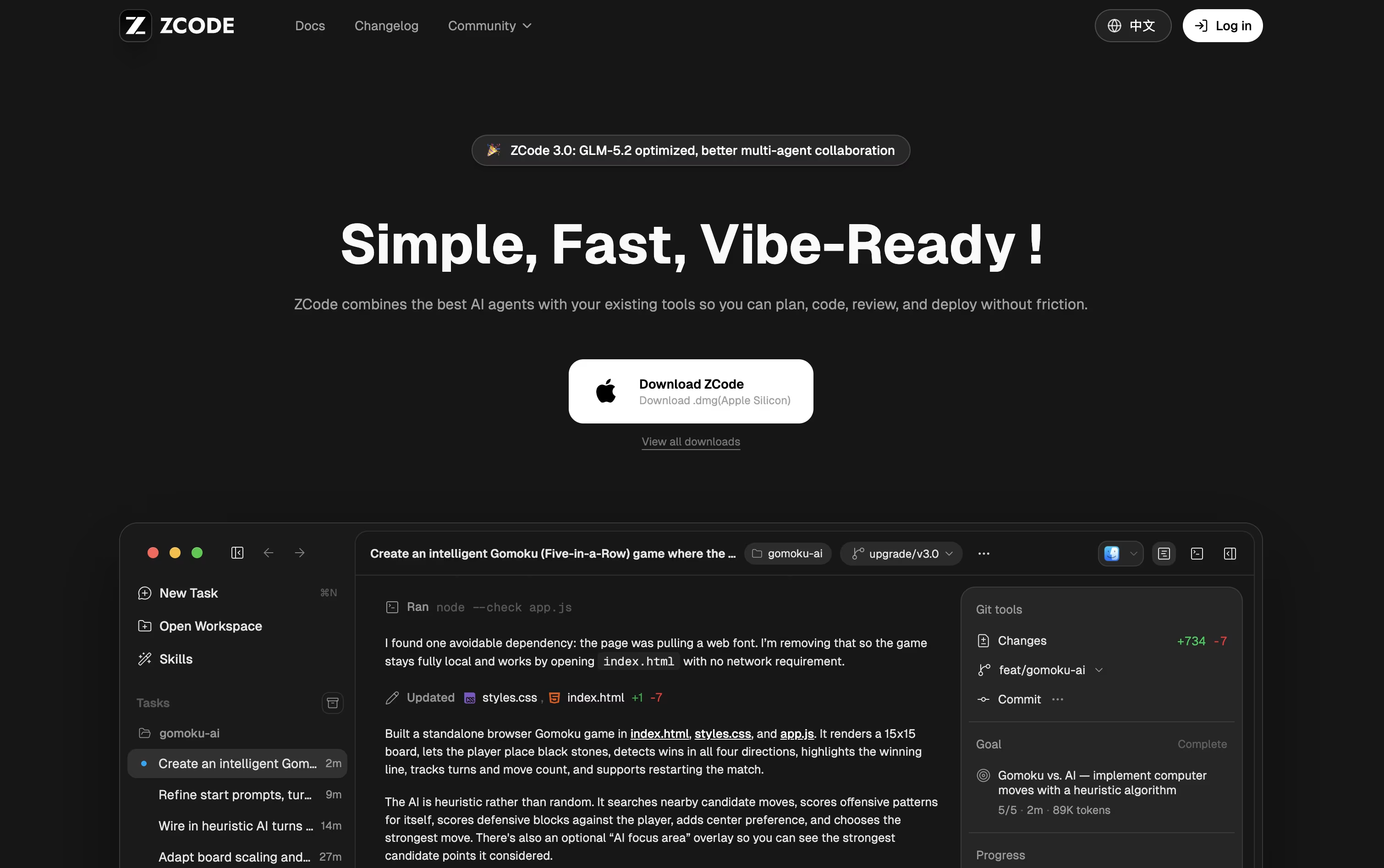
ZCode is a free desktop app from Z.ai that helps you build software using an AI agent. Instead of just chatting with AI inside an editor, you tell ZCode what you want done, and it plans the work, edits your files, runs terminal commands, checks its own results, and keeps working until the task is finished.
It is built around the GLM-5.2 model, which can hold a huge amount of context so it can work on large, complex projects without losing track of details. You can also connect other AI models if you prefer.
ZCode works on Mac, Windows, and Linux, and you can even guide tasks from your phone while the agent keeps working on your computer.

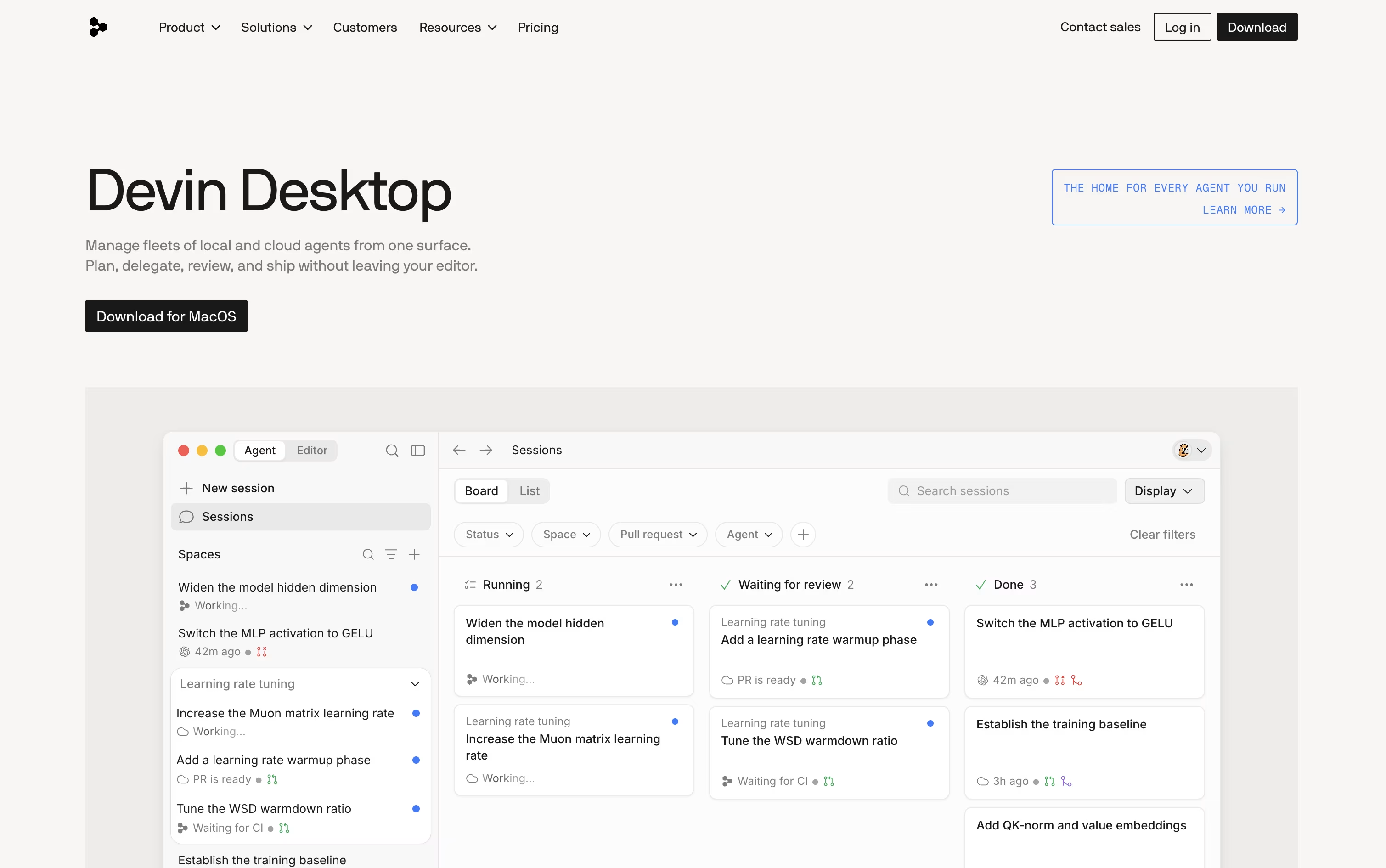
Devin Desktop is a full-featured desktop IDE built by Cognition AI, formerly known as Windsurf, that helps you plan, delegate, and review work done by AI coding agents. Instead of switching between tools, you manage local and cloud agents from one Agent Command Center inside your editor.
It keeps a full IDE experience too, so you can still write code, debug, and use extensions like normal. The tool supports many agents beyond its own, including Codex and Claude Agent, through an open protocol called ACP.
It also groups related agent sessions into Spaces, so agents and people share the same project context instead of starting over each time. Devin Desktop works on macOS, Windows, and Linux.
Features of ZCode and Devin Desktop
AI agent plans, edits, and tests code
Goal Mode keeps working until tasks pass
Built-in terminal, file manager, and Git panel
Live browser preview for checking results
Custom subagents for research and tasks
Reusable skills and quick commands
Plugin and MCP tool support
Remote access via SSH and Docker
Mobile and bot control while you're away
Works on Mac, Windows, and Linux
AI agent command center with Kanban view
Local and cloud agent support
Spaces for shared project context
Works with Codex, Claude Agent, and more via ACP
Full IDE with debugging and Git tools
Fine-grained agent permissions
MCP integrations with Slack, Linear, Jira, and Figma
Available on macOS, Windows, and Linux
Fast Context for quick code lookup
Custom rules and skills support
Use Cases of ZCode and Devin Desktop
Pricing of ZCode and Devin Desktop
ZCode is free to download and use, though connecting an AI model needs a paid plan or your own API key.
Lite ($16.20/month): Starts at $16.20 a month, a 10% discount off the regular $18, and covers light use on small projects.
Pro ($64.80/month): The most popular plan, giving five times the usage of Lite, along with priority model access, curated MCP tools, and faster speeds.
Max ($144/month): Gives twenty times the usage of Lite, first access to new models, and dedicated resources during busy times.
Choosing yearly billing saves 30%, bringing Lite to $12.60 a month, Pro to $50.40 a month, and Max to $112 a month, each billed once per year.
Devin Desktop pricing starts with a Free plan that gives you a light usage quota, limited models, and unlimited inline edits and Tab completions.
Pro ($20/month): Adds higher quotas, full access to frontier models like OpenAI, Claude, and Gemini, free use of SWE 1.7, and access to cloud agents through Devin Cloud.
Max ($200/month): Built for heavier use, with significantly higher quotas than Pro.
Teams ($80/month + $40/seat): Adds shared collaboration, centralized billing, and an admin dashboard for unlimited team members.
Enterprise (Custom): Includes SSO, dedicated account management, and the option to deploy Devin Desktop in your own private cloud.
Whether you're a solo developer or a large team, Devin Desktop has a plan to match how many agents you run and how much support you need.
FAQs: ZCode vs Devin Desktop
Reviews: ZCode vs Devin Desktop
Based on 0 reviews
Based on 0 reviews
Compare ZCode With Other Tools

Codex
OpenAI's AI Coding Agent for Developers

Claude Code
Anthropic's Agentic Coding Tool

Kiro
AWS Agentic IDE for Spec-Driven Coding

OpenCode
Your Free Open Source Coding Agent

Cursor
AI-Native Code Editor for Developers

Cursor CLI
AI Coding Agent for Your Terminal

GitHub Copilot CLI
AI Coding Agent for Terminal

Kimi Code
Moonshot AI's Agentic Coding Assistant

Grok Build
xAI's AI Coding Agent for Terminal
Compare Devin Desktop With Other Tools
Codex
OpenAI's AI Coding Agent for Developers
Claude Code
Anthropic's Agentic Coding Tool
OpenCode
Your Free Open Source Coding Agent
Kiro
AWS Agentic IDE for Spec-Driven Coding
Cursor
AI-Native Code Editor for Developers
Cursor CLI
AI Coding Agent for Your Terminal
GitHub Copilot CLI
AI Coding Agent for Terminal
Kimi Code
Moonshot AI's Agentic Coding Assistant
Grok Build
xAI's AI Coding Agent for Terminal





