

Google Releases Native Gemini App for Mac With Hotkeys and Window Sharing
Google has launched a free, native Gemini app for Mac built in Swift, bringing fast AI access, hotkeys, and window sharing to your desktop.
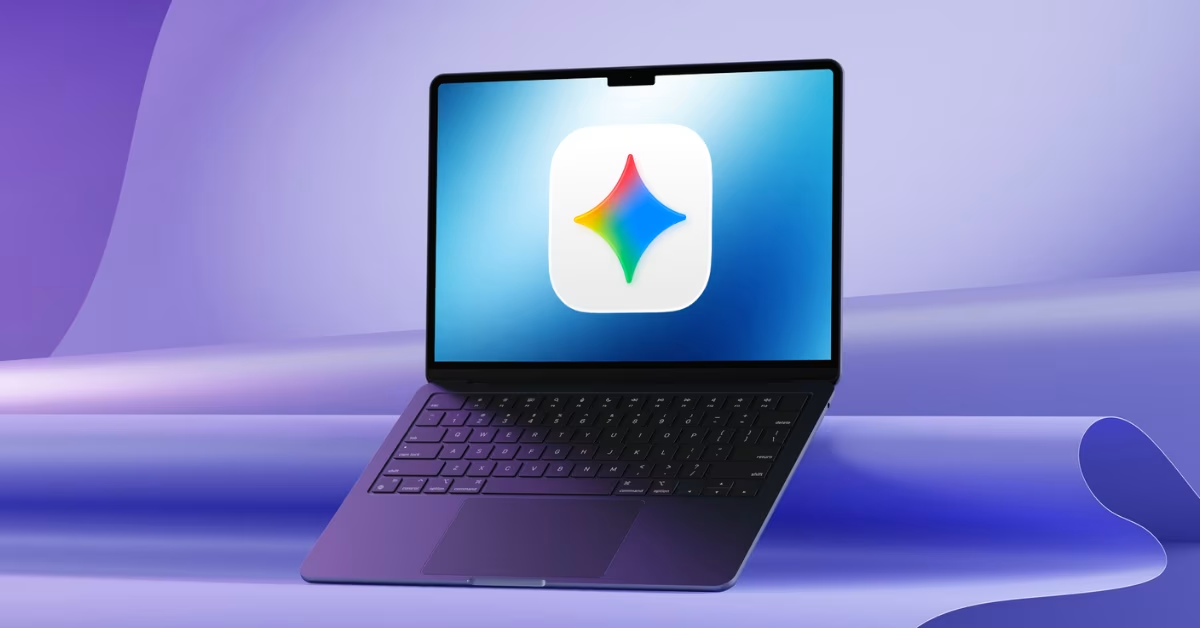
Google has released a dedicated Gemini app for Mac, marking the first time the AI assistant has its own native desktop application. The app was built entirely in Swift, which means it runs fast and feels like a true Mac app rather than a website opened in a browser.
A small team at Google built over 100 features in less than 100 days to bring this app to life. The result is a clean, lightweight AI tool that sits right on your desktop and is ready whenever you need it.
One of the most useful features is the global hotkey system. Pressing Option + Space opens a quick input bar, while Option + Shift + Space opens the full chat window. These shortcuts can be changed in settings. The app also adds a Gemini icon to the menu bar and dock for quick access.
A standout feature is window sharing. Users can share any open window on their screen, such as a document, spreadsheet, or chart, and ask Gemini questions about it directly. This removes the need to copy and paste content back and forth.
The app also includes tools for creating images, videos, and music, along with options for deep research and guided learning. Files can be added from local storage, Google Drive, or Photos.
The app is free to download and requires macOS Sequoia 15 or later. It only works on Apple Silicon Macs and does not support Intel machines. Chat history and settings sync across devices through a Google account.
Google says this is just the beginning, with more desktop features and a possible iOS version expected in the coming months.
Recent News

 ChatGPTChatGPT
OpenAI Gives ChatGPT Users Bank Reset for Every Day Without Astra
 Haneem
 Meta AIMeta AI
Meta Launches Muse Spark 1.3 With Big Coding Upgrades
Haneem
 Claude CodeClaude Code
Claude Code Weekly Limits Set to Shrink Next Month
Haneem
 LovableLovable
Lovable Grabs lovable.com After Years of Jokes
Haneem
 ElevenLabsElevenLabs
ElevenLabs Launches CLI v1 to Bring Voice Agents Into the Terminal
Haneem
 ResendResend
Resend Now Lets Free Users Verify Up to 3 Domains
HaneemComments
Sign in to leave a commentNo comments yet. Be the first!