ToolQuestor Logo
ScreenRun

ScreenRun

No reviews yet
0 Saved
Added:10/25/2025
Type:Saas
Monthly Traffic:-
Pricing:
FREEMIUMONE_TIME
AI-PoweredBrowser ExtensionAPI AvailableAutomationImagesVideosText Generation
Granola

Granola

FEATURED
BASE44

BASE44

FEATURED
Wispr Flow

Wispr Flow

FEATURED
ScreenRun screenshot 2
ScreenRun screenshot 3
ScreenRun screenshot 4

What is ScreenRun

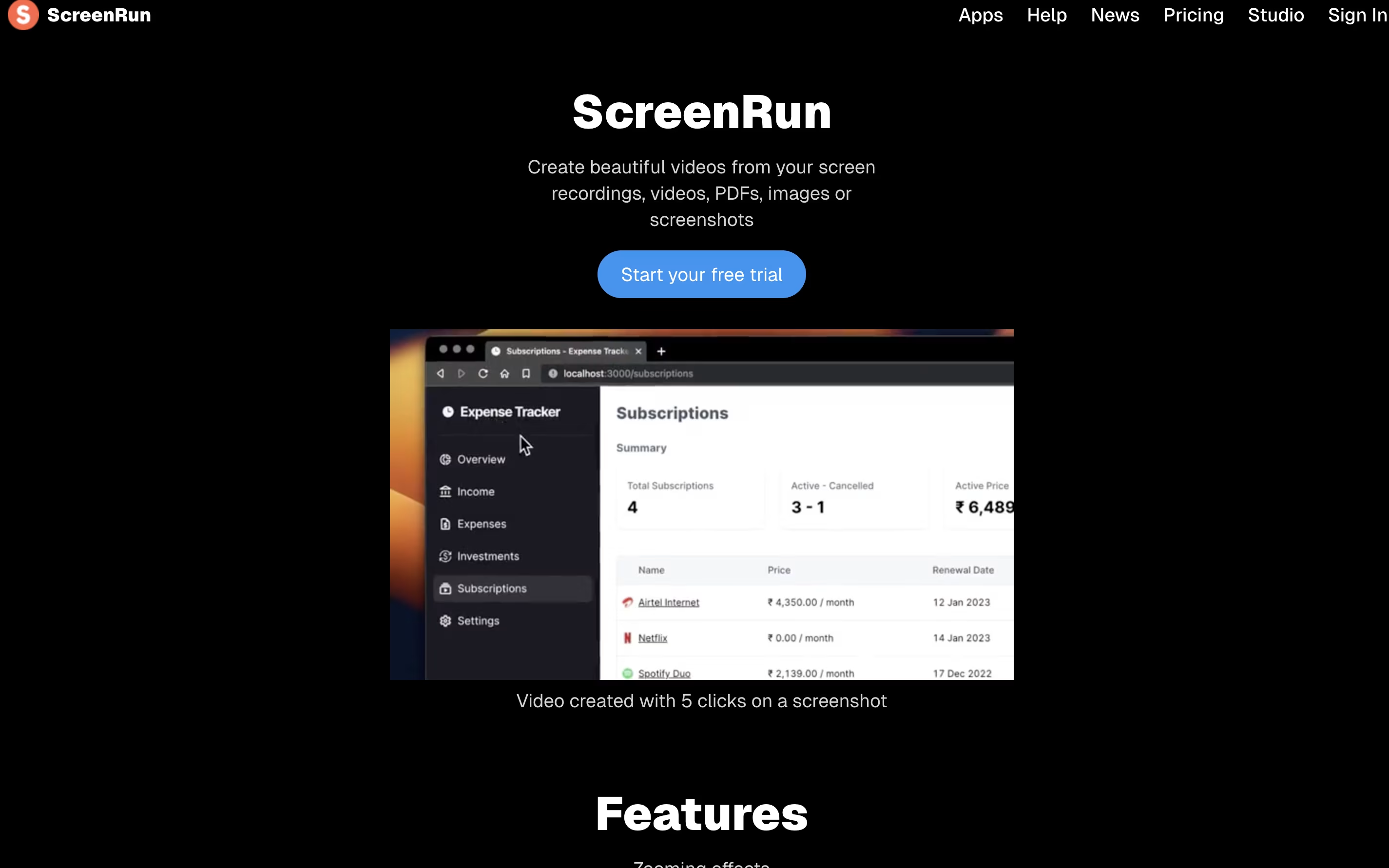
ScreenRun is a video editing platform that converts static images and recordings into dynamic, professional videos. You can upload screenshots, PDFs, or screen recordings, and the tool automatically creates smooth animations with zoom effects and cursor movements.

The platform runs completely in your browser without needing to install software or send files to a server. This means your content stays private and secure on your device. You can add features like AI-generated captions, voice narration, background music, and webcam overlays to enhance your videos.

ScreenRun offers both free and paid plans. The free trial lets you test all features for 15 days, while the Pro plan provides lifetime access with no recurring payments or subscription fees.

How to Use ScreenRun

Using ScreenRun is straightforward and requires no technical skills. Here are the steps to create your first video:

  • Visit the ScreenRun website and sign up for a free account to start your 15-day trial.

  • Upload your screenshot, screen recording, PDF, or image file directly into the editor.

  • Click on areas of your image or video where you want to add zoom effects. The tool will remember these points and create smooth transitions automatically.

  • Add extra features like AI captions, background music, or voice narration using the toolbar options.

  • If you want to include yourself in the video, turn on the webcam feature and choose from different overlay shapes and positions.

  • Preview your video to check the timing and effects, then adjust any points or settings as needed.

  • Export your finished video in MP4 format or as a GIF for easy sharing on social media or messaging platforms.

Features of ScreenRun

  • Automatic zoom effects on screenshots and videos

  • AI-generated captions and subtitles from audio

  • AI voice narration in multiple languages

  • Smooth cursor movement animations

  • Webcam overlay with virtual backgrounds

  • Custom watermark support

  • All aspect ratios for different platforms

  • HD 1080p video quality

  • GIF export option

  • Browser-based editor, no installation needed

ScreenRun Pricing

Free Trial

Free

What's included:
  • 15 days trial access
  • Unlimited video creation
  • Default watermark included
  • Webcam recording
  • Multiple images and videos support
  • All aspect ratios
  • Project export functionality
  • HD 1080p video quality
  • AI captions and subtitles
  • AI voice generation
Most Popular
Pro

$39 once

What's included:
  • Lifetime access with one payment
  • Unlimited video creation
  • Custom watermark support
  • Webcam recording
  • Multiple images and videos support
  • All aspect ratios
  • Project export functionality
  • HD 1080p video quality
  • AI captions and subtitles
  • AI voice generation
EDU

$19 once

What's included:
  • Lifetime access with one payment
  • For educators, students, indie hackers, and non-profits
  • Unlimited video creation
  • Custom watermark support
  • Webcam recording
  • Multiple images and videos support
  • All aspect ratios
  • Project export functionality
  • HD 1080p video quality
  • AI captions and subtitles

FAQ's About ScreenRun

Is ScreenRun free to use?
Yes, ScreenRun offers a 15-day free trial with full access to all features including unlimited videos, AI captions, AI voices, and HD export. After the trial, you can purchase a lifetime Pro license for $39 or an EDU license for $19 (for educators and non-profits) with no recurring subscription fees.
Do I need to install any software to use ScreenRun?
No, ScreenRun runs entirely in your web browser. You don't need to download or install anything. Just visit the website, sign in, and start creating videos immediately. The tool works on any device with a modern browser including computers, tablets, and smartphones.
Can I use ScreenRun for commercial projects?
Yes, both the Pro and EDU lifetime licenses allow commercial use. You can create videos for client projects, marketing campaigns, product demonstrations, and sales presentations. The lifetime license means you pay once and can use it forever without restrictions.
What file types does ScreenRun support?
ScreenRun accepts screenshots in common image formats (PNG, JPG), screen recordings (MP4, WebM), and PDF documents. You can combine multiple files in a single project and export your final video as an MP4 file or GIF animation for easy sharing.
Does ScreenRun work offline or does it send my files to a server?
ScreenRun processes everything locally in your browser. Your files never leave your device or get uploaded to any server. This ensures complete privacy and security for sensitive content. However, you do need an internet connection to access the web application initially.

Share your experience with ScreenRun

Loading...

See what users are saying about ScreenRun

0.0

0 Reviews

5
0
4
0
3
0
2
0
1
0

No reviews yet

Be the first to review ScreenRun

Embed ScreenRun badges

Show your community that ScreenRun is featured on Tool Questor. Add these beautiful badges to your website, documentation, or social profiles to boost credibility and drive more traffic.

Light Badge Preview
ScreenRun – Turn Screenshots Into Videos in Seconds