

Cap vs Screen Charm: Features, Pricing and User Reviews 2026
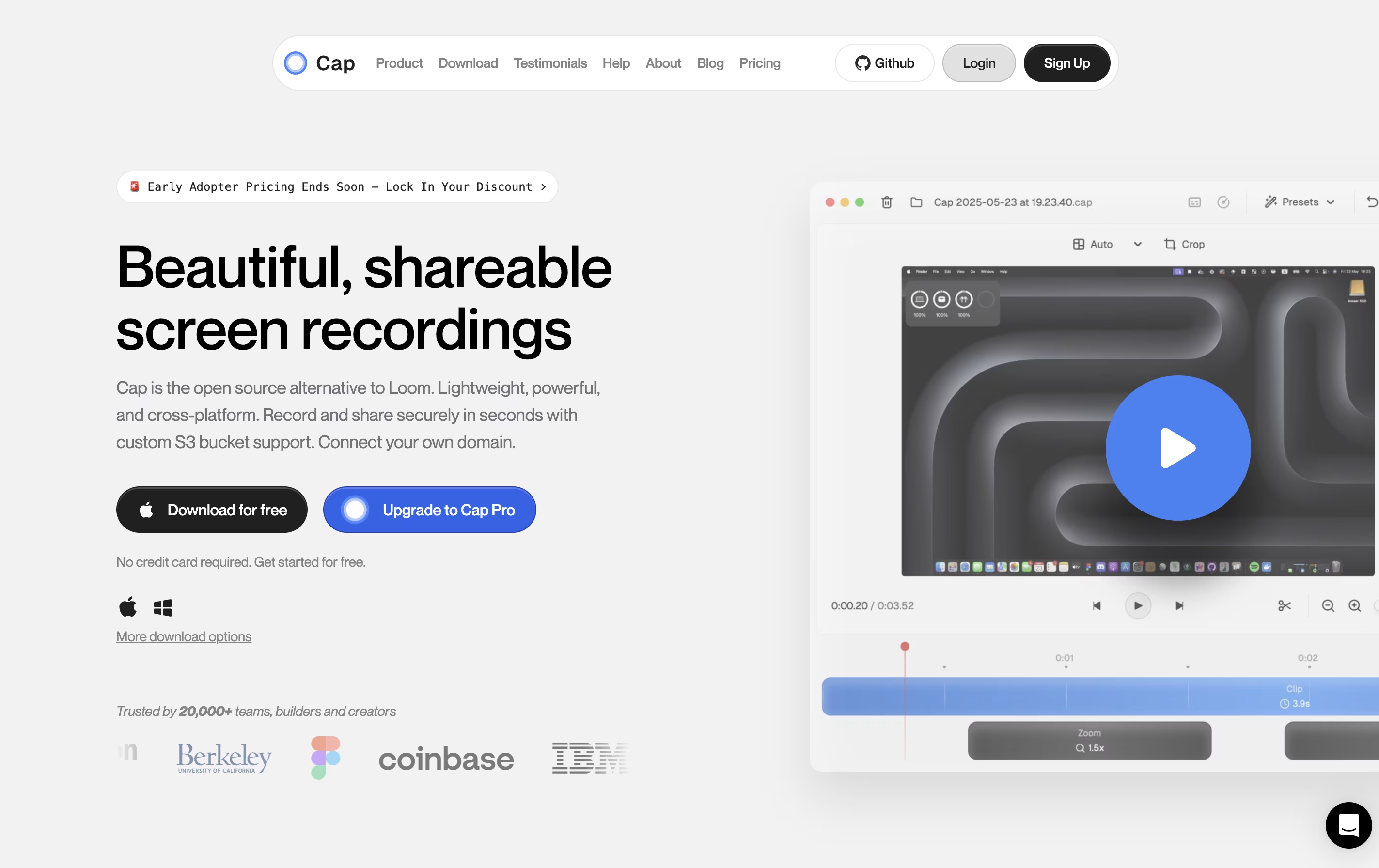
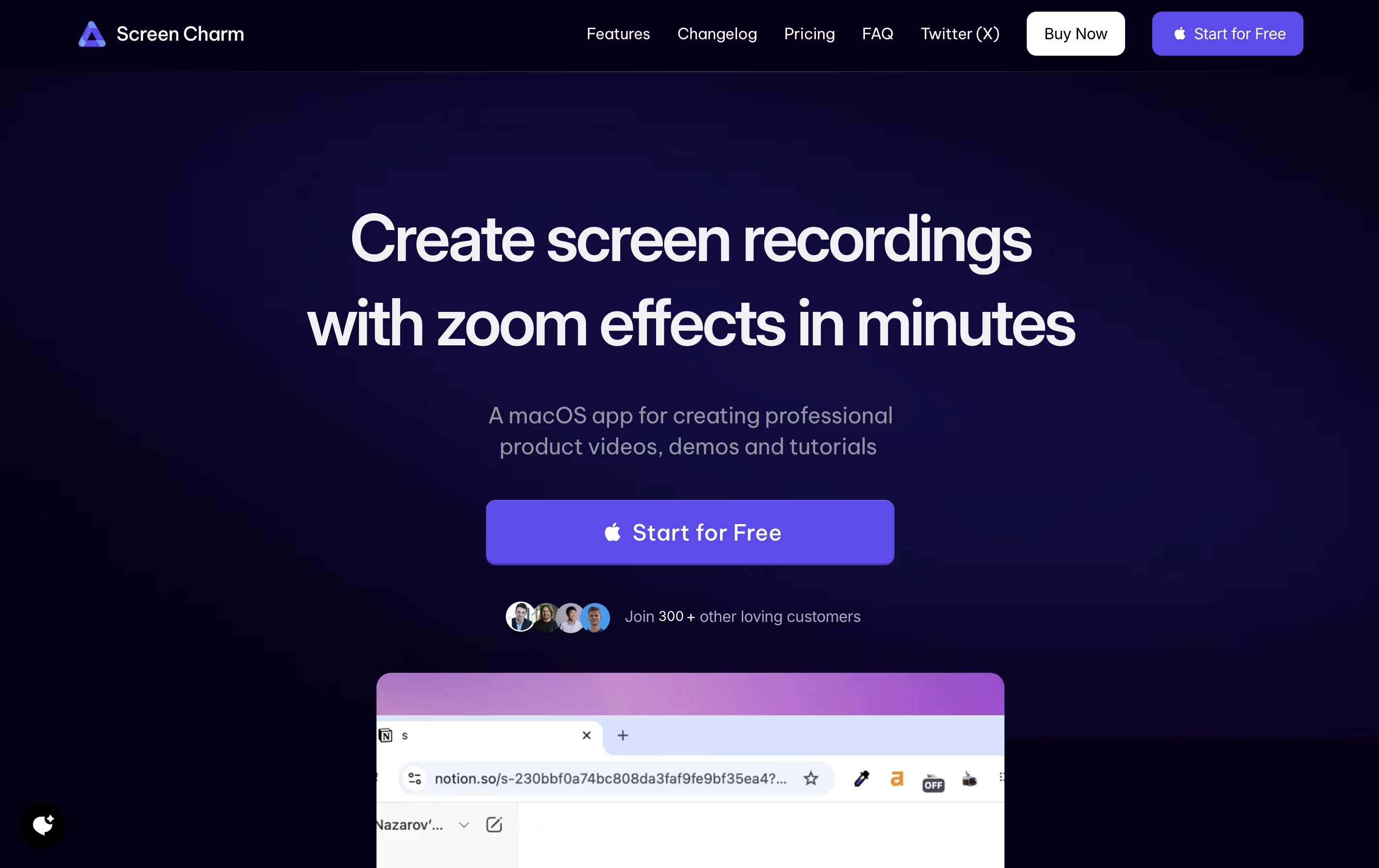
What are Cap and Screen Charm?

Cap is a screen recording application that offers two recording modes for different needs. Instant Mode lets you record and share immediately with automatic transcription and chapter generation. Studio Mode provides local recording with a full editing timeline for professional content creation.
The tool includes AI-powered features that automatically create titles, summaries, and chapters for each recording. You can record in up to 4K resolution at 60 frames per second, with separate tracks for screen, webcam, and audio.
Cap is completely open source, meaning you can see how it works and even host it yourself. It supports both quick team communication and high-quality content production in one application.

Screen Charm is a desktop application built exclusively for macOS that records your screen with professional polish. It captures your screen activity, microphone audio, and system sounds all at once, eliminating the need for complicated setups.
The standout feature is its smart zoom effect. As you move your cursor or click, the recording automatically zooms in to highlight what you're showing. This keeps viewers focused on the important parts without manual editing later.
You can also add your webcam feed with custom backgrounds, making your tutorials more personal and engaging. The built-in editor lets you trim clips and add text overlays right after recording. Everything exports in stunning 4K quality or any resolution you choose.
Features of Cap and Screen Charm
Instant and Studio recording modes
4K 60fps screen capture
AI-generated titles, summaries, and chapters
Professional timeline editor
Custom S3 bucket support
Password-protected sharing
Viewer analytics and engagement tracking
Native Mac and Windows apps
Export to MP4 and GIF
Open source with self-hosting option
Smart auto-zoom follows cursor automatically
4K UHD video export quality
Webcam overlay with custom backgrounds
Simultaneous microphone and system audio recording
Built-in video editor with trim and text tools
Smooth cursor movement tracking
Click effects for emphasis
Native macOS application for optimal performance
One-time payment with lifetime updates
Unlimited video exports
Use Cases of Cap and Screen Charm
Pricing of Cap and Screen Charm
Cap offers flexible pricing to match different needs and budgets.
The free version lets you start recording immediately with basic features and shareable links up to 5 minutes long. This is perfect for trying out Cap and casual use.
Desktop License is designed for individual professionals who need unlimited local recording and editing. It costs $29 per year or $58 as a one-time payment. This includes Studio Mode, commercial usage rights, unlimited local recordings, and the ability to export to any format.
Cap Pro is the best value option for teams and power users. At $12 per month per user (billed monthly) or $8.20 per month per user (billed annually, saving 32%), it includes everything from Desktop License plus unlimited cloud storage, AI features, custom domains, and team workspaces.
For large organizations, Cap for Enterprise offers custom pricing with advanced security, priority support, SAML SSO, and bulk discounts.
Screen Charm uses a straightforward pricing model with a single one-time payment option. There are no monthly subscriptions or recurring fees.
The app is free to download and use for recording. You can test all features to ensure it meets your needs. However, exporting your recorded videos requires purchasing the Lifetime Deal for $49.90.
This one-time payment includes:
Unlimited exports with no restrictions
Lifetime updates for all future features and improvements
4K UHD quality exports
Microphone support for voiceovers
Camera support with background customization
All Screen Charm features present and future
The company also offers a 30-day refund policy, so if you're not satisfied, you can request a full refund within 30 days of purchase.
FAQs: Cap vs Screen Charm
Reviews: Cap vs Screen Charm
Based on 0 reviews
Based on 0 reviews
Compare Cap With Other Tools

Loom
Easy Video Messaging for Teams
Tella
AI Screen Recorder with Smart Video Editing

Screen Studio
Professional Mac Screen Recorder
CleanShot X
Professional Mac Screenshot Tool
Sendspark
AI Video Platform for Sales Teams

Camtasia
Professional Screen Recording Software
Kite
Create Apple-Style Product Demo Videos Fast

ScreenPal
Easy Screen Recorder & Video Editor

Screencastify
Simple Screen Recording Tool
Compare Screen Charm With Other Tools
Tella
AI Screen Recorder with Smart Video Editing
Screen Studio
Professional Mac Screen Recorder
Loom
Easy Video Messaging for Teams
Camtasia
Professional Screen Recording Software
ScreenPal
Easy Screen Recorder & Video Editor
Screencastify
Simple Screen Recording Tool
Focusee
AI Screen Recorder with Auto Zoom & Instant Editing
CleanShot X
Professional Mac Screenshot Tool

Dadan
AI Video Messaging Platform for Teams


