ToolQuestor Logo
Sunsama
No reviews yet
0 Saved
Added:3/21/2026
Type:Saas
Monthly Traffic:-
Pricing:
FREEMIUMSUBSCRIPTION
CollaborationAutomationSchedulingProject ManagementTime Tracking
OpenArt AI

OpenArt AI

FEATURED
Vidnoz AI

Vidnoz AI

FEATURED
Granola

Granola

FEATURED
Sunsama screenshot 2
Sunsama screenshot 3
Sunsama screenshot 4
Sunsama screenshot 5

What is Sunsama

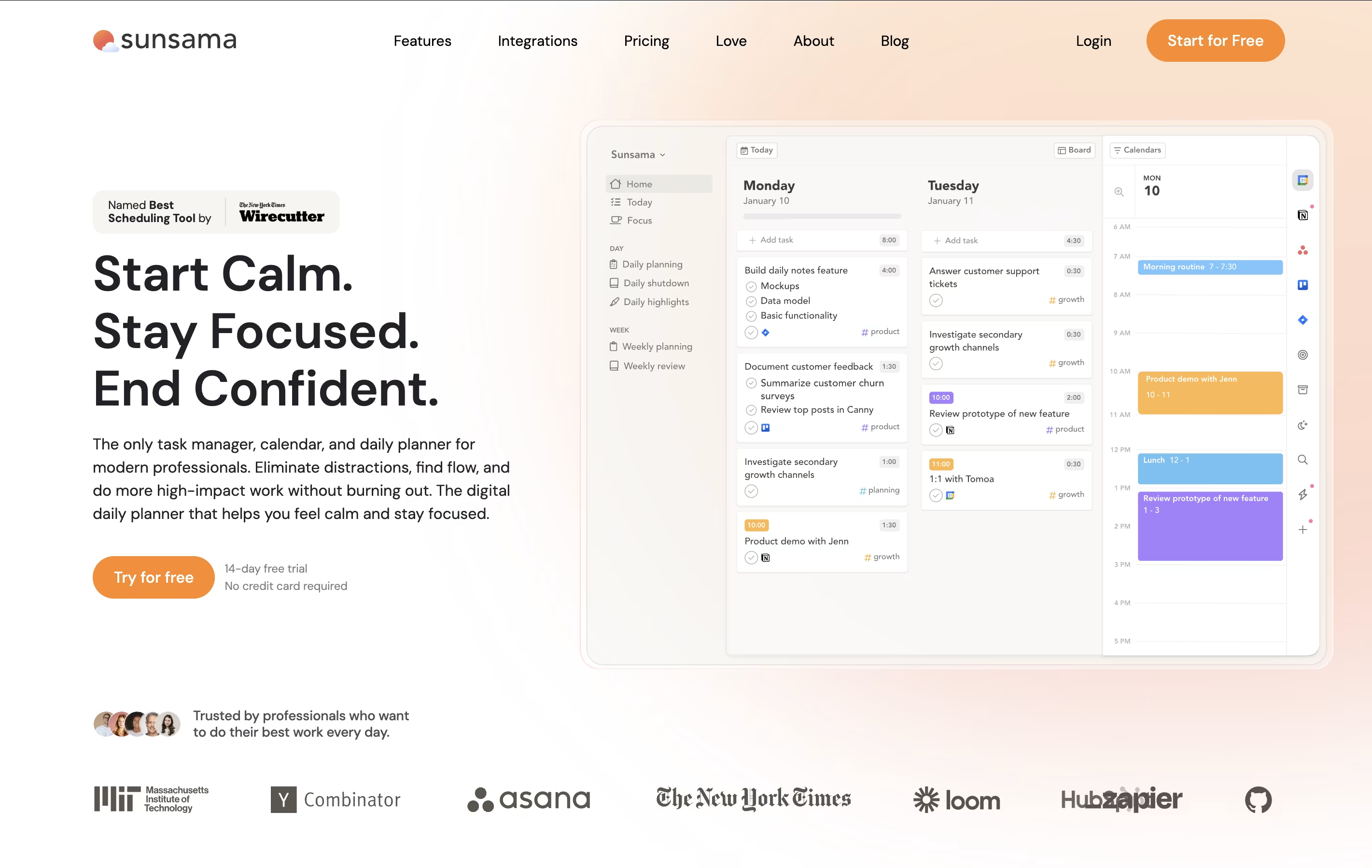
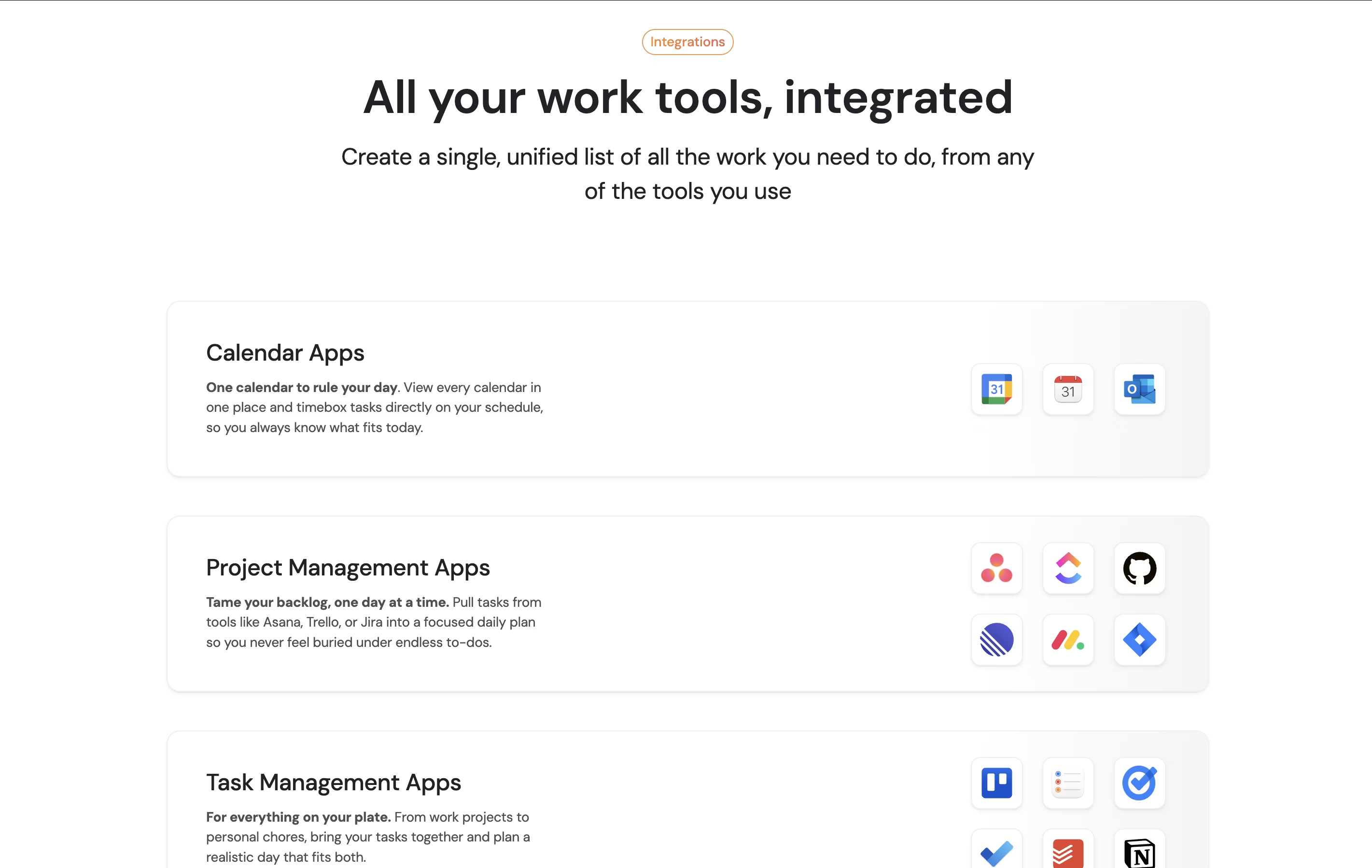
Sunsama is a digital daily planner that combines task management with calendar planning. You can pull tasks from tools like Asana, Trello, Notion, and GitHub into one focused view. Each morning, Sunsama guides you through planning your day by setting time estimates and blocking time on your calendar.

Unlike other task managers that just list everything you need to do, Sunsama helps you choose what to work on today. It syncs with your calendar so you can see meetings alongside tasks. The tool includes daily planning rituals, end-of-day reviews, and weekly reflection sessions to help you stay on track.

There is a 14-day free trial with no credit card required. After that, paid plans start at $16 per month when billed yearly, or $20 per month when billed monthly.

How to Use Sunsama

Using Sunsama is straightforward with these steps:

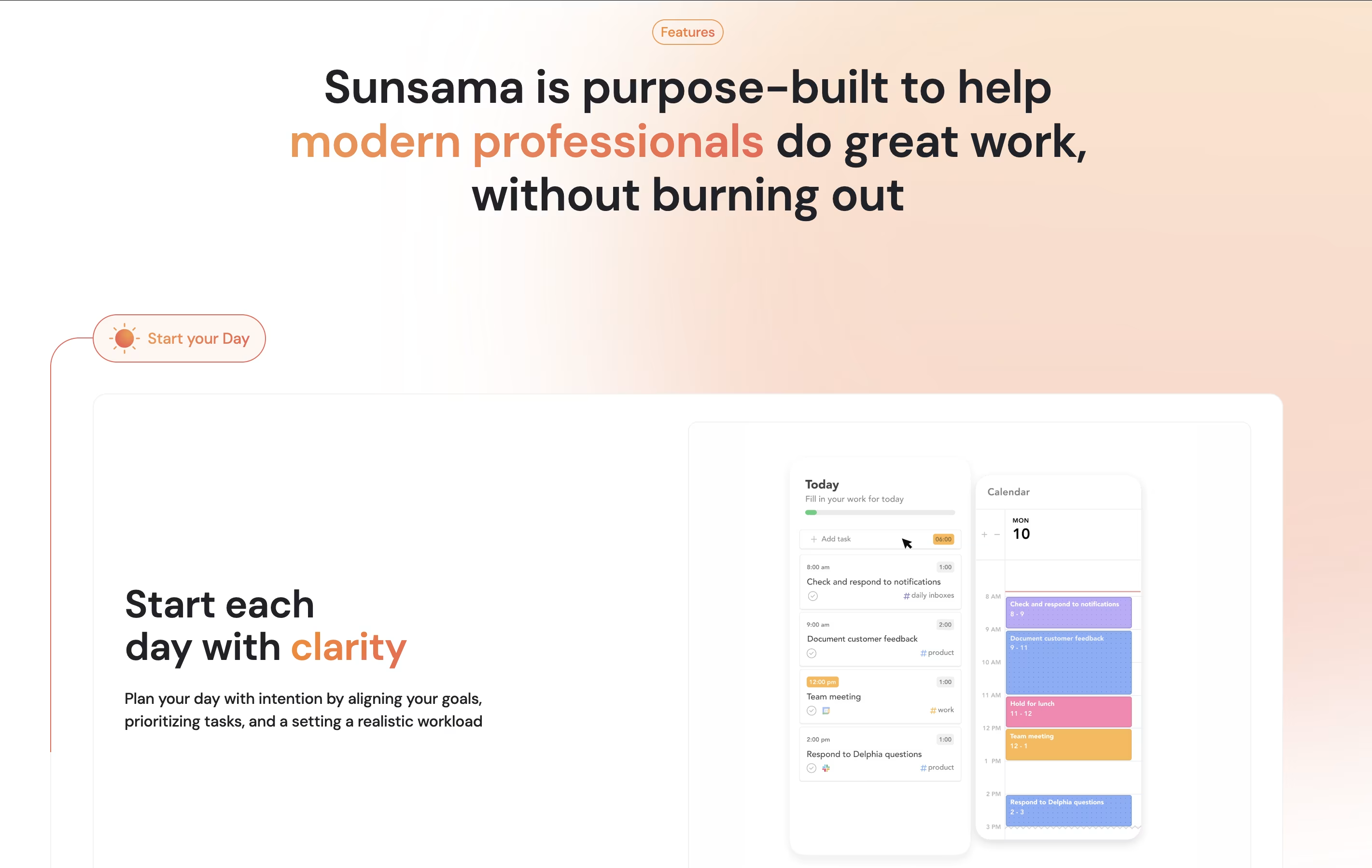
  • Start your day by opening Sunsama and going through the daily planning ritual. This guides you through reviewing your calendar and choosing tasks for the day.

  • Connect your existing tools like Gmail, Slack, Asana, or Trello. Drag tasks from these tools into your daily plan to see everything in one place.

  • Set time estimates for each task so you know if your plan is realistic. Sunsama warns you if you are planning too much work.

  • Use time blocking by dragging tasks onto your calendar. This reserves focused time for important work between meetings.

  • Turn on Focus Mode when working on a task. This tracks your time and keeps you from getting distracted.

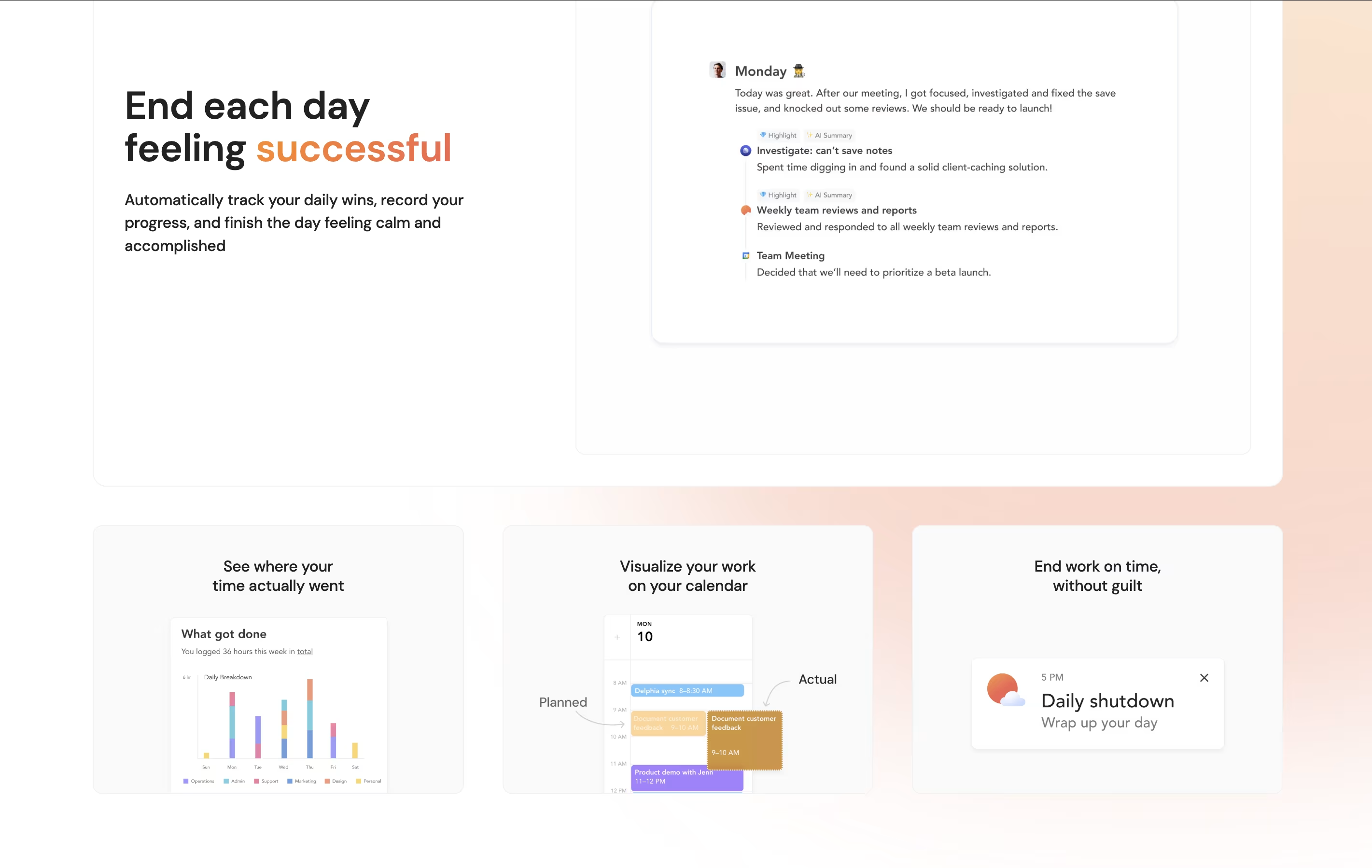
  • End your day with the shutdown ritual. Review what you completed, move unfinished tasks to tomorrow or later, and reflect on your progress.

Features of Sunsama

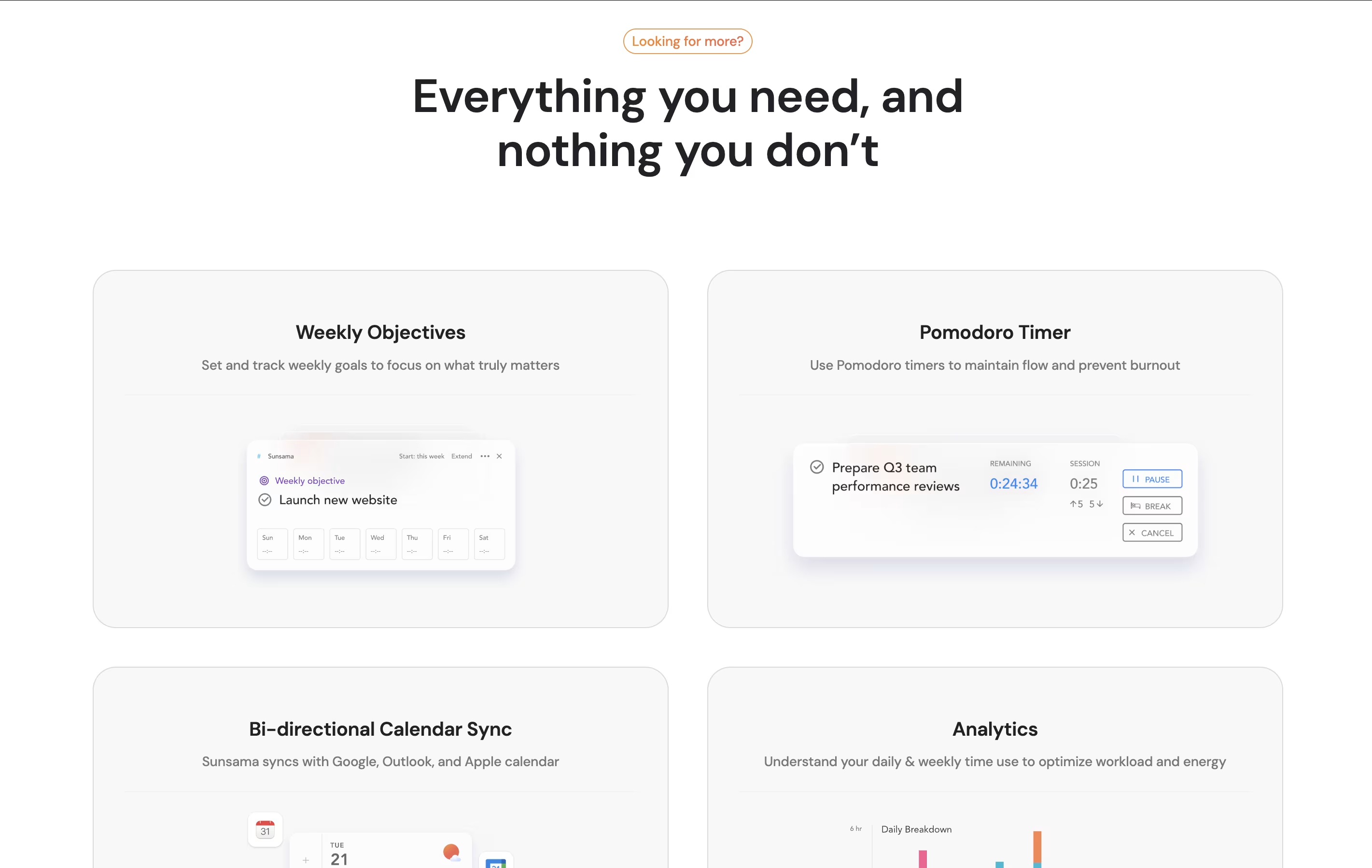
  • Guided daily planning and reflection rituals

  • Calendar sync with Google and Outlook

  • Integrates with 15+ tools (Asana, Trello, Notion, GitHub)

  • Time blocking and scheduling on calendar

  • Focus mode with Pomodoro timer

  • Weekly objectives and time analytics

  • Email and Slack task conversion

  • Mobile and desktop apps available

  • Task time estimation and tracking

  • Team workspace collaboration

Sunsama Pricing

Free Trial

Free

What's included:
  • 14-day trial period
  • No credit card required
  • Full access to all features
  • All integrations included
  • Daily and weekly planning rituals
  • Calendar sync
  • Focus mode and time tracking
  • Mobile and desktop apps
Monthly

$20 /mo

What's included:
  • All features included
  • Unlimited integrations
  • Daily planning ritual
  • Weekly review and objectives
  • Calendar sync (Google, Outlook)
  • Focus mode with Pomodoro
  • Time tracking and analytics
  • Mobile and desktop apps
  • Team workspace (per user)
  • Cancel anytime
Most Popular
Yearly

$16 /mo

What's included:
  • All features included
  • Unlimited integrations
  • Daily planning ritual
  • Weekly review and objectives
  • Calendar sync (Google, Outlook)
  • Focus mode with Pomodoro
  • Time tracking and analytics
  • Mobile and desktop apps
  • Team workspace (per user)
  • Save 20% vs monthly

FAQ's About Sunsama

Does Sunsama have a free plan?
Sunsama offers a 14-day free trial with full access to all features and no credit card required. However, there is no free forever plan. After the trial, pricing starts at $16/month (billed yearly) or $20/month (billed monthly).
What tools does Sunsama integrate with?
Sunsama integrates with over 15 popular tools including Asana, Trello, Notion, ClickUp, Monday.com, Jira, GitHub, GitLab, Todoist, Gmail, Outlook, Slack, Microsoft Teams, Google Calendar, and Zapier for connecting 5000+ additional apps.
How is Sunsama different from other task managers?
Unlike traditional task managers that show all your tasks at once, Sunsama focuses on daily planning. It helps you choose what to work on today, estimate time realistically, and block time on your calendar. The guided rituals for planning and reflection promote mindful productivity and work-life balance.
Can I use Sunsama on my phone?
Yes, Sunsama offers mobile apps for both iOS and Android, plus desktop apps for Mac and Windows. However, the mobile apps work best for viewing and checking off tasks, while the full planning experience is optimized for desktop use.
Is Sunsama good for teams?
Yes, Sunsama works well for teams. You can share your daily plan with teammates through Slack or Microsoft Teams, and everyone can see team members' plans in shared workspaces. Pricing is per person, so a team of 5 would cost $80-100/month depending on the billing cycle.

Share your experience with Sunsama

Loading...

See what users are saying about Sunsama

0.0

0 Reviews

5
0
4
0
3
0
2
0
1
0

No reviews yet

Be the first to review Sunsama

Embed Sunsama badges

Show your community that Sunsama is featured on Tool Questor. Add these beautiful badges to your website, documentation, or social profiles to boost credibility and drive more traffic.

Light Badge Preview
Sunsama – Daily Planner for Focused Professionals