

Joplin vs Obsidian: Features, Pricing and User Reviews 2026

Joplin
Free Open-Source Note-Taking App with Encryption
Joplin
Free Open-Source Note-Taking App with Encryption
What are Joplin and Obsidian?
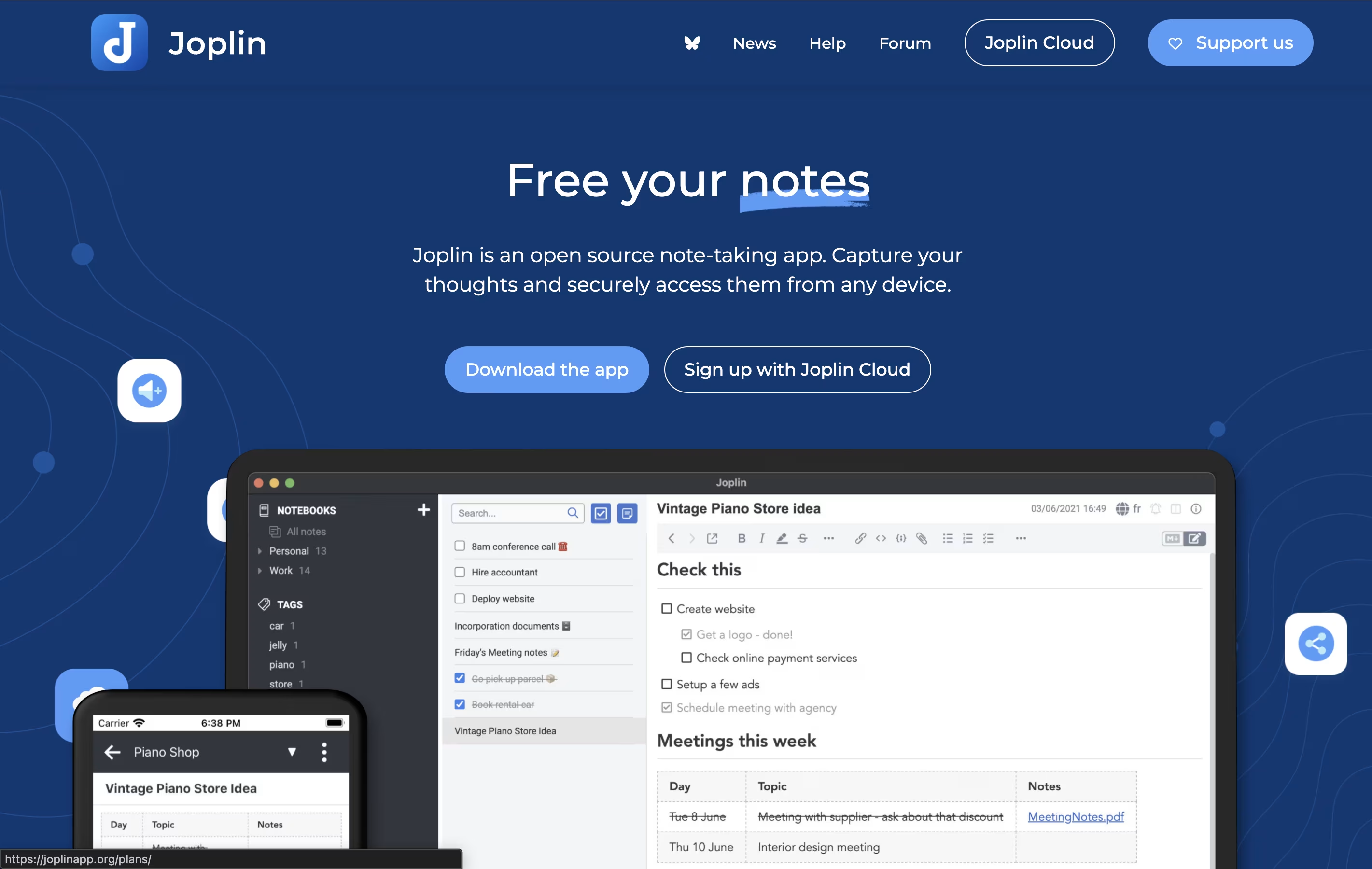
Joplin is a powerful tool for capturing and organizing your thoughts, to-do lists, and information. It supports rich text and Markdown formatting, allowing you to create notes with images, attachments, tables, and even code snippets. You can clip web pages directly from your browser and save them as notes for later reference.
What makes Joplin special is its focus on privacy and data ownership. Your notes are stored locally on your devices, not on someone else's server. When you sync across devices, everything is protected with end-to-end encryption, meaning only you can read your content.
The app offers multiple sync options including Dropbox, OneDrive, Nextcloud, or Joplin's own cloud service. You can also customize Joplin with plugins and themes to match your workflow perfectly.
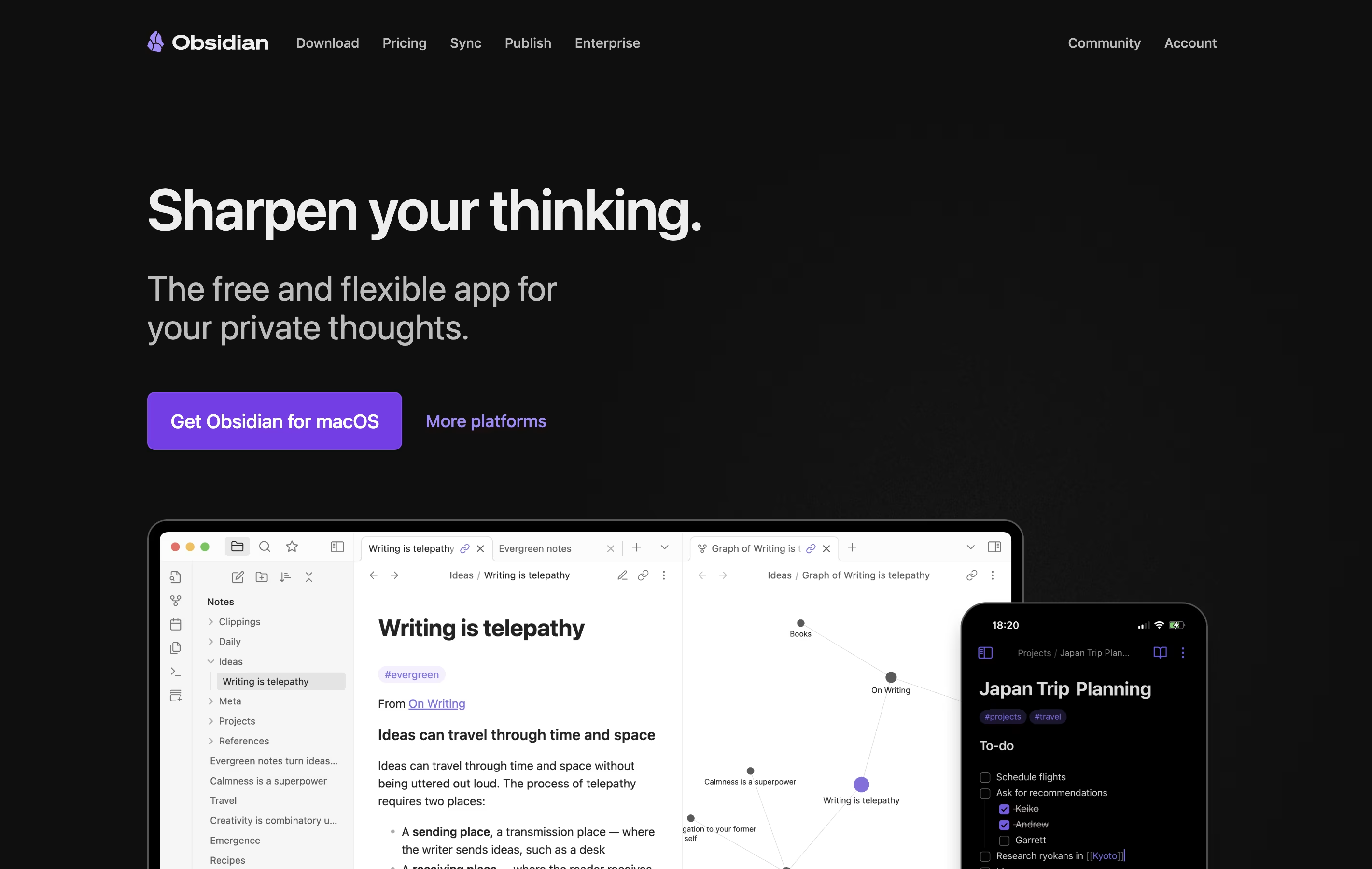
Obsidian is a note-taking app that works with plain text files stored directly on your device. You can write notes, link them together, and see how your ideas connect through a visual graph. Unlike cloud-based tools, everything stays private on your computer.
The app uses simple text files with basic formatting, which means your notes remain readable even without Obsidian. You can link any note to another, creating connections that help you discover patterns in your thinking. This makes it great for building knowledge over time.
There is a free version with all core features and optional paid services for cloud syncing and web publishing. The app works on computers, phones, and tablets.
Features of Joplin and Obsidian
Free and open-source with no tracking or ads
End-to-end encryption for complete privacy
Sync across unlimited devices
Markdown and rich text editing
Web clipper for Chrome and Firefox
Import notes from Evernote
Create to-do lists with reminders
Search inside PDFs and images
Offline-first design
Community plugins and themes available
Stores notes locally on your device with full privacy
Links notes together to build knowledge networks
Visual graph shows connections between ideas
Canvas for unlimited brainstorming space
Thousands of free community plugins available
Works offline without internet connection
Plain text files you own forever
Mobile apps for phones and tablets
Supports basic text formatting
Free to use with optional paid services
Use Cases of Joplin and Obsidian
Pricing of Joplin and Obsidian
Joplin offers flexible pricing to suit different needs. The core desktop and mobile apps are completely free to download and use without limits. You only pay if you want cloud syncing through Joplin's hosted service.
The Basic plan costs €2.99 per month (€2.40 monthly when paid yearly) and includes 2 GB storage with 10 MB per note limit. You can sync unlimited devices and collaborate with others.
The Pro plan costs €5.99 per month (€4.79 monthly when paid yearly) with 30 GB storage and 200 MB per note. It includes all Basic features plus priority support.
The Teams plan costs €7.99 per month (€6.69 monthly when paid yearly) per user with a minimum of 2 users. You get 50 GB storage, team management tools, and consolidated billing.
For businesses wanting full control, Joplin Server Business lets you host everything on your own infrastructure with custom pricing available.
Obsidian is completely free for personal use with all core features included. You get unlimited notes, full plugin access, and complete control over your data at no cost.
For users who want to sync notes across devices, Obsidian Sync offers two plans. The Standard plan costs $4 per month when paid yearly (or $5 monthly) and includes one synced vault with 1GB storage. The Plus plan costs $8 per month yearly (or $10 monthly) with 10GB storage and unlimited vaults.
Obsidian Publish lets you share notes on the web for $8 per month yearly (or $10 monthly) per site, with custom themes and no technical knowledge needed.
The optional Commercial License costs $50 per user yearly for business use, though it became optional in 2025. For one-time supporters, the Catalyst license at $25 gives early access to beta versions and community perks.
FAQs: Joplin vs Obsidian
Reviews: Joplin vs Obsidian
Based on 0 reviews
Based on 0 reviews
Compare Joplin With Other Tools
Compare Obsidian With Other Tools

Logseq
Free Open-Source Note-Taking & Knowledge Base

Notion
All-in-One Workspace for Teams & Projects

SiYuan
Privacy-First Open Source Note-Taking and Knowledge Management

RemNote
Smart Note-Taking with Flashcards and Spaced Repetition

Bear
Beautiful Markdown Note-Taking App for Mac, iPhone & iPad

Anytype
Secure Private Workspace for Notes and Projects
Capacities
Object-Based Note-Taking App for Your Second Brain

Trilium Notes
Free Open-Source Knowledge Base and Note-Taking App

Craft
Beautiful Document Editor with AI for Notes, Tasks & Collaboration





