

Focalboard vs Todoist: Features, Pricing and User Reviews 2026
What are Focalboard and Todoist?

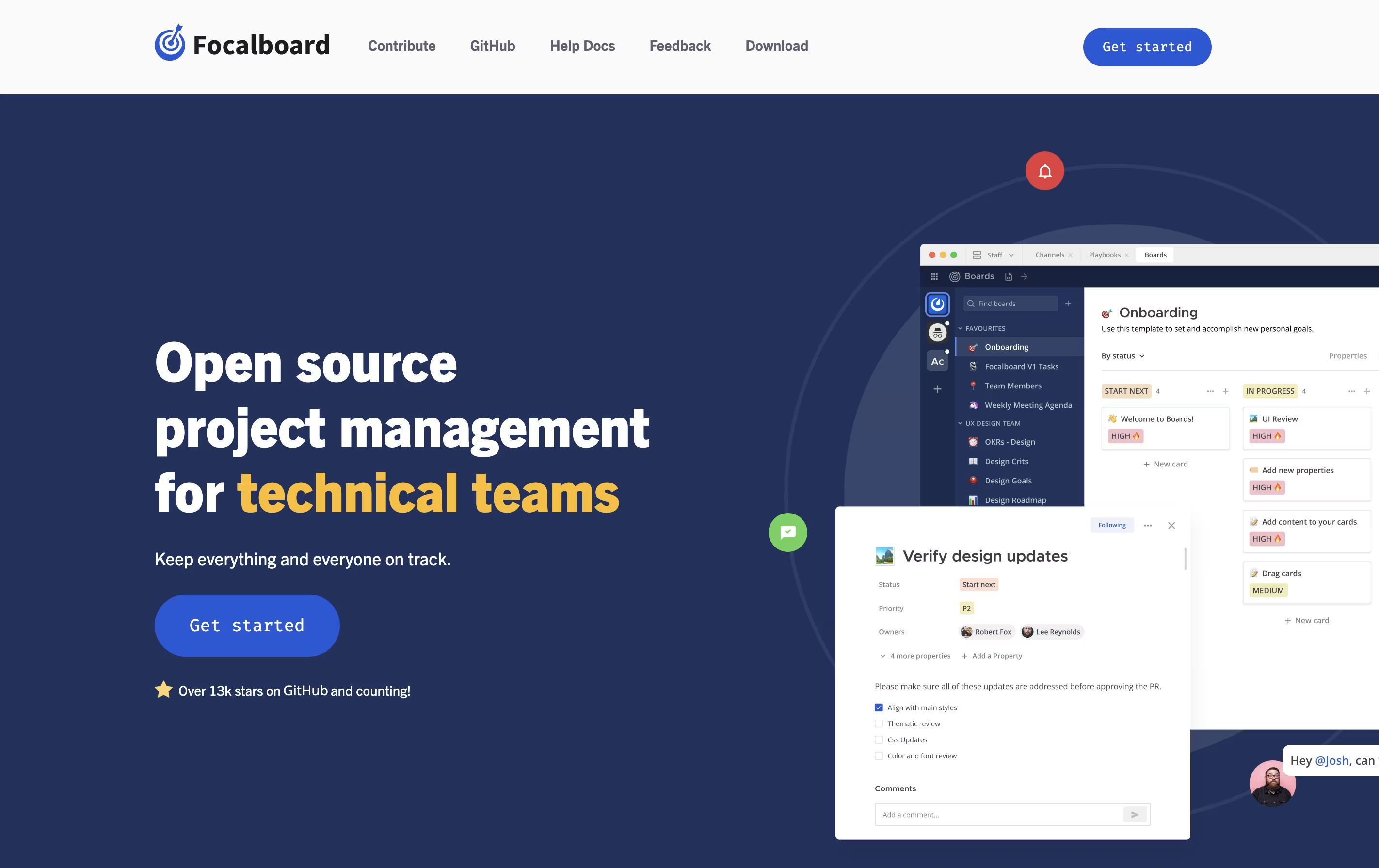
Focalboard is a project management platform that lets you organize work in different ways. You can view tasks as cards on a Kanban board, rows in a table, items in a gallery, or events on a calendar. This flexibility helps you work in the style that suits you best.
It comes in two main versions. The Personal Desktop version is a single-user app for managing your own tasks and projects. The Personal Server version supports multiple users and works well for teams. When used with Mattermost, it integrates messaging and project management in one place.
The tool is completely free to use and modify because it is open source. You can find the source code on GitHub and contribute to its development.
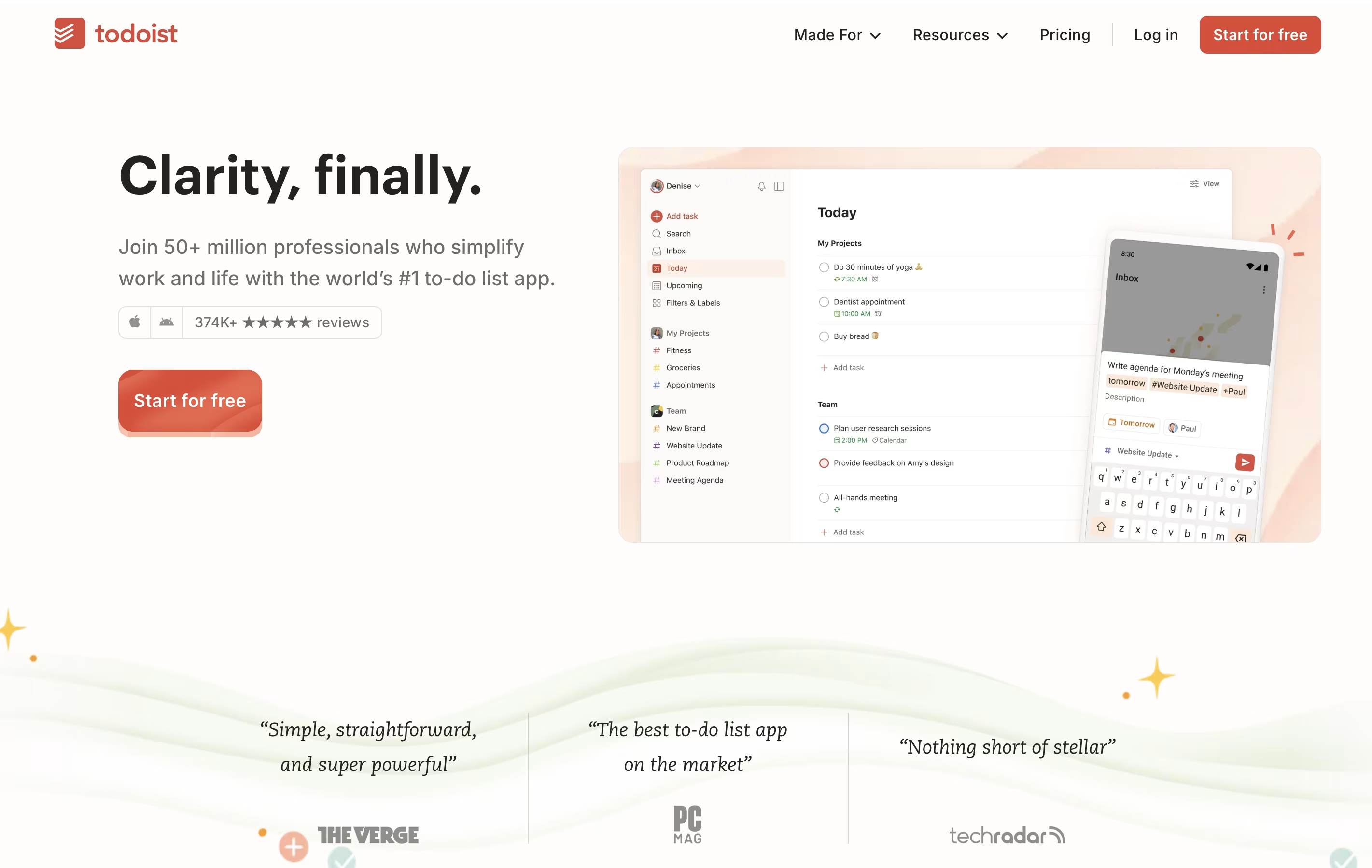
Todoist is a task management app that helps you organize tasks and projects in one place. You can add tasks using simple language, set priorities, and group related items into projects. The app shows your tasks in different views like lists, boards, or calendars so you can see what needs attention.
It works across all your devices and updates everything automatically. You can set reminders for important tasks, add notes and files, and work together with others on shared projects. The app also includes smart features like filters to find specific tasks quickly and templates to start common projects faster.
There is a free version with basic features and paid plans that add more power, including an AI assistant to help manage your workload better.
Features of Focalboard and Todoist
Kanban, table, gallery, and calendar views
Customizable task cards with properties
Pre-built templates for quick start
Board filters and saved views
Team collaboration with comments and mentions
Open source with GitHub access
Self-hosted for data privacy
Multi-language interface
Works offline on desktop
Free to use and modify
Quick task entry with natural language
Multiple view options (list, board, calendar)
Smart reminders and recurring tasks
Priority levels and labels for organization
Project templates for fast setup
Team collaboration with shared workspaces
Cross-platform syncing across all devices
60+ app integrations
Productivity tracking and reports
AI assistant for task management
Use Cases of Focalboard and Todoist
Pricing of Focalboard and Todoist
Focalboard is completely free to use because it is open-source software. There are no subscription fees, usage limits, or hidden costs. You can download and use it without any payment.
You have two main options for using Focalboard. The Personal Desktop app is available for free download on Windows, Mac, and Linux. This version is perfect for individual use and small projects. The Personal Server version is also free and can be installed on your own computer or server to support multiple users and team collaboration.
If you use Mattermost, Focalboard comes built-in as the Boards plugin starting from version 6.0. This integration is also free and provides seamless connection between messaging and project management.
Todoist offers three pricing plans to match different needs.
The Beginner plan is completely free and includes 5 personal projects, smart task entry, reminders, and basic views. You get 3 filter views and one week of activity history. This plan works well for individuals with simple task needs.
The Pro plan costs $5 per month and unlocks 300 personal projects, unlimited activity history, calendar layout, and 150 filter views. You also get the AI Assistant to help prioritize and organize tasks, plus advanced reminders and task duration features.
The Business plan is $8 per month per user and includes everything in Pro, plus team features. You get a shared workspace, up to 500 team projects, team roles and permissions, shared templates, and support for 1000 team members. This plan is designed for teams who need to collaborate on tasks together.
FAQs: Focalboard vs Todoist
Reviews: Focalboard vs Todoist
Based on 0 reviews
Based on 0 reviews
Compare Focalboard With Other Tools
Atlassian
Team Collaboration & Project Management

Motion
AI-Powered Productivity & Task Management
Plane
Open Source Project Management Tool
Any.do
Simple Task Manager with Calendar and Reminders

Vikunja
Open-Source Task Management & To-Do App

OpenProject
Open Source Project Management Tool

Huly
Open-Source Project Management Platform for Teams

Akiflow
AI-Powered Time-Blocking & Task Management

Morgen
AI-Powered Time Management for Busy Professionals
Compare Todoist With Other Tools
Motion
AI-Powered Productivity & Task Management

OmniFocus
Professional Task Management for Apple
Akiflow
AI-Powered Time-Blocking & Task Management
Morgen
AI-Powered Time Management for Busy Professionals

TickTick
Smart Task Management with Calendar & Habits
Any.do
Simple Task Manager with Calendar and Reminders
Vikunja
Open-Source Task Management & To-Do App
Atlassian
Team Collaboration & Project Management

Sunsama
Daily Planner for Focused Professionals


