

Focalboard vs Atlassian: Features, Pricing and User Reviews 2026
Atlassian
Team Collaboration & Project Management
Atlassian
Team Collaboration & Project Management
What are Focalboard and Atlassian?

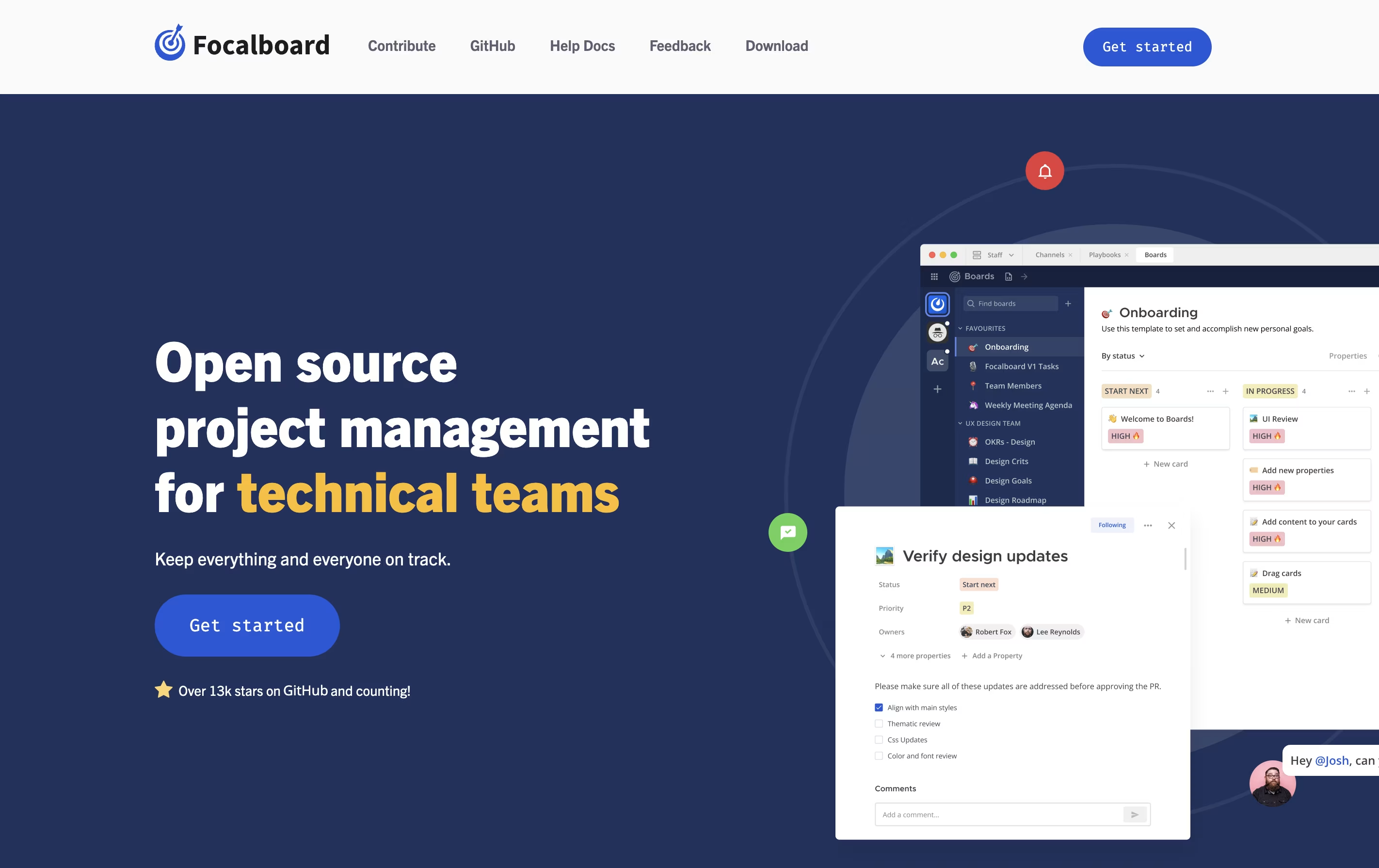
Focalboard is a project management platform that lets you organize work in different ways. You can view tasks as cards on a Kanban board, rows in a table, items in a gallery, or events on a calendar. This flexibility helps you work in the style that suits you best.
It comes in two main versions. The Personal Desktop version is a single-user app for managing your own tasks and projects. The Personal Server version supports multiple users and works well for teams. When used with Mattermost, it integrates messaging and project management in one place.
The tool is completely free to use and modify because it is open source. You can find the source code on GitHub and contribute to its development.
Atlassian is a leading software company that creates collaboration and work management tools designed to help teams of all sizes work more effectively together. Founded by Mike Cannon-Brookes and Scott Farquhar in Sydney, Australia, the company has grown from a bootstrapped startup to a global technology leader.
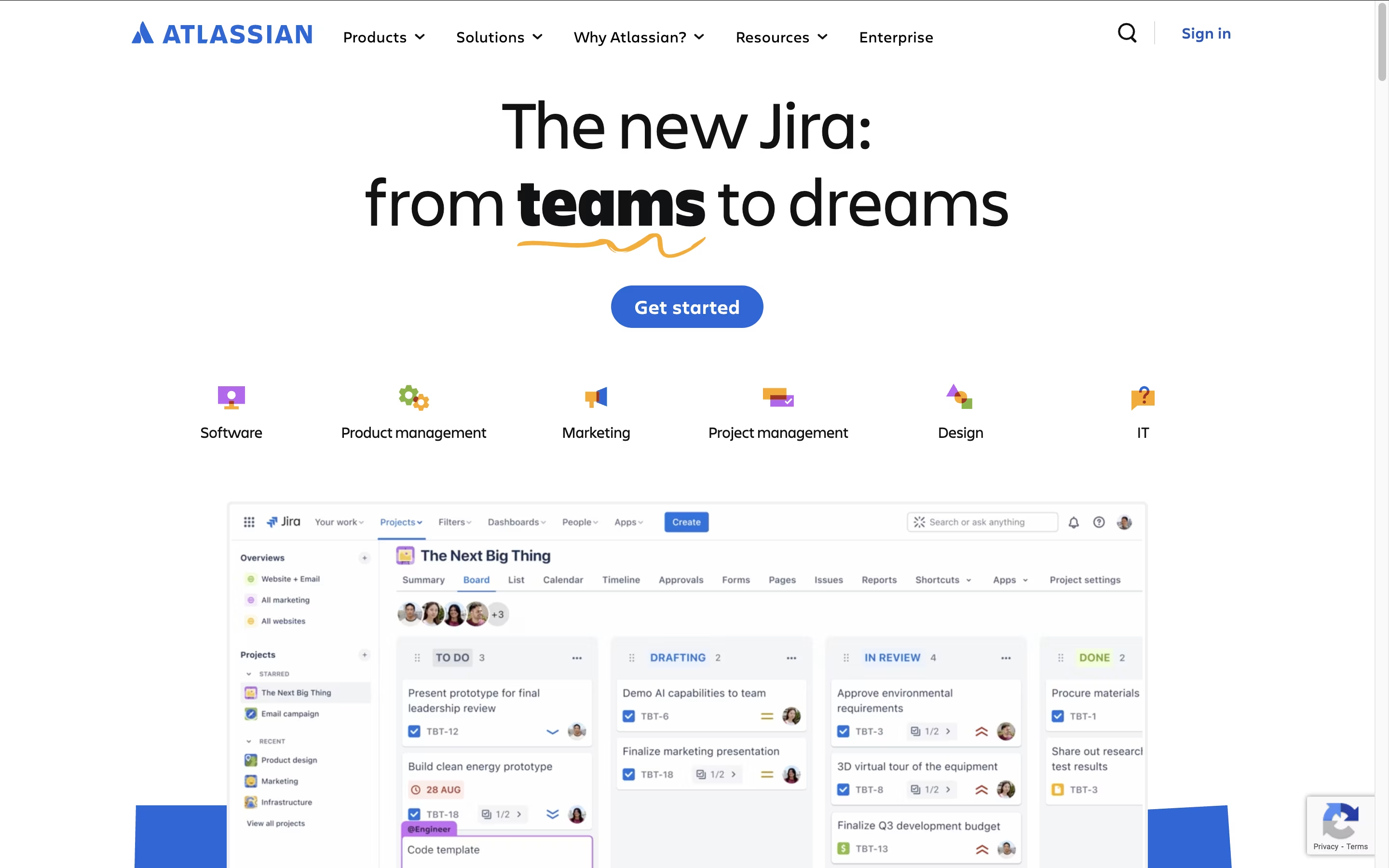
The Atlassian ecosystem centers around four main products that integrate seamlessly. Jira serves as the backbone for project management and issue tracking, particularly popular with software development teams. Confluence acts as a team workspace for creating and sharing knowledge. Trello provides visual project management using boards and cards. Bitbucket handles code collaboration and version control.
What sets Atlassian apart is how these tools work together as a unified system. Teams can link Jira issues to Confluence pages, embed Trello boards in documentation, and track code changes from Bitbucket. This integration eliminates the need to switch between multiple platforms and keeps everyone aligned.
Features of Focalboard and Atlassian
Kanban, table, gallery, and calendar views
Customizable task cards with properties
Pre-built templates for quick start
Board filters and saved views
Team collaboration with comments and mentions
Open source with GitHub access
Self-hosted for data privacy
Multi-language interface
Works offline on desktop
Free to use and modify
Project tracking and agile management with Jira
Team collaboration and documentation in Confluence
Visual project management with Trello boards
Code repository management through Bitbucket
AI-powered automation and smart suggestions
Real-time collaborative editing and commenting
Advanced roadmaps and cross-project planning
Mobile apps for iOS and Android
Extensive third-party integrations
Enterprise-grade security and compliance
Use Cases of Focalboard and Atlassian
Pricing of Focalboard and Atlassian
Focalboard is completely free to use because it is open-source software. There are no subscription fees, usage limits, or hidden costs. You can download and use it without any payment.
You have two main options for using Focalboard. The Personal Desktop app is available for free download on Windows, Mac, and Linux. This version is perfect for individual use and small projects. The Personal Server version is also free and can be installed on your own computer or server to support multiple users and team collaboration.
If you use Mattermost, Focalboard comes built-in as the Boards plugin starting from version 6.0. This integration is also free and provides seamless connection between messaging and project management.
Atlassian offers flexible pricing plans designed to accommodate teams from small startups to large enterprises, with most products following a similar tiered structure.
Individual Product Pricing:
Free Plans - Available for Jira, Confluence, and Trello supporting up to 10 users with core features and 2GB storage
Standard Plans - Starting at $7-8 per user per month, including advanced features, 250GB storage, and business hours support
Premium Plans - From $14-17 per user per month with unlimited storage, 24/7 support, advanced admin controls, and AI features
Enterprise Plans - Custom pricing starting around $155 per user annually, offering unlimited instances, advanced security, and dedicated support
Cost-Saving Options:
Annual billing provides significant discounts compared to monthly payments. Volume discounts apply for larger teams, and nonprofit organizations receive up to 75% off standard pricing. Enterprise customers can bundle multiple products for additional savings and often negotiate custom pricing based on their specific requirements.
FAQs: Focalboard vs Atlassian
Reviews: Focalboard vs Atlassian
Based on 0 reviews
Based on 0 reviews
Compare Focalboard With Other Tools
Todoist
Simple Task Manager & To-Do List App

Motion
AI-Powered Productivity & Task Management
Plane
Open Source Project Management Tool
Any.do
Simple Task Manager with Calendar and Reminders

Vikunja
Open-Source Task Management & To-Do App

OpenProject
Open Source Project Management Tool

Huly
Open-Source Project Management Platform for Teams
Akiflow
AI-Powered Time-Blocking & Task Management

Morgen
AI-Powered Time Management for Busy Professionals
Compare Atlassian With Other Tools
Todoist
Simple Task Manager & To-Do List App
Motion
AI-Powered Productivity & Task Management
Plane
Open Source Project Management Tool

Taiga
Free Agile Project Management Tool
Akiflow
AI-Powered Time-Blocking & Task Management
Morgen
AI-Powered Time Management for Busy Professionals

TickTick
Smart Task Management with Calendar & Habits
Any.do
Simple Task Manager with Calendar and Reminders

OmniFocus
Professional Task Management for Apple





