

Granola vs Tana: Features, Pricing and User Reviews 2026

What are Granola and Tana?

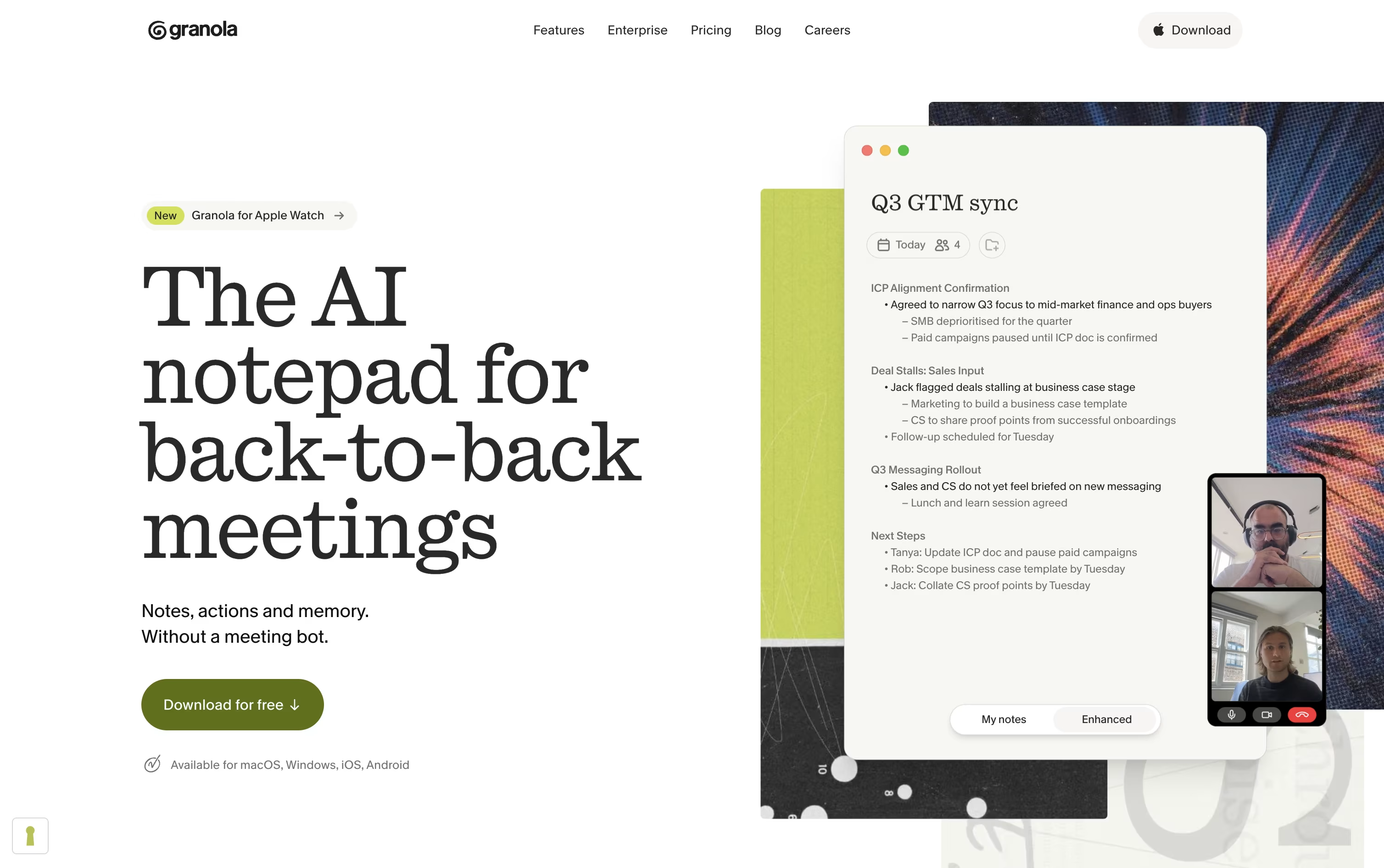
Granola is an AI notepad built for people who spend their day in back-to-back meetings. Instead of sending a bot into your call, it runs quietly in the background on your device, listens to the conversation, and blends it with any rough notes you type.
After the meeting, it turns everything into clear notes with highlights, decisions, and action items you can edit and share. It works across video calls, phone calls, and in-person conversations, and keeps your notes private unless you choose to share them.
Granola also remembers your meeting history, so you can search past conversations or chat with an AI assistant to find what was discussed or promised, saving you time on manual note taking.

Tana is a meeting platform where AI agents join the call, listen to what is said, watch shared screens, and get real work done while the meeting is still happening. Instead of only writing a summary after the call, agents can file tickets, draft documents, and update tools like HubSpot or Linear before everyone even logs off.
Every meeting also feeds a shared knowledge graph of decisions, tasks, and past conversations. This means agents and teammates walk into the next meeting already knowing what happened before, instead of starting from a blank page each time.
Tana offers a free plan for light use, along with Pro and Max plans for teams that rely on meetings heavily, plus a custom Business plan with extra security and admin controls.
Features of Granola and Tana
Background audio capture with no bot joining calls
AI-enhanced meeting notes and summaries
Pre-meeting Briefs with attendee context
Granola Chat across all your meetings
Multi-language transcription support
Shared folders and Team Spaces
Custom note templates
Slack, Notion, HubSpot, and Zapier integrations
API and MCP access
Mac, Windows, iOS, and Android apps
AI agents active during live meetings
Files tickets and drafts documents in real time
Botless agent for Zoom, Teams, Google Meet
Connected knowledge graph across meetings
Customizable agents and skills
Integrations with HubSpot, Jira, Linear, GitHub
Full MCP and API support
SAML SSO and audit logs
GDPR compliant, SOC 2 and HIPAA coming
Desktop apps for Mac, Windows, Linux
Use Cases of Granola and Tana
Pricing of Granola and Tana
Granola offers three pricing tiers: Basic, Business, and Enterprise.
Basic (Free): Includes AI meeting notes, limited meeting history, AI chat, shared folders, custom templates, and multi-language support.
Business ($14/user/month): Adds unlimited meeting notes and history, advanced AI models, integrations with Slack, Notion, HubSpot, Attio, Affinity, and Zapier, centralized billing, MCP integration, and API access.
Enterprise ($35/user/month): Includes everything in Business plus enterprise-grade security, single sign-on, priority support, usage analytics, org-wide auto-deletion, and admin controls for sharing and API access.
All plans are billed per user, so your total cost depends on how many people on your team use Granola.
Tana offers a free plan plus three paid tiers, with cheaper rates when billed yearly.
Free ($0): Includes 5 hosted meetings a month, 1 calendar connection, and 50 AI queries.
Pro ($25/user/month, or $20/user/month billed yearly): Adds unlimited hosted meetings, 20 times more AI, a botless meeting agent, and full MCP integrations.
Max ($100/user/month, or $80/user/month billed yearly): Adds 5 times more AI than Pro, dedicated support and onboarding, and unlimited agents, skills, and types.
Business (Custom, billed yearly): Adds SAML SSO, advanced security controls, a dedicated customer success manager, audit logs, and custom data residency and retention control.
New users get a 30 day free trial with no credit card required, and yearly plans include a 60 day refund window.
FAQs: Granola vs Tana
Reviews: Granola vs Tana
Based on 0 reviews
Based on 0 reviews
Compare Granola With Other Tools

Jamie
AI Meeting Notes, Transcripts & Tasks

Grain
AI Meeting Notetaker for Sales and CS Teams

Otter.ai
AI Meeting Notes and Transcription
Wispr Notetaker
Bot-Free AI Meeting Assistant

Littlebird
Your AI Powered Second Mind at Work
Notta
AI Meeting Notes, Transcripts & Summaries

Supernormal
Bot-Free AI Meeting Notes & Agents

Circleback
AI Meeting Notes and Action Items

Fathom
AI Notetaker, Transcripts & Summaries
Compare Tana With Other Tools
Littlebird
Your AI Powered Second Mind at Work
Grain
AI Meeting Notetaker for Sales and CS Teams
Jamie
AI Meeting Notes, Transcripts & Tasks
Otter.ai
AI Meeting Notes and Transcription
Wispr Notetaker
Bot-Free AI Meeting Assistant
Circleback
AI Meeting Notes and Action Items

Fireflies.ai
AI Meeting Notes & Transcription

Voicenotes
AI Notes for Meetings, Memos & More

Fellow
AI Meeting Notes and Action Items App

